🎮 Play Pop’n Twinbee Online (SNES)

🎲 NEXT RANDOM GAME
Pop’n Twinbee cover art
SAVE SLOTS:

🕹️ GAME CONTROLS

Action / ButtonKeyboard Key
D-Pad (Up / Down / Left / Right)Arrow Keys
Button AZ or J
Button BX or K
Button X / Turbo AA or U
Button Y / Turbo BS or I
SelectShift
StartEnter

💡 Tip: You can also connect any USB / Bluetooth Gamepad controller!

Game Rating & Player Reviews: ⭐ Not rated yet
☆☆☆☆☆
Be the first to rate
Rate this game (Click 1 to 5 stars):

✏️ Suggest an edit to Pop’n Twinbee

🚩 Report Issue with Pop’n Twinbee:

🎮 VISUAL CONTROLLER MAPPING & GAMEPAD DIAGRAM Auto-Detect: Active
L1 / LB R1 / RB SELECT START Y X A B RETRO ARCADE
Gamepad InputRetro FunctionKeyboard Key
D-Pad / AnalogCharacter Movement / Steering
Button A (East)Primary Action / Attack / FireZ / K
Button B (South)Secondary / Jump / CancelX / J
Button X / YSpecial / Turbo / Extra FireA / S
SelectInsert Coin / Select OptionRight Shift
StartGame Start / Pause GameEnter
Game info: 👁️ 206 plays
Pop’n Twinbee
box cover
Game title:Pop’n Twinbee
Platform:SNES
Author (released): Konami (1993)
Genre:Action, Shooter
Mode:Multiplayer
Game size:776 kB
Emulator Core:SNES
Game Manual: 📖 Official Manual (Built-in)
Share Game:
License:Freeware / Abandonware
Available online emulators for Pop’n Twinbee:

Different online emulators are available for Pop’n Twinbee. Select an emulator core below for optimal performance:

Emulator Core EngineTechnologyMultiplayerGamepadTouchAdsAction / Switch
EmulatorJS (Default WebAssembly) WebAssembly / JSYESYES YESNO ▶ ACTIVE
SNES / Super Famicom (Recommended) WebAssembly / LibretroYESYES YESNO PLAY ⚡
Game description:

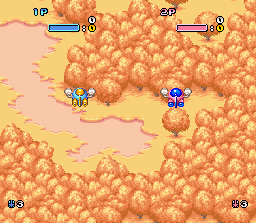
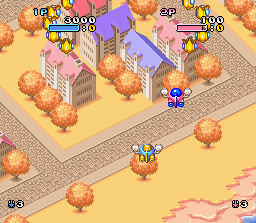
Pop’n TwinBee is a vertical cute-em-up by Konami for the SNES, released in 1993 in Europe and Japan. Part of Konami’s TwinBee franchise — cartoon-styled shooters that go back to the 1985 arcade original — it puts you in the cockpit of TwinBee (or WinBee in the second seat) and scrolls you upward through colorful stages packed with round, bright enemies and ground installations to bomb.

How to Play

The series’ core mechanic is the bell. Enemies drop bells when destroyed; the bells bounce around the screen, and shooting them cycles through a range of colors. Catching one at the right color delivers a power-up — shields, stronger firepower, a speed boost, and more. Managing the bells while the screen fills is where the skill lives.

Keyboard controls:

  • Arrow keys — move
  • Z — fire (air targets)
  • X — bomb (ground targets)
  • A / S — X / Y buttons
  • Q / E — L / R shoulder
  • Enter — Start  |  Shift — Select

Tips

  • Don’t grab the first bell that drops — keep shooting it to cycle to the color you need, especially blue (shield).
  • Ground targets don’t respond to your main gun; keep tapping X to clear the bottom of the screen.
  • In two-player mode, one pilot can manage the bells while the other concentrates on incoming waves.
Screenshots:
Pop’n Twinbee Screenshot
Player Comments & Discussion: 0 Comments

Leave a Comment / Review:

No comments yet. Be the first gamer to sign the guestbook!