
๐ŸŽฎ Play The Games: Winter Challenge Online (DOS)

๐ŸŽฒ NEXT RANDOM GAME
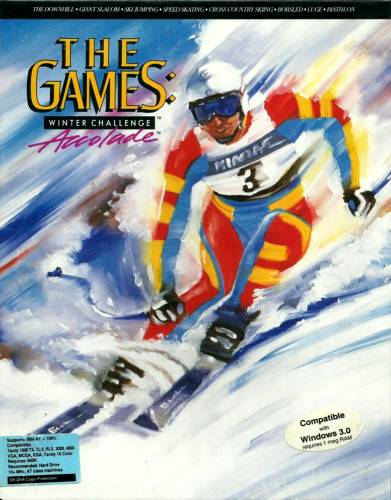
The Games: Winter Challenge cover art
SAVE SLOTS:

๐Ÿ•น๏ธ GAME CONTROLS

Action / ButtonKeyboard Key
D-Pad (Up / Down / Left / Right)Arrow Keys
Button AZ or J
Button BX or K
Button X / Turbo AA or U
Button Y / Turbo BS or I
SelectShift
StartEnter

๐Ÿ’ก Tip: You can also connect any USB / Bluetooth Gamepad controller!

Game Rating & Player Reviews: โญ Not rated yet
โ€“
โ˜†โ˜†โ˜†โ˜†โ˜†
Be the first to rate
Rate this game (Click 1 to 5 stars):
โ˜… โ˜… โ˜… โ˜… โ˜…

✏️ Suggest an edit to The Games: Winter Challenge

๐Ÿšฉ Report Issue with The Games: Winter Challenge:

๐ŸŽฎ VISUAL CONTROLLER MAPPING & GAMEPAD DIAGRAM Auto-Detect: Active
L1 / LB R1 / RB SELECT START Y X A B RETRO ARCADE
Gamepad InputRetro FunctionKeyboard Key
D-Pad / AnalogCharacter Movement / Steeringโ–ฒ โ–ผ โ—„ โ–บ
Button A (East)Primary Action / Attack / FireZ / K
Button B (South)Secondary / Jump / CancelX / J
Button X / YSpecial / Turbo / Extra FireA / S
SelectInsert Coin / Select OptionRight Shift
StartGame Start / Pause GameEnter
Game info: ๐Ÿ‘๏ธ 150 plays
The Games: Winter Challenge
box cover
Game title:The Games: Winter Challenge
Platform:DOS
Author (released): Accolade (1991)
Genre:Action, Sport
Mode:Multiplayer
Game size:1209 kB
Emulator Core:DOS
Game Manual: ๐Ÿ“– Official Manual (Built-in)
Share Game:
License:Freeware / Abandonware
Available online emulators for The Games: Winter Challenge:

Different online emulators are available for The Games: Winter Challenge. Select an emulator core below for optimal performance:

Emulator Core EngineTechnologyMultiplayerGamepadTouchAdsAction / Switch
EmulatorJS (Default WebAssembly) WebAssembly / JSYESYES YESNO โ–ถ ACTIVE
MS-DOS (Recommended) WebAssembly / LibretroYESYES YESNO PLAY โšก
JS-DOS v3.0 / DOSBox Engine Emscripten C++YESYES NONO PLAY โšก
Game description:

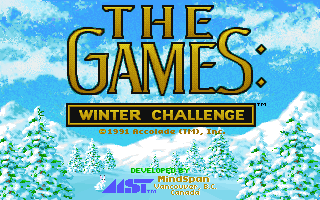
Published by Accolade for DOS in 1991, The Games: Winter Challenge is a multi-event sports simulation that drops players into the competitive world of winter athletics. Featuring eight distinct eventsโ€”including Downhill Skiing, Luge, Bobsled, and the Ski Jumpโ€”the game stood out for its use of early 3D polygonal graphics to create a convincing sense of speed and terrain.

How to play

Each event requires a different set of skills, testing your timing and rhythm. The default controls rely on the keyboard, typically using the Arrow keys to steer or balance and the Enter or Space keys to initiate movement or build speed depending on the sport. For instance, the Ski Jump requires careful wind compensation and precise landing timing, while Speed Skating is all about maintaining a rhythmic alternating key press to build momentum.

Tips

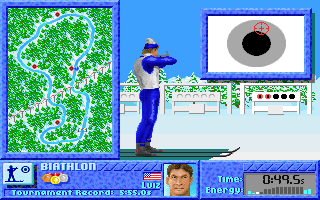
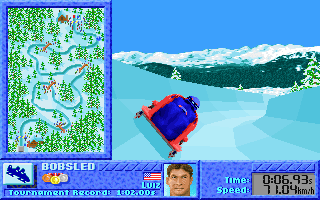
In the Biathlon, managing your heart rate is crucial before you start shooting; enter the firing range with a low pulse to keep the crosshairs steady. For the Bobsled and Luge events, focus on taking smooth lines through the corners rather than steering erratically, which will quickly bleed off your top speed.
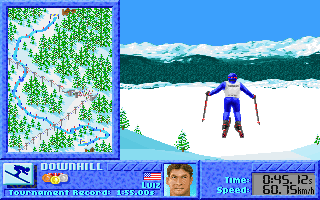
Screenshots:
The Games: Winter Challenge Screenshot
Player Comments & Discussion: 0 Comments

Leave a Comment / Review:

No comments yet. Be the first gamer to sign the guestbook!