🎮 Play Mines of Minos Online (Atari 2600)

🎲 NEXT RANDOM GAME
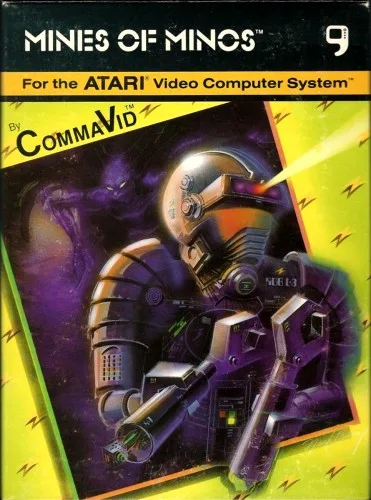
Mines of Minos cover art
SAVE SLOTS:

đŸ•šī¸ GAME CONTROLS

Action / ButtonKeyboard Key
D-Pad (Up / Down / Left / Right)Arrow Keys
Button AZ or J
Button BX or K
Button X / Turbo AA or U
Button Y / Turbo BS or I
SelectShift
StartEnter

💡 Tip: You can also connect any USB / Bluetooth Gamepad controller!

Game Rating & Player Reviews: ⭐ Not rated yet
–
☆☆☆☆☆
Be the first to rate
Rate this game (Click 1 to 5 stars):
★ ★ ★ ★ ★

✏️ Suggest an edit to Mines of Minos

🚩 Report Issue with Mines of Minos:

🎮 VISUAL CONTROLLER MAPPING & GAMEPAD DIAGRAM Auto-Detect: Active
L1 / LB R1 / RB SELECT START Y X A B RETRO ARCADE
Gamepad InputRetro FunctionKeyboard Key
D-Pad / AnalogCharacter Movement / Steering▲ â–ŧ ◄ â–ē
Button A (East)Primary Action / Attack / FireZ / K
Button B (South)Secondary / Jump / CancelX / J
Button X / YSpecial / Turbo / Extra FireA / S
SelectInsert Coin / Select OptionRight Shift
StartGame Start / Pause GameEnter
Game info: đŸ‘ī¸ 153 plays
Mines of Minos
box cover
Game title:Mines of Minos
Platform:Atari 2600
Author (released): CommaVid (1982)
Genre:Action
Mode:Multiplayer
Game size:4 kB
Emulator Core:ATARI2600
Game Manual: 📖 Official Manual (Built-in)
Share Game:
License:Freeware / Abandonware
Available online emulators for Mines of Minos:

Different online emulators are available for Mines of Minos. Select an emulator core below for optimal performance:

Emulator Core EngineTechnologyMultiplayerGamepadTouchAdsAction / Switch
EmulatorJS (Default WebAssembly) WebAssembly / JSYESYES YESNO â–ļ ACTIVE
Atari 2600 (Recommended) WebAssembly / LibretroYESYES YESNO PLAY ⚡
Javatari / Stella JS Engine WebAssembly / LibretroYESYES YESNO PLAY ⚡
Game description:

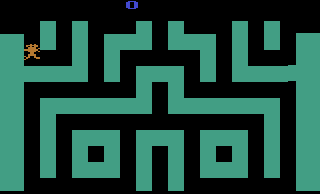
Designed by Irwin Gaines and published by CommaVid in 1982, Mines of Minos is a subterranean maze action game for the Atari 2600. Players guide a mining robot through deep underground shafts infested with aggressive alien monsters, setting timed explosives and assembling spare robot bodies to survive escalating depths.

How to Play

Navigate the maze corridors to avoid pursuing aliens and place timed bombs to clear your path. Because you start with zero spare lives, you must collect robot parts scattered throughout the mine to construct extra bodies before rising water seals off passages. In two-player mode, a second player takes control of an alien monster to hunt the mining robot.

Browser Controls

ActionPlayer 1 KeyboardPlayer 2 Keyboard
Move Robot / MonsterArrow Keys (↑ ↓ ← →)T G F H
Trigger (Plant Bomb / Attack)SpacebarA
TurboDelete.
Game Select / ResetF11 / F12F11 / F12
PauseAlt + PAlt + P

Tips for Deep Mine Survival

  • Prioritize robot parts early: Collect scattered chassis components on initial levels to build backup lives before rising water limits your movement options.
  • Plant bombs around tight corners: Aliens follow direct pursuit paths; set timed charges at narrow junctions so enemies walk into explosions.
  • Stay mobile against flooding: Water levels constantly rise in subterranean shafts, so avoid staying in lower mine corridors too long.
Screenshots:
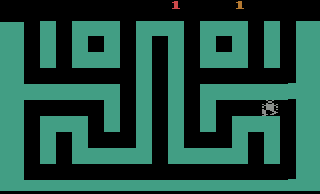
Mines of Minos Screenshot
Player Comments & Discussion: 0 Comments

Leave a Comment / Review:

No comments yet. Be the first gamer to sign the guestbook!