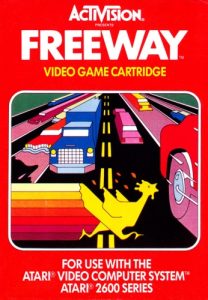
🎮 Play Freeway Online (Atari 2600)

🎲 NEXT RANDOM GAME
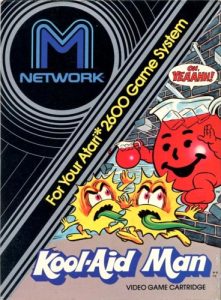
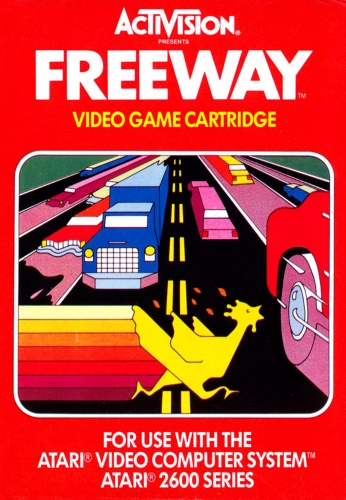
Freeway cover art
SAVE SLOTS:

🕹️ GAME CONTROLS

Action / ButtonKeyboard Key
D-Pad (Up / Down / Left / Right)Arrow Keys
Button AZ or J
Button BX or K
Button X / Turbo AA or U
Button Y / Turbo BS or I
SelectShift
StartEnter

💡 Tip: You can also connect any USB / Bluetooth Gamepad controller!

Game Rating & Player Reviews: ⭐ Not rated yet
☆☆☆☆☆
Be the first to rate
Rate this game (Click 1 to 5 stars):

✏️ Suggest an edit to Freeway

🚩 Report Issue with Freeway:

🎮 VISUAL CONTROLLER MAPPING & GAMEPAD DIAGRAM Auto-Detect: Active
L1 / LB R1 / RB SELECT START Y X A B RETRO ARCADE
Gamepad InputRetro FunctionKeyboard Key
D-Pad / AnalogCharacter Movement / Steering
Button A (East)Primary Action / Attack / FireZ / K
Button B (South)Secondary / Jump / CancelX / J
Button X / YSpecial / Turbo / Extra FireA / S
SelectInsert Coin / Select OptionRight Shift
StartGame Start / Pause GameEnter
Game info: 👁️ 148 plays
Freeway
box cover
Game title:Freeway
Platform:Atari 2600
Author (released): Activision (1981)
Genre:Action
Mode:Multiplayer
Game size:2 kB
Emulator Core:ATARI2600
Game Manual: 📖 Official Manual (Built-in)
Share Game:
License:Freeware / Abandonware
Available online emulators for Freeway:

Different online emulators are available for Freeway. Select an emulator core below for optimal performance:

Emulator Core EngineTechnologyMultiplayerGamepadTouchAdsAction / Switch
EmulatorJS (Default WebAssembly) WebAssembly / JSYESYES YESNO ▶ ACTIVE
Atari 2600 (Recommended) WebAssembly / LibretroYESYES YESNO PLAY ⚡
Javatari / Stella JS Engine WebAssembly / LibretroYESYES YESNO PLAY ⚡
Game description:

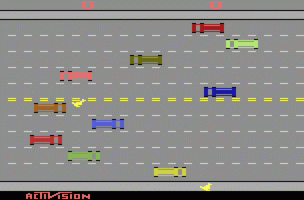
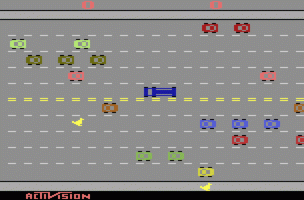
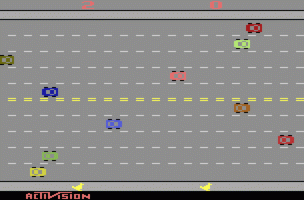
Activision’s Freeway puts a chicken on the wrong side of a busy highway and gives you two minutes to fix it. Released for the Atari 2600 in 1981, the game strips the road-crossing idea down to its essentials: eight lanes of constant traffic, one point per safe crossing, and a clock that never pauses.

How to play

Push your chicken from the bottom of the screen toward the top, weaving through lanes of cars moving horizontally across the road. Getting hit does not end the game — it knocks you back toward the start, costing time rather than lives. Reach the far side to score a point, then do it again. Two players can race simultaneously, each steering their own chicken on their half of the screen.

Player 1Player 2
MoveArrow keysT / G / F / H
ResetF12
SelectF11
PauseAlt+P

Tips

  • Cars in each lane move at a fixed speed. Spend your first run learning the gap patterns on the lower rows — they set the tempo for everything above.
  • Waiting for a clean opening almost always beats forcing a gap. A collision sends you back further than the time you would have saved.
  • In two-player mode the chickens move independently — stay focused on your own lanes and only glance at the score when you make it across.
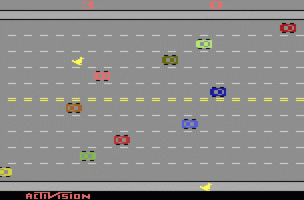
Screenshots:
Freeway Screenshot
Freeway Screenshot
Freeway Screenshot
Freeway Screenshot
Player Comments & Discussion: 0 Comments

Leave a Comment / Review:

No comments yet. Be the first gamer to sign the guestbook!