🎮 Play Gremlin 2 – Shinshu Tanjou (Japan) Online (NES)

🎲 NEXT RANDOM GAME
Gremlin 2 – Shinshu Tanjou (Japan) cover art
SAVE SLOTS:

đŸ•šī¸ GAME CONTROLS

Action / ButtonKeyboard Key
D-Pad (Up / Down / Left / Right)Arrow Keys
Button AZ or J
Button BX or K
Button X / Turbo AA or U
Button Y / Turbo BS or I
SelectShift
StartEnter

💡 Tip: You can also connect any USB / Bluetooth Gamepad controller!

Game Rating & Player Reviews: ⭐ Not rated yet
–
☆☆☆☆☆
Be the first to rate
Rate this game (Click 1 to 5 stars):
★ ★ ★ ★ ★

✏️ Suggest an edit to Gremlin 2 – Shinshu Tanjou (Japan)

🚩 Report Issue with Gremlin 2 – Shinshu Tanjou (Japan):

🎮 VISUAL CONTROLLER MAPPING & GAMEPAD DIAGRAM Auto-Detect: Active
L1 / LB R1 / RB SELECT START Y X A B RETRO ARCADE
Gamepad InputRetro FunctionKeyboard Key
D-Pad / AnalogCharacter Movement / Steering▲ â–ŧ ◄ â–ē
Button A (East)Primary Action / Attack / FireZ / K
Button B (South)Secondary / Jump / CancelX / J
Button X / YSpecial / Turbo / Extra FireA / S
SelectInsert Coin / Select OptionRight Shift
StartGame Start / Pause GameEnter
Game info: đŸ‘ī¸ 119 plays
Gremlin 2 – Shinshu Tanjou (Japan)
box cover
Game title:Gremlin 2 – Shinshu Tanjou (Japan)
Platform:NES
Author (released): Unknown (1990)
Emulator Core:NES
Game Manual: 📖 Official Manual (Built-in)
Share Game:
License:Freeware / Abandonware
Available online emulators for Gremlin 2 – Shinshu Tanjou (Japan):

Different online emulators are available for Gremlin 2 – Shinshu Tanjou (Japan). Select an emulator core below for optimal performance:

Emulator Core EngineTechnologyMultiplayerGamepadTouchAdsAction / Switch
EmulatorJS (Default WebAssembly) WebAssembly / JSYESYES YESNO PLAY ⚡
NES / Famicom (Recommended) WebAssembly / LibretroYESYES YESNO PLAY ⚡
Nestopia UE (Accurate) WebAssembly / LibretroYESYES YESNO â–ļ ACTIVE
Game description:

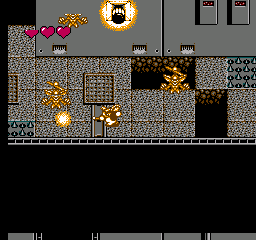
Gremlin 2 – Shinshu Tanjou is the Japanese release of Sunsoft’s 1990 action game based on the movie Gremlins 2: The New Batch. Playing as Gizmo, you navigate through multiple top-down stages set in the Clamp Center building. The game is known for its excellent Sunsoft soundtrack, detailed cutscenes, and challenging platforming elements that require careful jumping and precise attacking over hazards.

How to Play

Your objective is to reach the end of each stage while defeating mutated Gremlins and bosses. You begin armed with throwable tomatoes, but can find stronger weapons like matches and a paperclip bow as you progress.

  • Move: Arrow Keys (D-Pad)
  • Jump: Z Key (A Button)
  • Attack: X Key (B Button)
  • Start/Pause: Enter
  • Select: Shift

Tips

  • Gizmo’s jump momentum can be tricky to control; practice short and long jumps early on to avoid falling into pits later in the game.
  • Look out for crystal balls dropped by enemies. Collecting enough of them allows you to purchase helpful items like extra lives or weapon upgrades from Mr. Wing’s shop between levels.
  • The pogo stick item gives you invincibility against floor hazards like spikes, making certain platforming sections much safer to cross.
Player Comments & Discussion: 0 Comments

Leave a Comment / Review:

No comments yet. Be the first gamer to sign the guestbook!