🎮 Play Dezaemon 3D (Japan) Online (Nintendo 64)

🎲 NEXT RANDOM GAME
Dezaemon 3D (Japan) cover art
SAVE SLOTS:

đŸ•šī¸ GAME CONTROLS

Action / ButtonKeyboard Key
D-Pad (Up / Down / Left / Right)Arrow Keys
Button AZ or J
Button BX or K
Button X / Turbo AA or U
Button Y / Turbo BS or I
SelectShift
StartEnter

💡 Tip: You can also connect any USB / Bluetooth Gamepad controller!

Game Rating & Player Reviews: ⭐ Not rated yet
–
☆☆☆☆☆
Be the first to rate
Rate this game (Click 1 to 5 stars):
★ ★ ★ ★ ★

✏️ Suggest an edit to Dezaemon 3D (Japan)

🚩 Report Issue with Dezaemon 3D (Japan):

🎮 VISUAL CONTROLLER MAPPING & GAMEPAD DIAGRAM Auto-Detect: Active
L1 / LB R1 / RB SELECT START Y X A B RETRO ARCADE
Gamepad InputRetro FunctionKeyboard Key
D-Pad / AnalogCharacter Movement / Steering▲ â–ŧ ◄ â–ē
Button A (East)Primary Action / Attack / FireZ / K
Button B (South)Secondary / Jump / CancelX / J
Button X / YSpecial / Turbo / Extra FireA / S
SelectInsert Coin / Select OptionRight Shift
StartGame Start / Pause GameEnter
Game info: đŸ‘ī¸ 108 plays
Dezaemon 3D (Japan)
box cover
Game title:Dezaemon 3D (Japan)
Platform:Nintendo 64
Author (released): Unknown (1998)
Emulator Core:N64
Game Manual: 📖 Official Manual (Built-in)
Share Game:
License:Freeware / Abandonware
Available online emulators for Dezaemon 3D (Japan):

Different online emulators are available for Dezaemon 3D (Japan). Select an emulator core below for optimal performance:

Emulator Core EngineTechnologyMultiplayerGamepadTouchAdsAction / Switch
EmulatorJS (Default WebAssembly) WebAssembly / JSYESYES YESNO â–ļ ACTIVE
Nintendo 64 (Recommended) WebAssembly / LibretroYESYES YESNO PLAY ⚡
ParaLLEl N64 WebAssembly / LibretroYESYES YESNO PLAY ⚡
Game description:

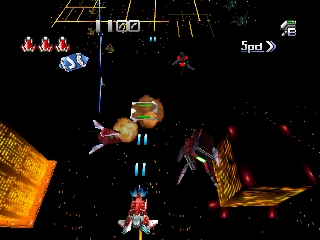
Dezaemon 3D is a comprehensive shoot-’em-up creation suite released for the Nintendo 64 in 1998. Developed by Athena exclusively for Japan, it provides a full toolset for players to design, build, and play their own vertical scrolling 3D shooters. Rather than just playing a pre-made campaign, users can create custom 3D models, compose soundtracks, design complex bullet patterns, and map out entire stage layouts.

How to Play

Gameplay is split between the creation tools and the shooters themselves. In the browser emulator, the Nintendo 64 controls map to your keyboard. Use the arrow keys for the D-pad and the I, J, K, L keys for the C-buttons (or as mapped in your settings) to navigate the menus. Press the Enter key for Start, Z for the A button to confirm selections, and X for the B button to cancel. While playing a shooter, move your ship with the arrow keys, fire your primary weapon with Z, and drop bombs with X.

Tips

  • Menu navigation: The interface is entirely in Japanese. If you do not read the language, rely on the visual icons or refer to an online menu translation guide to find your way around the creation suite.
  • Try the samples: Before trying to build your own game from scratch, play through the built-in sample games to understand how the engine handles hitboxes, 3D models, and enemy waves.
  • Use save states: Designing models and stages is a long process. Remember to use the emulator’s save state feature frequently so you do not lose your hard work.
Player Comments & Discussion: 0 Comments

Leave a Comment / Review:

No comments yet. Be the first gamer to sign the guestbook!