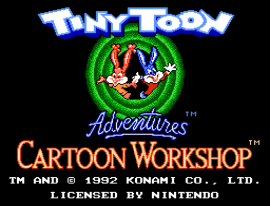
๐ŸŽฎ Play Tiny Toon Adventures Cartoon Workshop (Europe) Online (NES)

๐ŸŽฒ NEXT RANDOM GAME
Tiny Toon Adventures Cartoon Workshop (Europe) cover art
SAVE SLOTS:

๐Ÿ•น๏ธ GAME CONTROLS

Action / ButtonKeyboard Key
D-Pad (Up / Down / Left / Right)Arrow Keys
Button AZ or J
Button BX or K
Button X / Turbo AA or U
Button Y / Turbo BS or I
SelectShift
StartEnter

๐Ÿ’ก Tip: You can also connect any USB / Bluetooth Gamepad controller!

Game Rating & Player Reviews: โญ Not rated yet
โ€“
โ˜†โ˜†โ˜†โ˜†โ˜†
Be the first to rate
Rate this game (Click 1 to 5 stars):
โ˜… โ˜… โ˜… โ˜… โ˜…

✏️ Suggest an edit to Tiny Toon Adventures Cartoon Workshop (Europe)

๐Ÿšฉ Report Issue with Tiny Toon Adventures Cartoon Workshop (Europe):

๐ŸŽฎ VISUAL CONTROLLER MAPPING & GAMEPAD DIAGRAM Auto-Detect: Active
L1 / LB R1 / RB SELECT START Y X A B RETRO ARCADE
Gamepad InputRetro FunctionKeyboard Key
D-Pad / AnalogCharacter Movement / Steeringโ–ฒ โ–ผ โ—„ โ–บ
Button A (East)Primary Action / Attack / FireZ / K
Button B (South)Secondary / Jump / CancelX / J
Button X / YSpecial / Turbo / Extra FireA / S
SelectInsert Coin / Select OptionRight Shift
StartGame Start / Pause GameEnter
Game info: ๐Ÿ‘๏ธ 124 plays
Tiny Toon Adventures Cartoon Workshop (Europe)
box cover
Game title:Tiny Toon Adventures Cartoon Workshop (Europe)
Platform:NES
Author (released): Unknown (1992)
Emulator Core:NES
Game Manual: ๐Ÿ“– Official Manual (Built-in)
Share Game:
License:Freeware / Abandonware
Available online emulators for Tiny Toon Adventures Cartoon Workshop (Europe):

Different online emulators are available for Tiny Toon Adventures Cartoon Workshop (Europe). Select an emulator core below for optimal performance:

Emulator Core EngineTechnologyMultiplayerGamepadTouchAdsAction / Switch
EmulatorJS (Default WebAssembly) WebAssembly / JSYESYES YESNO โ–ถ ACTIVE
NES / Famicom (Recommended) WebAssembly / LibretroYESYES YESNO PLAY โšก
Nestopia UE (Accurate) WebAssembly / LibretroYESYES YESNO PLAY โšก
Game description:

Tiny Toon Adventures Cartoon Workshop is a creative animation toolkit released for the NES in 1992. Rather than a traditional platformer, this unique title lets players step into the director’s chair to create their own animated shorts featuring familiar characters like Buster Bunny, Babs Bunny, Plucky Duck, and Furrball. By selecting settings, placing props, and stringing together actions, music, and text, you can bring custom cartoon sequences to life.

How to Play

To create your cartoon, use the main menu to combine characters, backgrounds, music, and sound effects into individual scenes. Once your sequence is built, you can watch it play out in full. For NES controls in the browser, use the arrow keys to navigate the menus, Z to confirm your selections or place elements, and X to cancel or go back. Press Enter (Start) to play your completed cartoon or access the options.

Tips

  • Keep an eye on the memory meter on the screen; adding too many characters or complex animations will fill it up quickly and limit what you can add to a scene.
  • Experiment with the text tool to add your own dialogue and captions, which can make even simple character animations much more entertaining.
Player Comments & Discussion: 0 Comments

Leave a Comment / Review:

No comments yet. Be the first gamer to sign the guestbook!