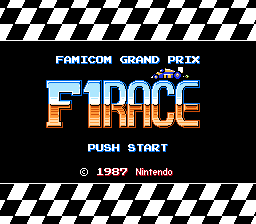
🎮 Play Famicom Grand Prix – F1 Race (Japan) Online (NES)

🎲 NEXT RANDOM GAME
Famicom Grand Prix – F1 Race (Japan) cover art
SAVE SLOTS:

đŸ•šī¸ GAME CONTROLS

Action / ButtonKeyboard Key
D-Pad (Up / Down / Left / Right)Arrow Keys
Button AZ or J
Button BX or K
Button X / Turbo AA or U
Button Y / Turbo BS or I
SelectShift
StartEnter

💡 Tip: You can also connect any USB / Bluetooth Gamepad controller!

Game Rating & Player Reviews: ⭐ Not rated yet
–
☆☆☆☆☆
Be the first to rate
Rate this game (Click 1 to 5 stars):
★ ★ ★ ★ ★

✏️ Suggest an edit to Famicom Grand Prix – F1 Race (Japan)

🚩 Report Issue with Famicom Grand Prix – F1 Race (Japan):

🎮 VISUAL CONTROLLER MAPPING & GAMEPAD DIAGRAM Auto-Detect: Active
L1 / LB R1 / RB SELECT START Y X A B RETRO ARCADE
Gamepad InputRetro FunctionKeyboard Key
D-Pad / AnalogCharacter Movement / Steering▲ â–ŧ ◄ â–ē
Button A (East)Primary Action / Attack / FireZ / K
Button B (South)Secondary / Jump / CancelX / J
Button X / YSpecial / Turbo / Extra FireA / S
SelectInsert Coin / Select OptionRight Shift
StartGame Start / Pause GameEnter
Game info: đŸ‘ī¸ 145 plays
Famicom Grand Prix – F1 Race (Japan)
box cover
Game title:Famicom Grand Prix – F1 Race (Japan)
Platform:NES
Emulator Core:NES
Game Manual: 📖 Official Manual (Built-in)
Share Game:
License:Freeware / Abandonware
Available online emulators for Famicom Grand Prix – F1 Race (Japan):

Different online emulators are available for Famicom Grand Prix – F1 Race (Japan). Select an emulator core below for optimal performance:

Emulator Core EngineTechnologyMultiplayerGamepadTouchAdsAction / Switch
EmulatorJS (Default WebAssembly) WebAssembly / JSYESYES YESNO â–ļ ACTIVE
NES / Famicom (Recommended) WebAssembly / LibretroYESYES YESNO PLAY ⚡
Nestopia UE (Accurate) WebAssembly / LibretroYESYES YESNO PLAY ⚡
Game description:

Famicom Grand Prix: F1 Race is a top-down racing game developed by Nintendo and released in 1987 for the Famicom Disk System. In this fast-paced classic, you compete in challenging Formula One grand prix events to earn prize money, which you can then spend to purchase faster, more powerful vehicles to tackle tougher tracks.

How to Play

The main objective is to finish each race within the time limit and place high enough to win cash rewards. Avoid crashing into obstacles or competing cars, as this damages your vehicle and forces you to make a time-consuming pit stop to repair it. In the browser emulator, use the Arrow Keys to steer your car. Press Z to accelerate and X to brake or reverse. Press Enter to start or pause the game.

Tips

  • Be careful not to hold the accelerator down on tight corners; tap the brakes to drift smoothly around bends instead of crashing into the walls.
  • When your car begins to flash from taking too much damage, make sure to enter the pit lane immediately, or your car will eventually explode and end your race.
Player Comments & Discussion: 0 Comments

Leave a Comment / Review:

No comments yet. Be the first gamer to sign the guestbook!