๐ŸŽฎ Play Armored Core (USA) Online (PlayStation)

๐ŸŽฒ NEXT RANDOM GAME
Armored Core (USA) cover art
SAVE SLOTS:

๐Ÿ•น๏ธ GAME CONTROLS

Action / ButtonKeyboard Key
D-Pad (Up / Down / Left / Right)Arrow Keys
Button AZ or J
Button BX or K
Button X / Turbo AA or U
Button Y / Turbo BS or I
SelectShift
StartEnter

๐Ÿ’ก Tip: You can also connect any USB / Bluetooth Gamepad controller!

Game Rating & Player Reviews: โญ Not rated yet
โ€“
โ˜†โ˜†โ˜†โ˜†โ˜†
Be the first to rate
Rate this game (Click 1 to 5 stars):
โ˜… โ˜… โ˜… โ˜… โ˜…

✏️ Suggest an edit to Armored Core (USA)

๐Ÿšฉ Report Issue with Armored Core (USA):

๐ŸŽฎ VISUAL CONTROLLER MAPPING & GAMEPAD DIAGRAM Auto-Detect: Active
L1 / LB R1 / RB SELECT START Y X A B RETRO ARCADE
Gamepad InputRetro FunctionKeyboard Key
D-Pad / AnalogCharacter Movement / Steeringโ–ฒ โ–ผ โ—„ โ–บ
Button A (East)Primary Action / Attack / FireZ / K
Button B (South)Secondary / Jump / CancelX / J
Button X / YSpecial / Turbo / Extra FireA / S
SelectInsert Coin / Select OptionRight Shift
StartGame Start / Pause GameEnter
Game info: ๐Ÿ‘๏ธ 154 plays
Armored Core (USA)
box cover
Game title:Armored Core (USA)
Platform:PlayStation
Emulator Core:PSX
Game Manual: ๐Ÿ“– Official Manual (Built-in)
Share Game:
License:Freeware / Abandonware
Available online emulators for Armored Core (USA):

Different online emulators are available for Armored Core (USA). Select an emulator core below for optimal performance:

Emulator Core EngineTechnologyMultiplayerGamepadTouchAdsAction / Switch
EmulatorJS (Default WebAssembly) WebAssembly / JSYESYES YESNO โ–ถ ACTIVE
PlayStation (Recommended) WebAssembly / LibretroYESYES YESNO PLAY โšก
Beetle PSX HW WebAssembly / LibretroYESYES YESNO PLAY โšก
Game description:

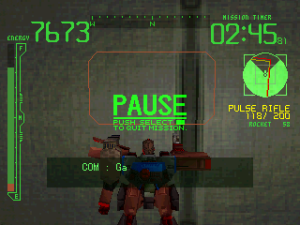
Armored Core is a defining 3D mecha action game released for the PlayStation in 1997, developed by FromSoftware. As a mercenary known as a Raven, you pilot a massive customizable mech (an Armored Core) and accept contracts from rival mega-corporations. The game is celebrated for its incredibly deep customization system, allowing you to swap out parts like legs, generators, weapons, and fire control systems to perfectly tailor your mech’s performance for each mission’s specific demands.

How to Play

The objective is to complete combat and exploration missions, earn credits, and upgrade your mech while managing repair and ammunition costs. Using standard browser controls for the PlayStation, use the Arrow keys for the D-pad to move forward, backward, and turn left or right. In the default configuration, L1 and R1 (often mapped to Q and E) are used to strafe, while L2 and R2 are used to pitch your camera up and down. Press X to boost or jump, Square to fire your equipped weapon, Triangle to use your laser blade, and Circle to cycle through your armaments. Use Enter for Start.

Tips

  • Pay close attention to your generator output and weight limit when building your AC; an overweight mech will suffer severe mobility penalties.
  • Ammunition and repair costs are deducted from your mission payout. If you are struggling to make money, try relying more on your energy-based laser blade, which doesn’t cost credits to use.
  • Mastering the boost dash is essential for evading incoming missiles and closing the distance on faster enemy ACs.
Player Comments & Discussion: 0 Comments

Leave a Comment / Review:

No comments yet. Be the first gamer to sign the guestbook!