๐ŸŽฎ Play Tigger’s Honey Hunt (USA) Online (Nintendo 64)

๐ŸŽฒ NEXT RANDOM GAME
Tigger’s Honey Hunt (USA) cover art
SAVE SLOTS:

๐Ÿ•น๏ธ GAME CONTROLS

Action / ButtonKeyboard Key
D-Pad (Up / Down / Left / Right)Arrow Keys
Button AZ or J
Button BX or K
Button X / Turbo AA or U
Button Y / Turbo BS or I
SelectShift
StartEnter

๐Ÿ’ก Tip: You can also connect any USB / Bluetooth Gamepad controller!

Game Rating & Player Reviews: โญ Not rated yet
โ€“
โ˜†โ˜†โ˜†โ˜†โ˜†
Be the first to rate
Rate this game (Click 1 to 5 stars):
โ˜… โ˜… โ˜… โ˜… โ˜…

✏️ Suggest an edit to Tigger’s Honey Hunt (USA)

๐Ÿšฉ Report Issue with Tigger’s Honey Hunt (USA):

๐ŸŽฎ VISUAL CONTROLLER MAPPING & GAMEPAD DIAGRAM Auto-Detect: Active
L1 / LB R1 / RB SELECT START Y X A B RETRO ARCADE
Gamepad InputRetro FunctionKeyboard Key
D-Pad / AnalogCharacter Movement / Steeringโ–ฒ โ–ผ โ—„ โ–บ
Button A (East)Primary Action / Attack / FireZ / K
Button B (South)Secondary / Jump / CancelX / J
Button X / YSpecial / Turbo / Extra FireA / S
SelectInsert Coin / Select OptionRight Shift
StartGame Start / Pause GameEnter
Game info: ๐Ÿ‘๏ธ 134 plays
Tigger’s Honey Hunt (USA)
box cover
Game title:Tigger’s Honey Hunt (USA)
Platform:Nintendo 64
Author (released): Unknown (2000)
Emulator Core:N64
Game Manual: ๐Ÿ“– Official Manual (Built-in)
Share Game:
License:Freeware / Abandonware
Available online emulators for Tigger’s Honey Hunt (USA):

Different online emulators are available for Tigger’s Honey Hunt (USA). Select an emulator core below for optimal performance:

Emulator Core EngineTechnologyMultiplayerGamepadTouchAdsAction / Switch
EmulatorJS (Default WebAssembly) WebAssembly / JSYESYES YESNO โ–ถ ACTIVE
Nintendo 64 (Recommended) WebAssembly / LibretroYESYES YESNO PLAY โšก
ParaLLEl N64 WebAssembly / LibretroYESYES YESNO PLAY โšก
Game description:

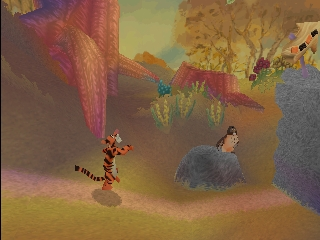
Tigger’s Honey Hunt is a 2.5D platformer released in 2000 for the Nintendo 64. You play as the energetic Tigger, tasked with exploring the Hundred Acre Wood to collect enough honey pots for Winnie the Pooh’s upcoming party. Along the way, you’ll encounter familiar friends, play mini-games, and master Tigger’s signature bouncing mechanics to navigate across different environments.

How to Play

The objective is to gather the required number of honey pots in each level to progress. Use the arrow keys for movement, mapping to the N64 analog stick. The A button (typically mapped to X or Z on your keyboard) is used for jumping; hold it down to bounce higher. The Start button (usually Enter) pauses the game and displays your honey pot count.

Tips

  • Revisit levels: Owl teaches you new jump techniques as you progress, such as the Super Leap. You will not be able to reach every honey pot initially, so return to earlier levels once you unlock new abilities.
  • Master the bounce: Timing is crucial for advanced jumps. Press the jump button exactly when Tigger lands to maintain momentum and reach higher platforms.
Player Comments & Discussion: 0 Comments

Leave a Comment / Review:

No comments yet. Be the first gamer to sign the guestbook!