🎮 Play Paper Mario Online (Nintendo 64)

🎲 NEXT RANDOM GAME
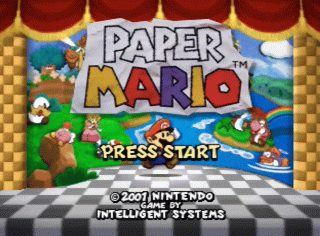
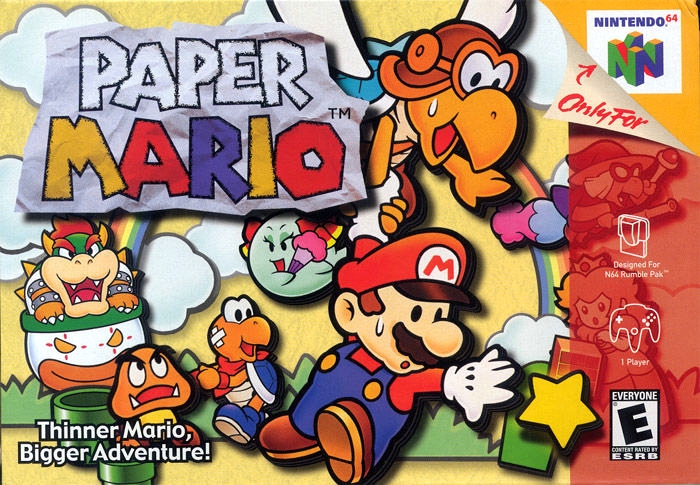
Paper Mario cover art
SAVE SLOTS:

đŸ•šī¸ GAME CONTROLS

Action / ButtonKeyboard Key
D-Pad (Up / Down / Left / Right)Arrow Keys
Button AZ or J
Button BX or K
Button X / Turbo AA or U
Button Y / Turbo BS or I
SelectShift
StartEnter

💡 Tip: You can also connect any USB / Bluetooth Gamepad controller!

Game Rating & Player Reviews: ⭐ Not rated yet
–
☆☆☆☆☆
Be the first to rate
Rate this game (Click 1 to 5 stars):
★ ★ ★ ★ ★

✏️ Suggest an edit to Paper Mario

🚩 Report Issue with Paper Mario:

🎮 VISUAL CONTROLLER MAPPING & GAMEPAD DIAGRAM Auto-Detect: Active
L1 / LB R1 / RB SELECT START Y X A B RETRO ARCADE
Gamepad InputRetro FunctionKeyboard Key
D-Pad / AnalogCharacter Movement / Steering▲ â–ŧ ◄ â–ē
Button A (East)Primary Action / Attack / FireZ / K
Button B (South)Secondary / Jump / CancelX / J
Button X / YSpecial / Turbo / Extra FireA / S
SelectInsert Coin / Select OptionRight Shift
StartGame Start / Pause GameEnter
Game info: đŸ‘ī¸ 158 plays
Paper Mario
box cover
Game title:Paper Mario
Platform:Nintendo 64
Author (released): Nintendo (2000)
Genre:RPG
Mode:Single-player
Game size:22160 kB
Emulator Core:N64
Game Manual: 📖 Official Manual (Built-in)
Share Game:
License:Freeware / Abandonware
Available online emulators for Paper Mario:

Different online emulators are available for Paper Mario. Select an emulator core below for optimal performance:

Emulator Core EngineTechnologyMultiplayerGamepadTouchAdsAction / Switch
EmulatorJS (Default WebAssembly) WebAssembly / JSYESYES YESNO â–ļ ACTIVE
Nintendo 64 (Recommended) WebAssembly / LibretroYESYES YESNO PLAY ⚡
ParaLLEl N64 WebAssembly / LibretroYESYES YESNO PLAY ⚡
Game description:

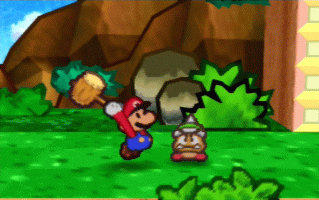
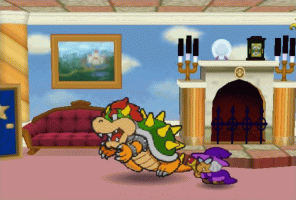
Paper Mario is a charming role-playing game developed by Nintendo for the Nintendo 64 in 2000. It transforms the Mushroom Kingdom into a vibrant storybook world where Mario must rescue the Star Spirits and defeat Bowser. Instead of a standard platformer, it blends turn-based combat with timing-based action commands, creating an engaging and accessible RPG experience.

How to play

Your objective is to explore the world, gather party members, and defeat enemies to level up and collect badges. Use the arrow keys to move Mario, and the typical browser mappings (often X and C) to jump, swing your hammer, and confirm menu selections. Press Enter to pause and manage your items and badges.

Tips

  • Master Action Commands: Pressing the jump button right before landing on an enemy, or timing your hammer swings, deals extra damage and is essential for tougher fights.
  • Focus on Badge Points (BP): When leveling up, prioritizing BP gives you the most flexibility to equip powerful badges and customize your playstyle for specific bosses.
  • Use Partner Abilities: Swap partners frequently in the overworld to uncover hidden blocks, solve puzzles, and find valuable Star Pieces.
Screenshots:
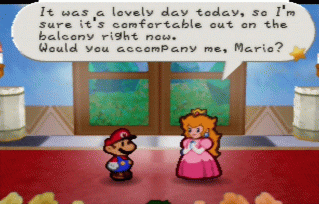
Paper Mario Screenshot
Player Comments & Discussion: 0 Comments

Leave a Comment / Review:

No comments yet. Be the first gamer to sign the guestbook!