๐ŸŽฎ Play World Class Rugby (France) Online (SNES)

๐ŸŽฒ NEXT RANDOM GAME
World Class Rugby (France) cover art
SAVE SLOTS:

๐Ÿ•น๏ธ GAME CONTROLS

Action / ButtonKeyboard Key
D-Pad (Up / Down / Left / Right)Arrow Keys
Button AZ or J
Button BX or K
Button X / Turbo AA or U
Button Y / Turbo BS or I
SelectShift
StartEnter

๐Ÿ’ก Tip: You can also connect any USB / Bluetooth Gamepad controller!

Game Rating & Player Reviews: โญ Not rated yet
โ€“
โ˜†โ˜†โ˜†โ˜†โ˜†
Be the first to rate
Rate this game (Click 1 to 5 stars):
โ˜… โ˜… โ˜… โ˜… โ˜…

✏️ Suggest an edit to World Class Rugby (France)

๐Ÿšฉ Report Issue with World Class Rugby (France):

๐ŸŽฎ VISUAL CONTROLLER MAPPING & GAMEPAD DIAGRAM Auto-Detect: Active
L1 / LB R1 / RB SELECT START Y X A B RETRO ARCADE
Gamepad InputRetro FunctionKeyboard Key
D-Pad / AnalogCharacter Movement / Steeringโ–ฒ โ–ผ โ—„ โ–บ
Button A (East)Primary Action / Attack / FireZ / K
Button B (South)Secondary / Jump / CancelX / J
Button X / YSpecial / Turbo / Extra FireA / S
SelectInsert Coin / Select OptionRight Shift
StartGame Start / Pause GameEnter
Game info: ๐Ÿ‘๏ธ 129 plays
World Class Rugby (France)
box cover
Game title:World Class Rugby (France)
Platform:SNES
Author (released): Unknown (1993)
Emulator Core:SNES
Game Manual: ๐Ÿ“– Official Manual (Built-in)
Share Game:
License:Freeware / Abandonware
Available online emulators for World Class Rugby (France):

Different online emulators are available for World Class Rugby (France). Select an emulator core below for optimal performance:

Emulator Core EngineTechnologyMultiplayerGamepadTouchAdsAction / Switch
EmulatorJS (Default WebAssembly) WebAssembly / JSYESYES YESNO โ–ถ ACTIVE
SNES / Super Famicom (Recommended) WebAssembly / LibretroYESYES YESNO PLAY โšก
Game description:

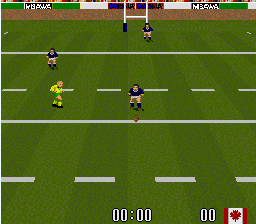
World Class Rugby is a sports simulation game released for the Super Nintendo Entertainment System in 1993. This French localization brings classic international rugby union action to the 16-bit console, allowing players to compete in full matches complete with scrums, lineouts, and tactical kicking.

How to Play

Take your team to victory in exhibition matches or a full international tournament. In the browser emulator, use the arrow keys to direct your players across the pitch. The face buttons (mapped to Z, X, A, and S on your keyboard) are used to pass the ball laterally, tackle opposing ball carriers, and kick for touch or goal. Press Enter (Start) to pause the action or navigate menus.

Tips

Mastering the tactical kicking game is essential; use long punts to gain territory rather than risking handling errors deep in your own half. During scrums and rucks, be prepared to rapidly press the action buttons to hook the ball and secure possession for your team.

Player Comments & Discussion: 0 Comments

Leave a Comment / Review:

No comments yet. Be the first gamer to sign the guestbook!