๐ŸŽฎ Play Tetris Online (Sega Genesis)

๐ŸŽฒ NEXT RANDOM GAME
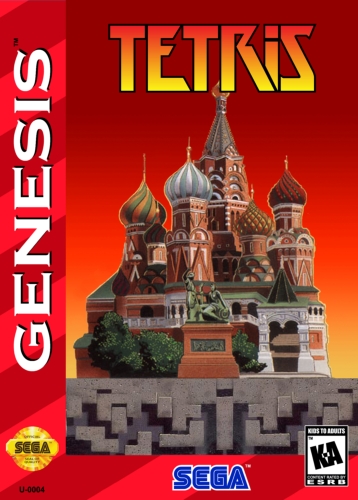
Tetris cover art
SAVE SLOTS:

๐Ÿ•น๏ธ GAME CONTROLS

Action / ButtonKeyboard Key
D-Pad (Up / Down / Left / Right)Arrow Keys
Button AZ or J
Button BX or K
Button X / Turbo AA or U
Button Y / Turbo BS or I
SelectShift
StartEnter

๐Ÿ’ก Tip: You can also connect any USB / Bluetooth Gamepad controller!

Game Rating & Player Reviews: โญ Not rated yet
โ€“
โ˜†โ˜†โ˜†โ˜†โ˜†
Be the first to rate
Rate this game (Click 1 to 5 stars):
โ˜… โ˜… โ˜… โ˜… โ˜…

✏️ Suggest an edit to Tetris

๐Ÿšฉ Report Issue with Tetris:

๐ŸŽฎ VISUAL CONTROLLER MAPPING & GAMEPAD DIAGRAM Auto-Detect: Active
L1 / LB R1 / RB SELECT START Y X A B RETRO ARCADE
Gamepad InputRetro FunctionKeyboard Key
D-Pad / AnalogCharacter Movement / Steeringโ–ฒ โ–ผ โ—„ โ–บ
Button A (East)Primary Action / Attack / FireZ / K
Button B (South)Secondary / Jump / CancelX / J
Button X / YSpecial / Turbo / Extra FireA / S
SelectInsert Coin / Select OptionRight Shift
StartGame Start / Pause GameEnter
Game info: ๐Ÿ‘๏ธ 171 plays
Tetris
box cover
Game title:Tetris
Platform:Sega Genesis
Author (released): Bullet-Proof Software (1989)
Genre:Puzzle
Mode:Single-player
Game size:119 kB
Emulator Core:SEGAMD
Game Manual: ๐Ÿ“– Official Manual (Built-in)
Share Game:
License:Freeware / Abandonware
Available online emulators for Tetris:

Different online emulators are available for Tetris. Select an emulator core below for optimal performance:

Emulator Core EngineTechnologyMultiplayerGamepadTouchAdsAction / Switch
EmulatorJS (Default WebAssembly) WebAssembly / JSYESYES YESNO โ–ถ ACTIVE
Sega Genesis / Mega Drive (Recommended) WebAssembly / LibretroYESYES YESNO PLAY โšก
PicoDrive WebAssembly / LibretroYESYES YESNO PLAY โšก
Game description:

Published by Bullet-Proof Software in 1989, this Sega Genesis version of Tetris brings the iconic block-stacking puzzle gameplay to the 16-bit console. It delivers the familiar, addictive challenge of clearing lines as the pace steadily increases, offering crisp visuals and a highly responsive feel.

How to play

The objective is to guide falling tetrominoes to create solid horizontal lines, which then clear from the board to prevent the blocks from stacking to the top. Use the directional keys (mapped to โ†‘, โ†“, โ†, โ†’) to move the falling pieces left and right, or to soft drop them. The A (S key), B (X key), and C (Z key) buttons rotate the tetrominoes to fit them into your stack. Press Start (Enter) to begin or pause the game.

Tips

To survive at higher speeds, focus on keeping your stack as flat as possible rather than building deep trenches that restrict your options for placing upcoming shapes. When building up for a four-line clear, always leave your open column on the far left or right edge so you don’t accidentally block it while managing the rest of your board.
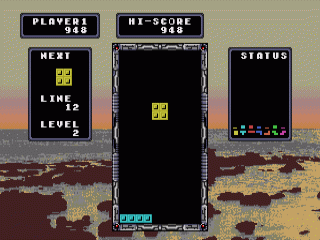
Screenshots:
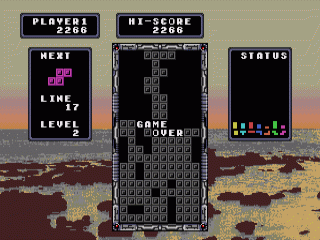
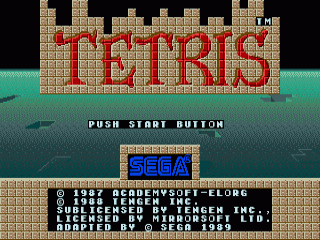
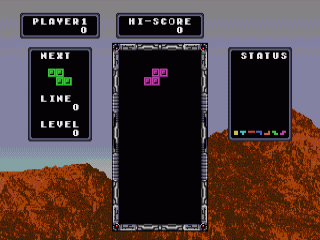
Tetris Screenshot
Tetris Screenshot
Tetris Screenshot
Tetris Screenshot
Player Comments & Discussion: 0 Comments

Leave a Comment / Review:

No comments yet. Be the first gamer to sign the guestbook!