๐ŸŽฎ Play Penguin Brothers Japan Online (Arcade)

๐ŸŽฒ NEXT RANDOM GAME
Penguin Brothers Japan cover art
SAVE SLOTS:

๐Ÿ•น๏ธ GAME CONTROLS

Action / ButtonKeyboard Key
D-Pad (Up / Down / Left / Right)Arrow Keys
Button AZ or J
Button BX or K
Button X / Turbo AA or U
Button Y / Turbo BS or I
SelectShift
StartEnter

๐Ÿ’ก Tip: You can also connect any USB / Bluetooth Gamepad controller!

Game Rating & Player Reviews: โญ Not rated yet
โ€“
โ˜†โ˜†โ˜†โ˜†โ˜†
Be the first to rate
Rate this game (Click 1 to 5 stars):
โ˜… โ˜… โ˜… โ˜… โ˜…

✏️ Suggest an edit to Penguin Brothers Japan

๐Ÿšฉ Report Issue with Penguin Brothers Japan:

๐ŸŽฎ VISUAL CONTROLLER MAPPING & GAMEPAD DIAGRAM Auto-Detect: Active
L1 / LB R1 / RB SELECT START Y X A B RETRO ARCADE
Gamepad InputRetro FunctionKeyboard Key
D-Pad / AnalogCharacter Movement / Steeringโ–ฒ โ–ผ โ—„ โ–บ
Button A (East)Primary Action / Attack / FireZ / K
Button B (South)Secondary / Jump / CancelX / J
Button X / YSpecial / Turbo / Extra FireA / S
SelectInsert Coin / Select OptionRight Shift
StartGame Start / Pause GameEnter
Game info: ๐Ÿ‘๏ธ 193 plays
Penguin Brothers Japan
box cover
Game title:Penguin Brothers Japan
Platform:Arcade
Author (released): Unknown (2000)
Emulator Core:MAME2003_PLUS
Game Manual: ๐Ÿ“– Official Manual (Built-in)
Share Game:
License:Freeware / Abandonware
Available online emulators for Penguin Brothers Japan:

Different online emulators are available for Penguin Brothers Japan. Select an emulator core below for optimal performance:

Emulator Core EngineTechnologyMultiplayerGamepadTouchAdsAction / Switch
EmulatorJS (Default WebAssembly) WebAssembly / JSYESYES YESNO โ–ถ ACTIVE
Arcade (Recommended) WebAssembly / LibretroYESYES YESNO PLAY โšก
MAME 2003 Plus WebAssembly / LibretroYESYES YESNO PLAY โšก
FB Alpha 2012 (CPS-1) WebAssembly / LibretroYESYES YESNO PLAY โšก
FB Alpha 2012 (CPS-2) WebAssembly / LibretroYESYES YESNO PLAY โšก
Game description:

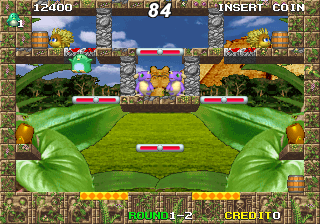
Penguin Brothers is a single-screen action platformer released for the arcade by Subsino in 2000. Blending the frantic enemy-clearing pace of games like Bubble Bobble with explosive mechanics, the game tasks you with clearing stages by throwing bombs. You navigate tight, single-screen layouts, dodging hazards and catching enemies in blast radii to turn them into projectiles.

How to Play

Your objective in each stage is to eliminate every enemy on the screen. Once the area is clear, a key drops that must be collected to unlock the exit to the next level. Use Shift to insert coins and Enter to start. Move your penguin with the Arrow Keys, use Z to place or throw bombs, and press X to jump.

Tips

  • Chain reactions: Placing bombs near each other allows you to set off massive explosions, which is essential for catching faster enemies or clearing crowded platforms.
  • Throwing enemies: When an enemy is stunned by a blast, quickly pick them up and throw them into other enemies for bonus points and efficient wave clearing.
  • Watch the fuse: Bombs take a moment to detonate. Learn the timing of the fuse so you can drop a bomb and retreat to a safe distance without taking damage.
Player Comments & Discussion: 0 Comments

Leave a Comment / Review:

No comments yet. Be the first gamer to sign the guestbook!