🎮 Play Mizushima Shinji no Dai Koushien (Japan) Online (NES)

🎲 NEXT RANDOM GAME
Mizushima Shinji no Dai Koushien (Japan) cover art
SAVE SLOTS:

đŸ•šī¸ GAME CONTROLS

Action / ButtonKeyboard Key
D-Pad (Up / Down / Left / Right)Arrow Keys
Button AZ or J
Button BX or K
Button X / Turbo AA or U
Button Y / Turbo BS or I
SelectShift
StartEnter

💡 Tip: You can also connect any USB / Bluetooth Gamepad controller!

Game Rating & Player Reviews: ⭐ Not rated yet
–
☆☆☆☆☆
Be the first to rate
Rate this game (Click 1 to 5 stars):
★ ★ ★ ★ ★

✏️ Suggest an edit to Mizushima Shinji no Dai Koushien (Japan)

🚩 Report Issue with Mizushima Shinji no Dai Koushien (Japan):

🎮 VISUAL CONTROLLER MAPPING & GAMEPAD DIAGRAM Auto-Detect: Active
L1 / LB R1 / RB SELECT START Y X A B RETRO ARCADE
Gamepad InputRetro FunctionKeyboard Key
D-Pad / AnalogCharacter Movement / Steering▲ â–ŧ ◄ â–ē
Button A (East)Primary Action / Attack / FireZ / K
Button B (South)Secondary / Jump / CancelX / J
Button X / YSpecial / Turbo / Extra FireA / S
SelectInsert Coin / Select OptionRight Shift
StartGame Start / Pause GameEnter
Game info: đŸ‘ī¸ 109 plays
Mizushima Shinji no Dai Koushien (Japan)
box cover
Game title:Mizushima Shinji no Dai Koushien (Japan)
Platform:NES
Emulator Core:NES
Game Manual: 📖 Official Manual (Built-in)
Share Game:
License:Freeware / Abandonware
Available online emulators for Mizushima Shinji no Dai Koushien (Japan):

Different online emulators are available for Mizushima Shinji no Dai Koushien (Japan). Select an emulator core below for optimal performance:

Emulator Core EngineTechnologyMultiplayerGamepadTouchAdsAction / Switch
EmulatorJS (Default WebAssembly) WebAssembly / JSYESYES YESNO â–ļ ACTIVE
NES / Famicom (Recommended) WebAssembly / LibretroYESYES YESNO PLAY ⚡
Nestopia UE (Accurate) WebAssembly / LibretroYESYES YESNO PLAY ⚡
Game description:

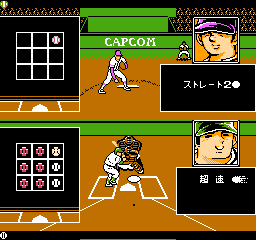
Mizushima Shinji no Dai Koushien (Japan) is a classic title originally released for the NES. Experience this piece of retro gaming history directly in your web browser.

How to Play

The game uses standard NES controls. Use your keyboard’s arrow keys for directional movement (functioning as the D-pad). The classic A and B buttons are mapped to the Z and X keys, while Start and Select are handled by the Enter and Shift keys.

Player Comments & Discussion: 0 Comments

Leave a Comment / Review:

No comments yet. Be the first gamer to sign the guestbook!