๐ŸŽฎ Play Lightning Legend: Daigo no Daibouken Online (PlayStation)

๐ŸŽฒ NEXT RANDOM GAME
Lightning Legend: Daigo no Daibouken cover art
SAVE SLOTS:

๐Ÿ•น๏ธ GAME CONTROLS

Action / ButtonKeyboard Key
D-Pad (Up / Down / Left / Right)Arrow Keys
Button AZ or J
Button BX or K
Button X / Turbo AA or U
Button Y / Turbo BS or I
SelectShift
StartEnter

๐Ÿ’ก Tip: You can also connect any USB / Bluetooth Gamepad controller!

Game Rating & Player Reviews: โญ Not rated yet
โ€“
โ˜†โ˜†โ˜†โ˜†โ˜†
Be the first to rate
Rate this game (Click 1 to 5 stars):
โ˜… โ˜… โ˜… โ˜… โ˜…

✏️ Suggest an edit to Lightning Legend: Daigo no Daibouken

๐Ÿšฉ Report Issue with Lightning Legend: Daigo no Daibouken:

๐ŸŽฎ VISUAL CONTROLLER MAPPING & GAMEPAD DIAGRAM Auto-Detect: Active
L1 / LB R1 / RB SELECT START Y X A B RETRO ARCADE
Gamepad InputRetro FunctionKeyboard Key
D-Pad / AnalogCharacter Movement / Steeringโ–ฒ โ–ผ โ—„ โ–บ
Button A (East)Primary Action / Attack / FireZ / K
Button B (South)Secondary / Jump / CancelX / J
Button X / YSpecial / Turbo / Extra FireA / S
SelectInsert Coin / Select OptionRight Shift
StartGame Start / Pause GameEnter
Game info: ๐Ÿ‘๏ธ 137 plays
Lightning Legend: Daigo no Daibouken
box cover
Game title:Lightning Legend: Daigo no Daibouken
Platform:PlayStation
Emulator Core:PSX
Game Manual: ๐Ÿ“– Official Manual (Built-in)
Share Game:
License:Freeware / Abandonware
Available online emulators for Lightning Legend: Daigo no Daibouken:

Different online emulators are available for Lightning Legend: Daigo no Daibouken. Select an emulator core below for optimal performance:

Emulator Core EngineTechnologyMultiplayerGamepadTouchAdsAction / Switch
EmulatorJS (Default WebAssembly) WebAssembly / JSYESYES YESNO โ–ถ ACTIVE
PlayStation (Recommended) WebAssembly / LibretroYESYES YESNO PLAY โšก
Beetle PSX HW WebAssembly / LibretroYESYES YESNO PLAY โšก
Game description:

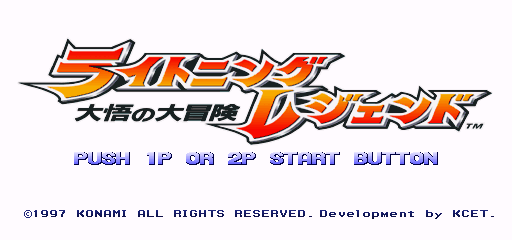
Lightning Legend: Daigo no Daibouken is a 1996 3D fighting game developed by Konami Computer Entertainment Tokyo for the PlayStation. Notable as Konami’s very first foray into 3D fighting games, this Japan-exclusive release blends traditional combat with an overarching anime-inspired narrative and RPG-style collection mechanics.

How to Play

The game uses a familiar setup with three main attack buttons (Light, Medium, and Heavy) plus a dedicated taunt button. While the characters are rendered in 3D, movement and combat flow largely on a 2D plane. For browser play, default PlayStation controls map the D-pad to the arrow keys, with attacks mapped to the face buttons (Z, X, A, S).

Tips

  • Auto-Block: Instead of holding back to guard, your character will automatically block most incoming strikes simply by standing still. Use this to your advantage to safely study your opponent’s patterns.
  • Item Collection: The game features over 200 unlockable items that reveal deep lore and concept art. To maximize your collection rate in Story Mode, try to finish matches using specific methods like Perfects, throws, or Super Moves.
Player Comments & Discussion: 0 Comments

Leave a Comment / Review:

No comments yet. Be the first gamer to sign the guestbook!