๐ŸŽฎ Play Game Boy Gallery 2 (Australia) Online (Game Boy)

๐ŸŽฒ NEXT RANDOM GAME
Game Boy Gallery 2 (Australia) cover art
SAVE SLOTS:

๐Ÿ•น๏ธ GAME CONTROLS

Action / ButtonKeyboard Key
D-Pad (Up / Down / Left / Right)Arrow Keys
Button AZ or J
Button BX or K
Button X / Turbo AA or U
Button Y / Turbo BS or I
SelectShift
StartEnter

๐Ÿ’ก Tip: You can also connect any USB / Bluetooth Gamepad controller!

Game Rating & Player Reviews: โญ Not rated yet
โ€“
โ˜†โ˜†โ˜†โ˜†โ˜†
Be the first to rate
Rate this game (Click 1 to 5 stars):
โ˜… โ˜… โ˜… โ˜… โ˜…

✏️ Suggest an edit to Game Boy Gallery 2 (Australia)

๐Ÿšฉ Report Issue with Game Boy Gallery 2 (Australia):

๐ŸŽฎ VISUAL CONTROLLER MAPPING & GAMEPAD DIAGRAM Auto-Detect: Active
L1 / LB R1 / RB SELECT START Y X A B RETRO ARCADE
Gamepad InputRetro FunctionKeyboard Key
D-Pad / AnalogCharacter Movement / Steeringโ–ฒ โ–ผ โ—„ โ–บ
Button A (East)Primary Action / Attack / FireZ / K
Button B (South)Secondary / Jump / CancelX / J
Button X / YSpecial / Turbo / Extra FireA / S
SelectInsert Coin / Select OptionRight Shift
StartGame Start / Pause GameEnter
Game info: ๐Ÿ‘๏ธ 183 plays
Game Boy Gallery 2 (Australia)
box cover
Game title:Game Boy Gallery 2 (Australia)
Platform:Game Boy
Author (released): Unknown (1999)
Emulator Core:GB
Game Manual: ๐Ÿ“– Official Manual (Built-in)
Share Game:
License:Freeware / Abandonware
Available online emulators for Game Boy Gallery 2 (Australia):

Different online emulators are available for Game Boy Gallery 2 (Australia). Select an emulator core below for optimal performance:

Emulator Core EngineTechnologyMultiplayerGamepadTouchAdsAction / Switch
EmulatorJS (Default WebAssembly) WebAssembly / JSYESYES YESNO โ–ถ ACTIVE
Game Boy / Color (Recommended) WebAssembly / LibretroYESYES YESNO PLAY โšก
Game description:

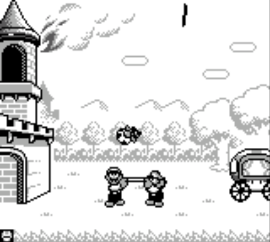
Game Boy Gallery 2 (Australia) brings a collection of classic LCD handheld titles to the Game Boy. Released in 1999, this compilation features faithfully recreated versions of retro Game & Watch games alongside updated “Modern” versions starring Mario, Luigi, and other familiar characters in action-oriented mini-games.

How to Play

In each mini-game, the objective varies from juggling items to avoiding hazards while aiming for a high score. Using the default browser controls for the Game Boy, the D-pad is mapped to your arrow keys, with the A and B buttons assigned to Z and X, and Start/Select mapped to Enter and Shift. Timing is critical in every game mode, especially as the pace increases with your score.

Tips

  • Switch between Classic and Modern modes from the main menu; Modern modes are often more forgiving and feature helpful power-ups.
  • Pay close attention to the visual and audio cues, as the game will speed up significantly as your score climbs higher.
Player Comments & Discussion: 0 Comments

Leave a Comment / Review:

No comments yet. Be the first gamer to sign the guestbook!