๐ŸŽฎ Play Fire Shark Online (Sega Genesis)

๐ŸŽฒ NEXT RANDOM GAME
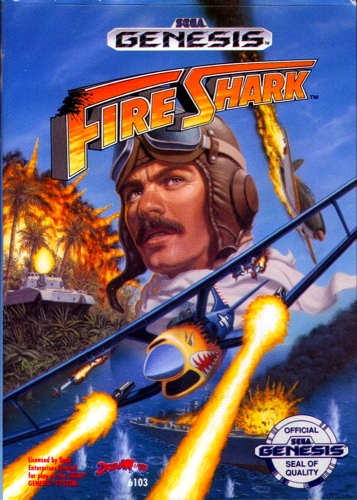
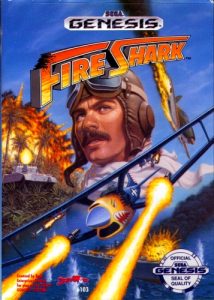
Fire Shark cover art
SAVE SLOTS:

๐Ÿ•น๏ธ GAME CONTROLS

Action / ButtonKeyboard Key
D-Pad (Up / Down / Left / Right)Arrow Keys
Button AZ or J
Button BX or K
Button X / Turbo AA or U
Button Y / Turbo BS or I
SelectShift
StartEnter

๐Ÿ’ก Tip: You can also connect any USB / Bluetooth Gamepad controller!

Game Rating & Player Reviews: โญ Not rated yet
โ€“
โ˜†โ˜†โ˜†โ˜†โ˜†
Be the first to rate
Rate this game (Click 1 to 5 stars):
โ˜… โ˜… โ˜… โ˜… โ˜…

✏️ Suggest an edit to Fire Shark

๐Ÿšฉ Report Issue with Fire Shark:

๐ŸŽฎ VISUAL CONTROLLER MAPPING & GAMEPAD DIAGRAM Auto-Detect: Active
L1 / LB R1 / RB SELECT START Y X A B RETRO ARCADE
Gamepad InputRetro FunctionKeyboard Key
D-Pad / AnalogCharacter Movement / Steeringโ–ฒ โ–ผ โ—„ โ–บ
Button A (East)Primary Action / Attack / FireZ / K
Button B (South)Secondary / Jump / CancelX / J
Button X / YSpecial / Turbo / Extra FireA / S
SelectInsert Coin / Select OptionRight Shift
StartGame Start / Pause GameEnter
Game info: ๐Ÿ‘๏ธ 164 plays
Fire Shark
box cover
Game title:Fire Shark
Platform:Sega Genesis
Author (released): Toaplan (1989)
Genre:Action, Shooter
Mode:Single-player
Game size:194 kB
Emulator Core:SEGAMD
Game Manual: ๐Ÿ“– Official Manual (Built-in)
Share Game:
License:Freeware / Abandonware
Available online emulators for Fire Shark:

Different online emulators are available for Fire Shark. Select an emulator core below for optimal performance:

Emulator Core EngineTechnologyMultiplayerGamepadTouchAdsAction / Switch
EmulatorJS (Default WebAssembly) WebAssembly / JSYESYES YESNO โ–ถ ACTIVE
Sega Genesis / Mega Drive (Recommended) WebAssembly / LibretroYESYES YESNO PLAY โšก
PicoDrive WebAssembly / LibretroYESYES YESNO PLAY โšก
Game description:

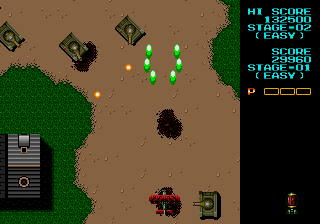
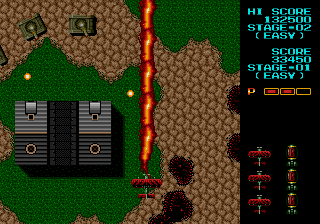
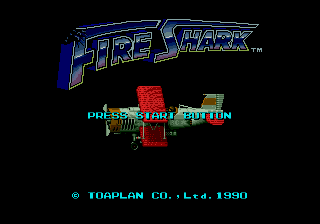
Fire Shark is a top-down vertical scrolling shooter developed by Toaplan and released for the Sega Genesis in 1989. You pilot a propeller-driven biplane over land and sea, cutting through waves of enemy aircraft, armoured vehicles, and warships across five stages of escalating intensity. Toaplan built the game around precise positioning and pattern recognition โ€” survival is about reading where the next formation will arrive and being there before it does.

How to Play

Move with the arrow keys. S fires your main weapon; X drops a bomb that clears a large area of the screen. Press Enter to start. Weapon power-ups drop from destroyed enemies: collect the same colour repeatedly to level up your current weapon. Picking up a different colour resets you to level one, so stick with your chosen weapon unless you are already underpowered.

Tips

  • Stay loyal to one weapon type โ€” each matching pickup increases its level, and a fully upgraded weapon covers a spread wide enough to handle the later waves far more comfortably.
  • Treat bombs as a last resort for packed enemy clusters and the most aggressive boss phases, not routine crowd control. Supply is limited.
  • Default to the lower-centre of the screen โ€” it gives you the longest window to read incoming patterns and dodge before they close in.
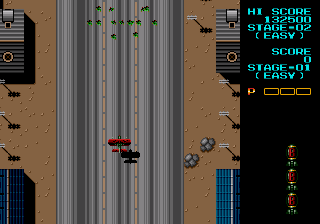
Screenshots:
Fire Shark Screenshot
Player Comments & Discussion: 0 Comments

Leave a Comment / Review:

No comments yet. Be the first gamer to sign the guestbook!