🎮 Play Crash Bandicoot Online (PlayStation)

🎲 NEXT RANDOM GAME
Crash Bandicoot cover art
SAVE SLOTS:

đŸ•šī¸ GAME CONTROLS

Action / ButtonKeyboard Key
D-Pad (Up / Down / Left / Right)Arrow Keys
Button AZ or J
Button BX or K
Button X / Turbo AA or U
Button Y / Turbo BS or I
SelectShift
StartEnter

💡 Tip: You can also connect any USB / Bluetooth Gamepad controller!

Game Rating & Player Reviews: ⭐ Not rated yet
–
☆☆☆☆☆
Be the first to rate
Rate this game (Click 1 to 5 stars):
★ ★ ★ ★ ★

✏️ Suggest an edit to Crash Bandicoot

🚩 Report Issue with Crash Bandicoot:

🎮 VISUAL CONTROLLER MAPPING & GAMEPAD DIAGRAM Auto-Detect: Active
L1 / LB R1 / RB SELECT START Y X A B RETRO ARCADE
Gamepad InputRetro FunctionKeyboard Key
D-Pad / AnalogCharacter Movement / Steering▲ â–ŧ ◄ â–ē
Button A (East)Primary Action / Attack / FireZ / K
Button B (South)Secondary / Jump / CancelX / J
Button X / YSpecial / Turbo / Extra FireA / S
SelectInsert Coin / Select OptionRight Shift
StartGame Start / Pause GameEnter
Game info: đŸ‘ī¸ 154 plays
Crash Bandicoot
box cover
Game title:Crash Bandicoot
Platform:PlayStation
Emulator Core:PSX
Game Manual: 📖 Official Manual (Built-in)
Share Game:
License:Freeware / Abandonware
Available online emulators for Crash Bandicoot:

Different online emulators are available for Crash Bandicoot. Select an emulator core below for optimal performance:

Emulator Core EngineTechnologyMultiplayerGamepadTouchAdsAction / Switch
EmulatorJS (Default WebAssembly) WebAssembly / JSYESYES YESNO â–ļ ACTIVE
PlayStation (Recommended) WebAssembly / LibretroYESYES YESNO PLAY ⚡
Beetle PSX HW WebAssembly / LibretroYESYES YESNO PLAY ⚡
Game description:

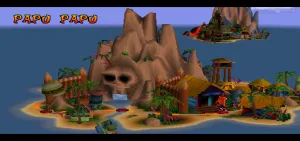
Play Crash Bandicoot, the iconic 1996 PlayStation 3D platformer developed by Naughty Dog. Step into the shoes of the orange marsupial himself as he bounds across N. Sanity Island to stop the evil Dr. Neo Cortex. Known for its challenging, forward-scrolling levels, lush jungle environments, and expressive animation, this game laid the groundwork for one of gaming’s most recognizable mascots.

How to Play

Your goal is to reach the end of each level while smashing crates and avoiding pits, TNT boxes, and Cortex’s mutant minions. The default PlayStation controls mapped to your keyboard are typically Arrow Keys to move, Z or X to jump, and C or Space to perform Crash’s signature spin attack.

Tips

  • Time your jumps: The depth perception in forward-scrolling sections can be tricky. Use Crash’s shadow as a guide to see exactly where you will land.
  • Collect Wumpa Fruit: Gathering 100 Wumpa Fruits grants you an extra life, which you will definitely need for the harder levels like “Slippery Climb.”
  • Find Aku Aku: Collecting Aku Aku masks allows you to take an extra hit without dying. Finding three masks grants temporary invincibility, letting you blast through obstacles and enemies.
Player Comments & Discussion: 0 Comments

Leave a Comment / Review:

No comments yet. Be the first gamer to sign the guestbook!