๐ŸŽฎ Play Caesars Palace (USA) Online (NES)

๐ŸŽฒ NEXT RANDOM GAME
Caesars Palace (USA) cover art
SAVE SLOTS:

๐Ÿ•น๏ธ GAME CONTROLS

Action / ButtonKeyboard Key
D-Pad (Up / Down / Left / Right)Arrow Keys
Button AZ or J
Button BX or K
Button X / Turbo AA or U
Button Y / Turbo BS or I
SelectShift
StartEnter

๐Ÿ’ก Tip: You can also connect any USB / Bluetooth Gamepad controller!

Game Rating & Player Reviews: โญ Not rated yet
โ€“
โ˜†โ˜†โ˜†โ˜†โ˜†
Be the first to rate
Rate this game (Click 1 to 5 stars):
โ˜… โ˜… โ˜… โ˜… โ˜…

✏️ Suggest an edit to Caesars Palace (USA)

๐Ÿšฉ Report Issue with Caesars Palace (USA):

๐ŸŽฎ VISUAL CONTROLLER MAPPING & GAMEPAD DIAGRAM Auto-Detect: Active
L1 / LB R1 / RB SELECT START Y X A B RETRO ARCADE
Gamepad InputRetro FunctionKeyboard Key
D-Pad / AnalogCharacter Movement / Steeringโ–ฒ โ–ผ โ—„ โ–บ
Button A (East)Primary Action / Attack / FireZ / K
Button B (South)Secondary / Jump / CancelX / J
Button X / YSpecial / Turbo / Extra FireA / S
SelectInsert Coin / Select OptionRight Shift
StartGame Start / Pause GameEnter
Game info: ๐Ÿ‘๏ธ 90 plays
Caesars Palace (USA)
box cover
Game title:Caesars Palace (USA)
Platform:NES
Author (released): Unknown (1992)
Emulator Core:NES
Game Manual: ๐Ÿ“– Official Manual (Built-in)
Share Game:
License:Freeware / Abandonware
Available online emulators for Caesars Palace (USA):

Different online emulators are available for Caesars Palace (USA). Select an emulator core below for optimal performance:

Emulator Core EngineTechnologyMultiplayerGamepadTouchAdsAction / Switch
EmulatorJS (Default WebAssembly) WebAssembly / JSYESYES YESNO PLAY โšก
NES / Famicom (Recommended) WebAssembly / LibretroYESYES YESNO โ–ถ ACTIVE
Nestopia UE (Accurate) WebAssembly / LibretroYESYES YESNO PLAY โšก
Game description:

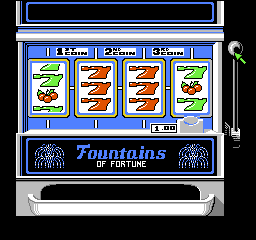
Caesars Palace brings the casino floor to the NES, offering a virtual trip to Las Vegas without the financial risk. Released by Virgin Interactive in 1992, this gambling simulation features five authentic casino games: blackjack, roulette, video poker, slot machines, and a “Big Six” money wheel. Starting with a modest bankroll, your objective is to navigate the famous casino, try your luck at the tables, and build your fortune before catching a VIP cab out of town.

How to Play

The objective is simple: accumulate as much money as possible without going bust. You walk around the casino floor to select games and interact with dealers. In the browser emulator, the standard NES controls are mapped to your keyboard.

  • D-Pad (Arrow Keys): Move your character around the casino and navigate betting menus.
  • A Button (Z or X): Place bets, interact with dealers, and confirm menu choices.
  • B Button (X or Z): Cancel selections or leave a game table.
  • Start (Enter): Pause the game to check your current bankroll or access passwords.

Tips

  • Start at the blackjack tablesโ€”it offers some of the best odds for steady bankroll growth if you stick to basic strategy.
  • Write down the ATM passwords provided when you reach specific monetary milestones, allowing you to resume your game later with your accumulated wealth intact.
  • Avoid the Big Six wheel for anything other than casual fun, as the house edge is notoriously high compared to the card games.
Player Comments & Discussion: 0 Comments

Leave a Comment / Review:

No comments yet. Be the first gamer to sign the guestbook!