๐ŸŽฎ Play Pilotwings Online (SNES)

๐ŸŽฒ NEXT RANDOM GAME
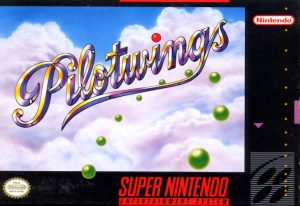
Pilotwings cover art
SAVE SLOTS:

๐Ÿ•น๏ธ GAME CONTROLS

Action / ButtonKeyboard Key
D-Pad (Up / Down / Left / Right)Arrow Keys
Button AZ or J
Button BX or K
Button X / Turbo AA or U
Button Y / Turbo BS or I
SelectShift
StartEnter

๐Ÿ’ก Tip: You can also connect any USB / Bluetooth Gamepad controller!

Game Rating & Player Reviews: โญ Not rated yet
โ€“
โ˜†โ˜†โ˜†โ˜†โ˜†
Be the first to rate
Rate this game (Click 1 to 5 stars):
โ˜… โ˜… โ˜… โ˜… โ˜…

✏️ Suggest an edit to Pilotwings

๐Ÿšฉ Report Issue with Pilotwings:

๐ŸŽฎ VISUAL CONTROLLER MAPPING & GAMEPAD DIAGRAM Auto-Detect: Active
L1 / LB R1 / RB SELECT START Y X A B RETRO ARCADE
Gamepad InputRetro FunctionKeyboard Key
D-Pad / AnalogCharacter Movement / Steeringโ–ฒ โ–ผ โ—„ โ–บ
Button A (East)Primary Action / Attack / FireZ / K
Button B (South)Secondary / Jump / CancelX / J
Button X / YSpecial / Turbo / Extra FireA / S
SelectInsert Coin / Select OptionRight Shift
StartGame Start / Pause GameEnter
Game info: ๐Ÿ‘๏ธ 146 plays
Pilotwings
box cover
Game title:Pilotwings
Platform:SNES
Author (released): Nintendo (1990)
Genre:Action, Shooter, Simulator
Mode:Single-player
Game size:266 kB
Emulator Core:SNES
Game Manual: ๐Ÿ“– Official Manual (Built-in)
Share Game:
License:Freeware / Abandonware
Available online emulators for Pilotwings:

Different online emulators are available for Pilotwings. Select an emulator core below for optimal performance:

Emulator Core EngineTechnologyMultiplayerGamepadTouchAdsAction / Switch
EmulatorJS (Default WebAssembly) WebAssembly / JSYESYES YESNO โ–ถ ACTIVE
SNES / Super Famicom (Recommended) WebAssembly / LibretroYESYES YESNO PLAY โšก
Game description:

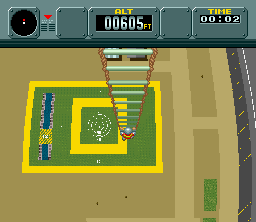
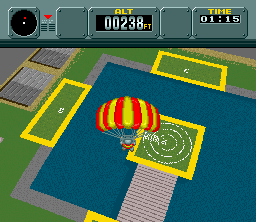
Developed by Nintendo as a showcase for the SNES’s new Mode 7 scaling and rotation graphics, Pilotwings is a 1990 flight simulator that tasks you with earning licenses in the exclusive Flight Club. Rather than pure combat or racing, the game focuses on precision and control as you master four distinct aerial disciplines: the light plane, skydiving, the rocket belt, and hang gliding.

How to play

Your goal is to clear a series of certification tests by scoring enough points across the different events. Each vehicle handles completely differently and grades you on criteria like accuracy, time, and landing impact. Later in the game, the peaceful training takes a surprising turn when you must pilot an attack helicopter in a rescue mission. Use the arrow keys for directional control, Z to accelerate or deploy parachutes, and X to brake or use secondary thrusters.

Tips

  • When using the rocket belt, avoid holding down the thrust button (Z) continuously; instead, use gentle, rhythmic taps to maintain a steady hover and save fuel.
  • During the skydiving events, adjust your position early while freefalling to line up with the target area before deploying your parachute, as your horizontal mobility drops significantly once it opens.
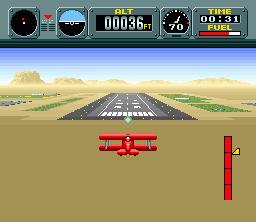
  • In the light plane, watch your speed and angle during the landing approach. Coming in too fast or too steep will result in a crash, even if you hit the runway perfectly.
Screenshots:
Pilotwings Screenshot
Player Comments & Discussion: 0 Comments

Leave a Comment / Review:

No comments yet. Be the first gamer to sign the guestbook!