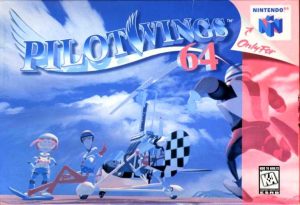
๐ŸŽฎ Play Pilotwings 64 Online (Nintendo 64)

๐ŸŽฒ NEXT RANDOM GAME
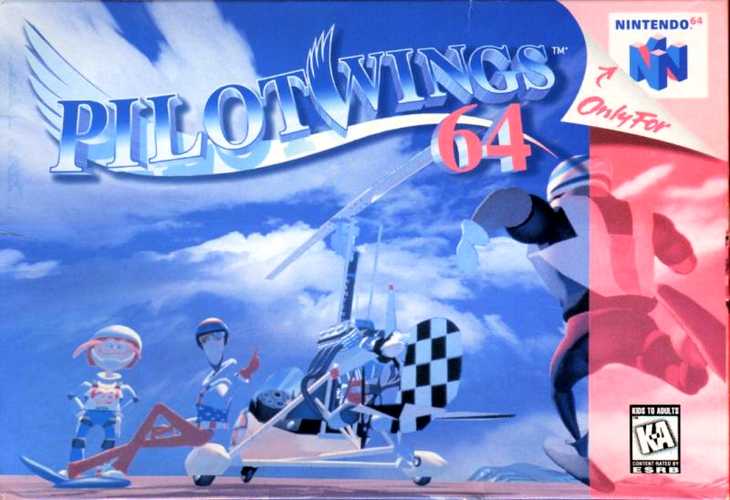
Pilotwings 64 cover art
SAVE SLOTS:

๐Ÿ•น๏ธ GAME CONTROLS

Action / ButtonKeyboard Key
D-Pad (Up / Down / Left / Right)Arrow Keys
Button AZ or J
Button BX or K
Button X / Turbo AA or U
Button Y / Turbo BS or I
SelectShift
StartEnter

๐Ÿ’ก Tip: You can also connect any USB / Bluetooth Gamepad controller!

Game Rating & Player Reviews: โญ Not rated yet
โ€“
โ˜†โ˜†โ˜†โ˜†โ˜†
Be the first to rate
Rate this game (Click 1 to 5 stars):
โ˜… โ˜… โ˜… โ˜… โ˜…

✏️ Suggest an edit to Pilotwings 64

๐Ÿšฉ Report Issue with Pilotwings 64:

๐ŸŽฎ VISUAL CONTROLLER MAPPING & GAMEPAD DIAGRAM Auto-Detect: Active
L1 / LB R1 / RB SELECT START Y X A B RETRO ARCADE
Gamepad InputRetro FunctionKeyboard Key
D-Pad / AnalogCharacter Movement / Steeringโ–ฒ โ–ผ โ—„ โ–บ
Button A (East)Primary Action / Attack / FireZ / K
Button B (South)Secondary / Jump / CancelX / J
Button X / YSpecial / Turbo / Extra FireA / S
SelectInsert Coin / Select OptionRight Shift
StartGame Start / Pause GameEnter
Game info: ๐Ÿ‘๏ธ 100 plays
Pilotwings 64
box cover
Game title:Pilotwings 64
Platform:Nintendo 64
Author (released): Nintendo (1996)
Genre:Action, Simulator
Mode:Single-player
Game size:4967 kB
Emulator Core:N64
Game Manual: ๐Ÿ“– Official Manual (Built-in)
Share Game:
License:Freeware / Abandonware
Available online emulators for Pilotwings 64:

Different online emulators are available for Pilotwings 64. Select an emulator core below for optimal performance:

Emulator Core EngineTechnologyMultiplayerGamepadTouchAdsAction / Switch
EmulatorJS (Default WebAssembly) WebAssembly / JSYESYES YESNO โ–ถ ACTIVE
Nintendo 64 (Recommended) WebAssembly / LibretroYESYES YESNO PLAY โšก
ParaLLEl N64 WebAssembly / LibretroYESYES YESNO PLAY โšก
Game description:

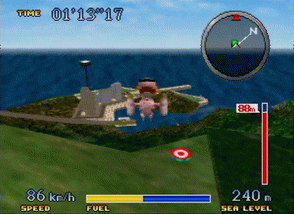
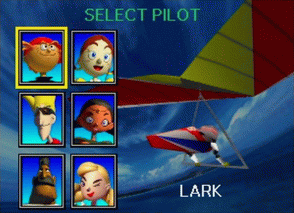
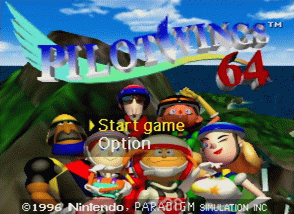
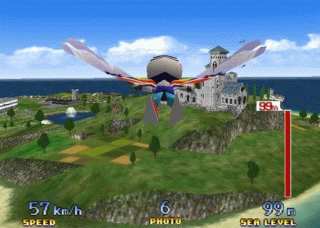
Pilotwings 64 is a 1996 flight simulator developed by Nintendo that helped launch the Nintendo 64. Dropping players onto sprawling, fully explorable 3D islands, the game tasks you with earning your pilot’s license by mastering three primary vehicles: the hang glider, the rocket belt, and the gyrocopter.

How to play

Your objective is to complete flight tests across different islands, scoring points for speed, accuracy, and soft landings. Each vehicle handles uniquely: you must catch thermal updrafts to keep the hang glider aloft, manage your thrust carefully with the rocket belt, and master the throttle of the gyrocopter. The Nintendo 64’s analog stick, A/B buttons, and Z-trigger are mapped to your keyboard, but connecting a modern gamepad provides the fine-grained analog steering required for high scores.

Tips

  • Tap, don’t hold: When flying the rocket belt, using short bursts of thrust instead of holding the button down saves fuel and gives you much finer control over your altitude.
  • Catch the thermals: To extend your hang glider flights, look for thermal updraftsโ€”often found near smokestacks or distinct terrain featuresโ€”to quickly gain height.
  • Master the landing flare: When touching down with the hang glider, wait until you are just above the runway before pulling back to “flare,” slowing your speed for a gentle, accurate landing.
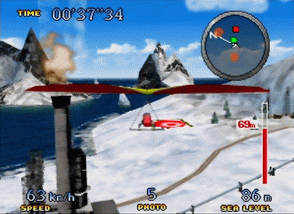
Screenshots:
Pilotwings 64 Screenshot
Player Comments & Discussion: 0 Comments

Leave a Comment / Review:

No comments yet. Be the first gamer to sign the guestbook!