🎮 Play Sword of Vermilion (USA, Europe) Online (Sega Genesis)

🎲 NEXT RANDOM GAME
Sword of Vermilion (USA, Europe) cover art
SAVE SLOTS:

đŸ•šī¸ GAME CONTROLS

Action / ButtonKeyboard Key
D-Pad (Up / Down / Left / Right)Arrow Keys
Button AZ or J
Button BX or K
Button X / Turbo AA or U
Button Y / Turbo BS or I
SelectShift
StartEnter

💡 Tip: You can also connect any USB / Bluetooth Gamepad controller!

Game Rating & Player Reviews: ⭐ Not rated yet
–
☆☆☆☆☆
Be the first to rate
Rate this game (Click 1 to 5 stars):
★ ★ ★ ★ ★

✏️ Suggest an edit to Sword of Vermilion (USA, Europe)

🚩 Report Issue with Sword of Vermilion (USA, Europe):

🎮 VISUAL CONTROLLER MAPPING & GAMEPAD DIAGRAM Auto-Detect: Active
L1 / LB R1 / RB SELECT START Y X A B RETRO ARCADE
Gamepad InputRetro FunctionKeyboard Key
D-Pad / AnalogCharacter Movement / Steering▲ â–ŧ ◄ â–ē
Button A (East)Primary Action / Attack / FireZ / K
Button B (South)Secondary / Jump / CancelX / J
Button X / YSpecial / Turbo / Extra FireA / S
SelectInsert Coin / Select OptionRight Shift
StartGame Start / Pause GameEnter
Game info: đŸ‘ī¸ 96 plays
Sword of Vermilion (USA, Europe)
box cover
Game title:Sword of Vermilion (USA, Europe)
Platform:Sega Genesis
Emulator Core:SEGAMD
Game Manual: 📖 Official Manual (Built-in)
Share Game:
License:Freeware / Abandonware
Available online emulators for Sword of Vermilion (USA, Europe):

Different online emulators are available for Sword of Vermilion (USA, Europe). Select an emulator core below for optimal performance:

Emulator Core EngineTechnologyMultiplayerGamepadTouchAdsAction / Switch
EmulatorJS (Default WebAssembly) WebAssembly / JSYESYES YESNO â–ļ ACTIVE
Sega Genesis / Mega Drive (Recommended) WebAssembly / LibretroYESYES YESNO PLAY ⚡
PicoDrive WebAssembly / LibretroYESYES YESNO PLAY ⚡
Game description:

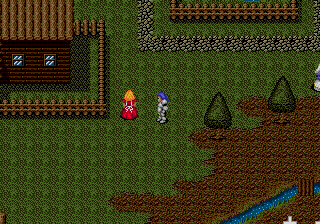
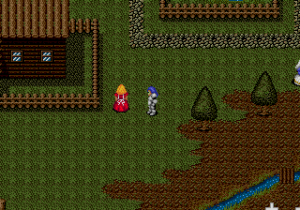
Sword of Vermilion is an ambitious action RPG designed by Yu Suzuki and Sega AM2 for the Sega Genesis. Released early in the console’s lifespan, it is notable for blending multiple perspectives into a single adventure: you explore towns in a first-person view, traverse the overworld from a top-down perspective, and engage in real-time action combat that shifts to a side-scrolling view for major boss battles.

You play as the son of King Erik, tasked with retrieving the eight Rings of Good to defeat the evil King Tsarkon. The game relies on real-time combat where you can swing your weapon, cast magic, and maneuver around enemies. On a standard Genesis layout (mapped to your keyboard), the D-pad moves your character, A casts your equipped magic spell, B swings your sword, and C opens the command menu for managing items and equipment.

Tips

  • Magic is extremely powerful and often covers a wide area. Keep your MP topped up and do not hesitate to use spells to clear out groups of enemies before they can surround you in the arena.
  • During side-scrolling boss fights, focus on learning the boss’s movement pattern and hit them with magic from a safe distance when possible, as their physical attacks can deal massive damage.
  • Towns are navigated in first-person and can be disorienting; keep an eye out for the Inn and Church, which are your most important stops for healing and saving your progress.

Player Comments & Discussion: 0 Comments

Leave a Comment / Review:

No comments yet. Be the first gamer to sign the guestbook!