๐ŸŽฎ Play Star Trek: The Next Generation Online (SNES)

๐ŸŽฒ NEXT RANDOM GAME
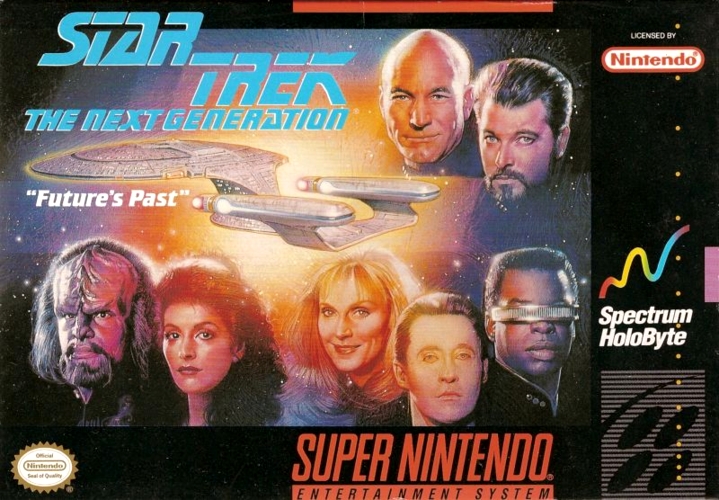
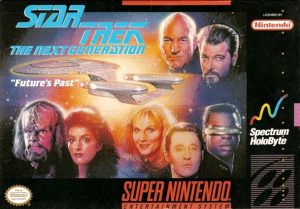
Star Trek: The Next Generation cover art
SAVE SLOTS:

๐Ÿ•น๏ธ GAME CONTROLS

Action / ButtonKeyboard Key
D-Pad (Up / Down / Left / Right)Arrow Keys
Button AZ or J
Button BX or K
Button X / Turbo AA or U
Button Y / Turbo BS or I
SelectShift
StartEnter

๐Ÿ’ก Tip: You can also connect any USB / Bluetooth Gamepad controller!

Game Rating & Player Reviews: โญ Not rated yet
โ€“
โ˜†โ˜†โ˜†โ˜†โ˜†
Be the first to rate
Rate this game (Click 1 to 5 stars):
โ˜… โ˜… โ˜… โ˜… โ˜…

✏️ Suggest an edit to Star Trek: The Next Generation

๐Ÿšฉ Report Issue with Star Trek: The Next Generation:

๐ŸŽฎ VISUAL CONTROLLER MAPPING & GAMEPAD DIAGRAM Auto-Detect: Active
L1 / LB R1 / RB SELECT START Y X A B RETRO ARCADE
Gamepad InputRetro FunctionKeyboard Key
D-Pad / AnalogCharacter Movement / Steeringโ–ฒ โ–ผ โ—„ โ–บ
Button A (East)Primary Action / Attack / FireZ / K
Button B (South)Secondary / Jump / CancelX / J
Button X / YSpecial / Turbo / Extra FireA / S
SelectInsert Coin / Select OptionRight Shift
StartGame Start / Pause GameEnter
Game info: ๐Ÿ‘๏ธ 119 plays
Star Trek: The Next Generation
box cover
Game title:Star Trek: The Next Generation
Platform:SNES
Author (released): Spectrum Holobyte (1994)
Genre:Action, Adventure
Mode:Single-player
Game size:1358 kB
Emulator Core:SNES
Game Manual: ๐Ÿ“– Official Manual (Built-in)
Share Game:
License:Freeware / Abandonware
Available online emulators for Star Trek: The Next Generation:

Different online emulators are available for Star Trek: The Next Generation. Select an emulator core below for optimal performance:

Emulator Core EngineTechnologyMultiplayerGamepadTouchAdsAction / Switch
EmulatorJS (Default WebAssembly) WebAssembly / JSYESYES YESNO โ–ถ ACTIVE
SNES / Super Famicom (Recommended) WebAssembly / LibretroYESYES YESNO PLAY โšก
Game description:

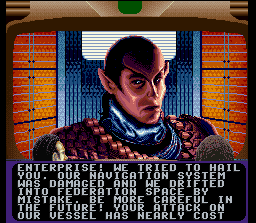
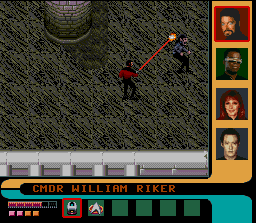
Developed by Spectrum Holobyte in 1994, Star Trek: The Next Generation on the SNES blends space combat simulation with top-down action and adventure. Taking command of the USS Enterprise-D, players navigate the Romulan Neutral Zone to unravel a mystery surrounding an ancient artifact. The experience is divided into two distinct layers: issuing orders from the bridge to manage ship systems during tactical encounters, and beaming down away teams to explore alien surfaces, solve environmental puzzles, and engage in phaser firefights.

How to Play

On the bridge, you select different stations to navigate the star map, manage power distribution, and engage enemy vessels. During away missions, you take direct control of your away team from a top-down perspective, using items and character-specific abilities to clear obstacles.

Gamepad control:

direction buttons

โ†‘โ†“โ†โ†’
action button AZ
action button BX
action buttons X, YA, S
shoulder buttons L, RQ, E
SELECTShift
STARTEnter

Tips

  • Use the tricorder constantly: Scanning your surroundings on away missions is essential for locating hidden items, identifying structural weaknesses, and uncovering puzzle solutions.
  • Manage your shields: During ship-to-ship combat, monitor your shield facings closely. If one side takes too much damage, rotate the Enterprise to present a fresh shield while the weakened one recharges.
  • Build a balanced team: Different crew members bring unique skills to the surface. Ensuring you have the right mix of medical, engineering, and tactical expertise is often the key to bypassing specific hazards.
Screenshots:
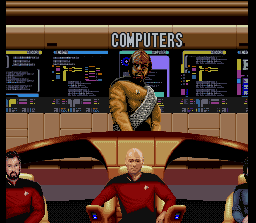
Star Trek: The Next Generation Screenshot
Player Comments & Discussion: 0 Comments

Leave a Comment / Review:

No comments yet. Be the first gamer to sign the guestbook!