๐ŸŽฎ Play Racing Simulation 2 (Germany) Online (Nintendo 64)

๐ŸŽฒ NEXT RANDOM GAME
Racing Simulation 2 (Germany) cover art
SAVE SLOTS:

๐Ÿ•น๏ธ GAME CONTROLS

Action / ButtonKeyboard Key
D-Pad (Up / Down / Left / Right)Arrow Keys
Button AZ or J
Button BX or K
Button X / Turbo AA or U
Button Y / Turbo BS or I
SelectShift
StartEnter

๐Ÿ’ก Tip: You can also connect any USB / Bluetooth Gamepad controller!

Game Rating & Player Reviews: โญ Not rated yet
โ€“
โ˜†โ˜†โ˜†โ˜†โ˜†
Be the first to rate
Rate this game (Click 1 to 5 stars):
โ˜… โ˜… โ˜… โ˜… โ˜…

✏️ Suggest an edit to Racing Simulation 2 (Germany)

๐Ÿšฉ Report Issue with Racing Simulation 2 (Germany):

๐ŸŽฎ VISUAL CONTROLLER MAPPING & GAMEPAD DIAGRAM Auto-Detect: Active
L1 / LB R1 / RB SELECT START Y X A B RETRO ARCADE
Gamepad InputRetro FunctionKeyboard Key
D-Pad / AnalogCharacter Movement / Steeringโ–ฒ โ–ผ โ—„ โ–บ
Button A (East)Primary Action / Attack / FireZ / K
Button B (South)Secondary / Jump / CancelX / J
Button X / YSpecial / Turbo / Extra FireA / S
SelectInsert Coin / Select OptionRight Shift
StartGame Start / Pause GameEnter
Game info: ๐Ÿ‘๏ธ 149 plays
Racing Simulation 2 (Germany)
box cover
Game title:Racing Simulation 2 (Germany)
Platform:Nintendo 64
Emulator Core:N64
Game Manual: ๐Ÿ“– Official Manual (Built-in)
Share Game:
License:Freeware / Abandonware
Available online emulators for Racing Simulation 2 (Germany):

Different online emulators are available for Racing Simulation 2 (Germany). Select an emulator core below for optimal performance:

Emulator Core EngineTechnologyMultiplayerGamepadTouchAdsAction / Switch
EmulatorJS (Default WebAssembly) WebAssembly / JSYESYES YESNO โ–ถ ACTIVE
Nintendo 64 (Recommended) WebAssembly / LibretroYESYES YESNO PLAY โšก
ParaLLEl N64 WebAssembly / LibretroYESYES YESNO PLAY โšก
Game description:

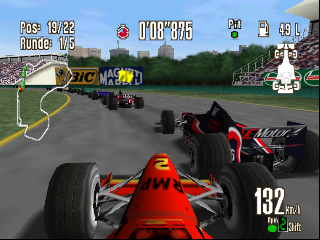
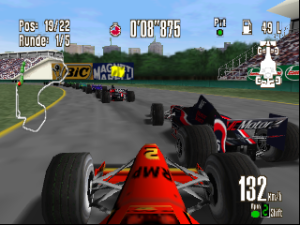
Racing Simulation 2 (Germany), released by Ubisoft in 1999 for the Nintendo 64, is a dedicated Formula One racing simulator that prioritises authentic handling over arcade accessibility. Built around a demanding physics engine, it requires precision and careful throttle control across its 16 international courses. Though it lacks official F1 driver licenses, its deep mechanics and multiple difficulty tiersโ€”spanning from Amateur to Proโ€”make it a rewarding challenge for serious racing fans.

How to Play

The objective is to master the physics engine, shave seconds off your lap times, and secure podium finishes across single races or full championship seasons. For browser play, default Nintendo 64 controls are typically mapped to your keyboard:

  • Steer: Arrow keys
  • Accelerate: X (A button)
  • Brake: Z (B button)
  • Pause: Enter (Start)

Tips

  • Smooth steering and gradual acceleration are vital; treating the throttle like an on/off switch will easily spin your car on sharp corners.
  • Start in Amateur mode to get a feel for the handling and learn the tracks before disabling driving assists in the higher tiers.
Player Comments & Discussion: 0 Comments

Leave a Comment / Review:

No comments yet. Be the first gamer to sign the guestbook!