🎮 Play Creatures Online (PlayStation)

🎲 NEXT RANDOM GAME
Creatures cover art
SAVE SLOTS:

đŸ•šī¸ GAME CONTROLS

Action / ButtonKeyboard Key
D-Pad (Up / Down / Left / Right)Arrow Keys
Button AZ or J
Button BX or K
Button X / Turbo AA or U
Button Y / Turbo BS or I
SelectShift
StartEnter

💡 Tip: You can also connect any USB / Bluetooth Gamepad controller!

Game Rating & Player Reviews: ⭐ Not rated yet
–
☆☆☆☆☆
Be the first to rate
Rate this game (Click 1 to 5 stars):
★ ★ ★ ★ ★

✏️ Suggest an edit to Creatures

🚩 Report Issue with Creatures:

🎮 VISUAL CONTROLLER MAPPING & GAMEPAD DIAGRAM Auto-Detect: Active
L1 / LB R1 / RB SELECT START Y X A B RETRO ARCADE
Gamepad InputRetro FunctionKeyboard Key
D-Pad / AnalogCharacter Movement / Steering▲ â–ŧ ◄ â–ē
Button A (East)Primary Action / Attack / FireZ / K
Button B (South)Secondary / Jump / CancelX / J
Button X / YSpecial / Turbo / Extra FireA / S
SelectInsert Coin / Select OptionRight Shift
StartGame Start / Pause GameEnter
Game info: đŸ‘ī¸ 107 plays
Creatures
box cover
Game title:Creatures
Platform:PlayStation
Emulator Core:PSX
Game Manual: 📖 Official Manual (Built-in)
Share Game:
License:Freeware / Abandonware
Available online emulators for Creatures:

Different online emulators are available for Creatures. Select an emulator core below for optimal performance:

Emulator Core EngineTechnologyMultiplayerGamepadTouchAdsAction / Switch
EmulatorJS (Default WebAssembly) WebAssembly / JSYESYES YESNO â–ļ ACTIVE
PlayStation (Recommended) WebAssembly / LibretroYESYES YESNO PLAY ⚡
Beetle PSX HW WebAssembly / LibretroYESYES YESNO PLAY ⚡
Game description:

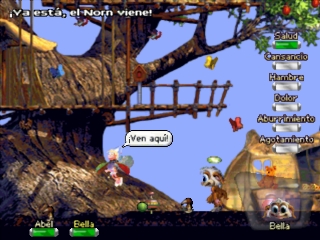
Creatures is a 2001 artificial life simulation game for the PlayStation, developed by Creature Labs. Based on the acclaimed PC series, this console adaptation offers a streamlined experience where you hatch and raise intelligent virtual pets known as Norns. You guide them through life in three distinct game worlds, teaching them to communicate, interact with their environment, and survive.

How to play

Your objective is to nurture your Norns from infancy to adulthood. You use an on-screen cursor to bring objects to your Norns and teach them words so they can express their needs, while protecting them from malicious Grendels. In the browser emulator, use the D-pad (arrow keys) to move your cursor, Cross (Z) to interact, Circle (X) to cancel, and Start (Enter) to pause or access the menu.

Tips

  • Consistency is key when teaching words. Repeat actions and words together to help your Norn build a strong vocabulary early on.
  • When a Grendel approaches, quickly guide your Norns away to another area to keep them safe from harm.

Player Comments & Discussion: 0 Comments

Leave a Comment / Review:

No comments yet. Be the first gamer to sign the guestbook!

