🎮 Play Amazing Tater (USA) Online (Game Boy)

🎲 NEXT RANDOM GAME
Amazing Tater (USA) cover art
SAVE SLOTS:

đŸ•šī¸ GAME CONTROLS

Action / ButtonKeyboard Key
D-Pad (Up / Down / Left / Right)Arrow Keys
Button AZ or J
Button BX or K
Button X / Turbo AA or U
Button Y / Turbo BS or I
SelectShift
StartEnter

💡 Tip: You can also connect any USB / Bluetooth Gamepad controller!

Game Rating & Player Reviews: ⭐ Not rated yet
–
☆☆☆☆☆
Be the first to rate
Rate this game (Click 1 to 5 stars):
★ ★ ★ ★ ★

✏️ Suggest an edit to Amazing Tater (USA)

🚩 Report Issue with Amazing Tater (USA):

🎮 VISUAL CONTROLLER MAPPING & GAMEPAD DIAGRAM Auto-Detect: Active
L1 / LB R1 / RB SELECT START Y X A B RETRO ARCADE
Gamepad InputRetro FunctionKeyboard Key
D-Pad / AnalogCharacter Movement / Steering▲ â–ŧ ◄ â–ē
Button A (East)Primary Action / Attack / FireZ / K
Button B (South)Secondary / Jump / CancelX / J
Button X / YSpecial / Turbo / Extra FireA / S
SelectInsert Coin / Select OptionRight Shift
StartGame Start / Pause GameEnter
Game info: đŸ‘ī¸ 87 plays
Amazing Tater (USA)
box cover
Game title:Amazing Tater (USA)
Platform:Game Boy
Emulator Core:GB
Game Manual: 📖 Official Manual (Built-in)
Share Game:
License:Freeware / Abandonware
Available online emulators for Amazing Tater (USA):

Different online emulators are available for Amazing Tater (USA). Select an emulator core below for optimal performance:

Emulator Core EngineTechnologyMultiplayerGamepadTouchAdsAction / Switch
EmulatorJS (Default WebAssembly) WebAssembly / JSYESYES YESNO â–ļ ACTIVE
Game Boy / Color (Recommended) WebAssembly / LibretroYESYES YESNO PLAY ⚡
Game description:

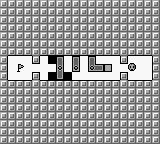
Amazing Tater is a classic puzzle game released by Atlus for the Game Boy in 1991. Serving as the sequel to Kwirk, this challenging block-pushing puzzler tasks players with guiding a potato protagonist through increasingly complex mazes by sliding crates, rotating turnstiles, and carefully clearing a path to the exit.

How to Play

The objective is to guide your character to the level exit by pushing different types of blocks into holes and rotating turnstiles to clear the way. If you make a mistake and get stuck, you must restart the puzzle. Use the D-pad (mapped to your keyboard’s arrow keys) to move and push blocks. The A and B buttons (Z and X keys) interact with menus, while Start (Enter) pauses the game and Select (Shift) is used to restart a level when you find yourself trapped.

Tips

  • Plan your moves carefully before committing to them, as pushing a block against a wall or into a corner will permanently trap it.
  • Pay attention to the different shapes of blocks; some fit perfectly into specific holes to create bridges, while others are used purely to block paths or alter the layout.
  • Always look for multiple ways to rotate the turnstiles, as their starting position often serves as a misdirection for the puzzle’s true solution.
Player Comments & Discussion: 0 Comments

Leave a Comment / Review:

No comments yet. Be the first gamer to sign the guestbook!