๐ŸŽฎ Play 4D Prince of Persia Online (DOS)

๐ŸŽฒ NEXT RANDOM GAME
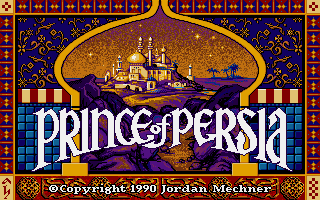
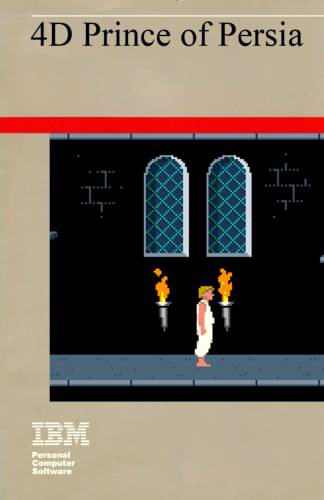
4D Prince of Persia cover art
SAVE SLOTS:

๐Ÿ•น๏ธ GAME CONTROLS

Action / ButtonKeyboard Key
D-Pad (Up / Down / Left / Right)Arrow Keys
Button AZ or J
Button BX or K
Button X / Turbo AA or U
Button Y / Turbo BS or I
SelectShift
StartEnter

๐Ÿ’ก Tip: You can also connect any USB / Bluetooth Gamepad controller!

Game Rating & Player Reviews: โญ Not rated yet
โ€“
โ˜†โ˜†โ˜†โ˜†โ˜†
Be the first to rate
Rate this game (Click 1 to 5 stars):
โ˜… โ˜… โ˜… โ˜… โ˜…

✏️ Suggest an edit to 4D Prince of Persia

๐Ÿšฉ Report Issue with 4D Prince of Persia:

๐ŸŽฎ VISUAL CONTROLLER MAPPING & GAMEPAD DIAGRAM Auto-Detect: Active
L1 / LB R1 / RB SELECT START Y X A B RETRO ARCADE
Gamepad InputRetro FunctionKeyboard Key
D-Pad / AnalogCharacter Movement / Steeringโ–ฒ โ–ผ โ—„ โ–บ
Button A (East)Primary Action / Attack / FireZ / K
Button B (South)Secondary / Jump / CancelX / J
Button X / YSpecial / Turbo / Extra FireA / S
SelectInsert Coin / Select OptionRight Shift
StartGame Start / Pause GameEnter
Game info: ๐Ÿ‘๏ธ 179 plays
4D Prince of Persia
box cover
Game title:4D Prince of Persia
Platform:DOS
Author (released): Kirill A. Terebilov (1994)
Genre:Action, Platform
Mode:Single-player
Game size:612 kB
Emulator Core:DOS
Game Manual: ๐Ÿ“– Official Manual (Built-in)
Share Game:
License:Freeware / Abandonware
Available online emulators for 4D Prince of Persia:

Different online emulators are available for 4D Prince of Persia. Select an emulator core below for optimal performance:

Emulator Core EngineTechnologyMultiplayerGamepadTouchAdsAction / Switch
EmulatorJS (Default WebAssembly) WebAssembly / JSYESYES YESNO โ–ถ ACTIVE
MS-DOS (Recommended) WebAssembly / LibretroYESYES YESNO PLAY โšก
JS-DOS v3.0 / DOSBox Engine Emscripten C++YESYES NONO PLAY โšก
Game description:

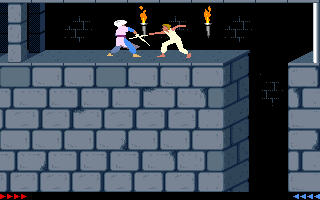
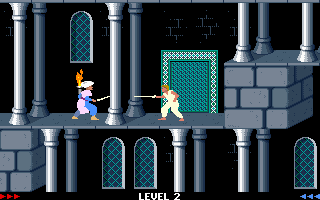
4D Prince of Persia is an unofficial, notoriously difficult modification of the classic action-platformer, created by Kirill A. Terebilov for DOS in 1994. Built on the original game’s engine, it retains the rotoscoped animations, precise acrobatics, and sword fighting of the original, but introduces entirely new, labyrinthine level designs. The “4D” moniker reflects the mind-bending complexity of the maps, which frequently require backtracking, leap-of-faith drops, and perfect timing to survive.

How to play

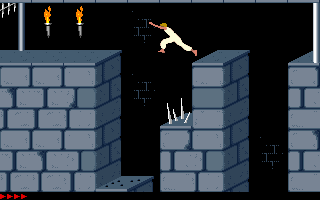
The objective remains the same: navigate the deadly dungeons to rescue the Princess within a strict time limit. You must avoid deadly traps like spikes, falling floors, and guillotine chompers while fighting off guards.

Control:

Game is controlled by the same keys that are used to playing under MS DOS. For fullscreen press ‘Right Alt’ + ‘Enter’.

Use the Arrow keys to run, jump, and crouch. Press Shift to carefully step to edges, hang from ledges, or drink potions. During combat, use Up to parry and Shift to strike.

Tips

  • Step, don’t run: Always use the Shift key to walk to the edge of platforms. Running blindly will almost certainly lead to a deadly fall or trap.
  • Master the standing jump: Many gaps require a precise standing jump (Shift + Up + Forward) rather than a running jump to safely clear obstacles without overshooting.
  • Lure guards into traps: You can often save time and health by carefully maneuvering guards into spikes or chompers rather than fighting them directly.
Screenshots:
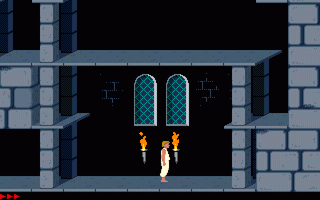
4D Prince of Persia Screenshot
Player Comments & Discussion: 0 Comments

Leave a Comment / Review:

No comments yet. Be the first gamer to sign the guestbook!