🎮 Play Virtual Bart Online (Sega Genesis)

🎲 NEXT RANDOM GAME
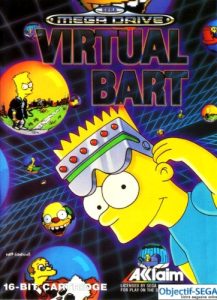
Virtual Bart cover art
SAVE SLOTS:

🕹️ GAME CONTROLS

Action / ButtonKeyboard Key
D-Pad (Up / Down / Left / Right)Arrow Keys
Button AZ or J
Button BX or K
Button X / Turbo AA or U
Button Y / Turbo BS or I
SelectShift
StartEnter

💡 Tip: You can also connect any USB / Bluetooth Gamepad controller!

Game Rating & Player Reviews: ⭐ Not rated yet
☆☆☆☆☆
Be the first to rate
Rate this game (Click 1 to 5 stars):

✏️ Suggest an edit to Virtual Bart

🚩 Report Issue with Virtual Bart:

🎮 VISUAL CONTROLLER MAPPING & GAMEPAD DIAGRAM Auto-Detect: Active
L1 / LB R1 / RB SELECT START Y X A B RETRO ARCADE
Gamepad InputRetro FunctionKeyboard Key
D-Pad / AnalogCharacter Movement / Steering
Button A (East)Primary Action / Attack / FireZ / K
Button B (South)Secondary / Jump / CancelX / J
Button X / YSpecial / Turbo / Extra FireA / S
SelectInsert Coin / Select OptionRight Shift
StartGame Start / Pause GameEnter
Game info: 👁️ 130 plays
Virtual Bart
box cover
Game title:Virtual Bart
Platform:Sega Genesis
Author (released): Acclaim, Sculptured Software (1994)
Genre:Action, Platform
Mode:Single-player
Game size:1361 kB
Emulator Core:SEGAMD
Game Manual: 📖 Official Manual (Built-in)
Share Game:
License:Freeware / Abandonware
Available online emulators for Virtual Bart:

Different online emulators are available for Virtual Bart. Select an emulator core below for optimal performance:

Emulator Core EngineTechnologyMultiplayerGamepadTouchAdsAction / Switch
EmulatorJS (Default WebAssembly) WebAssembly / JSYESYES YESNO ▶ ACTIVE
Sega Genesis / Mega Drive (Recommended) WebAssembly / LibretroYESYES YESNO PLAY ⚡
PicoDrive WebAssembly / LibretroYESYES YESNO PLAY ⚡
Game description:

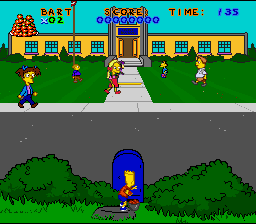
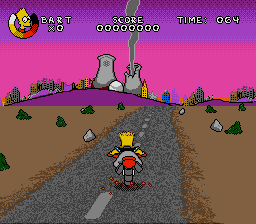
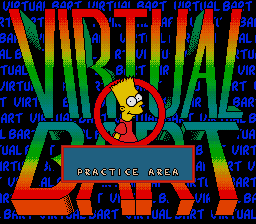
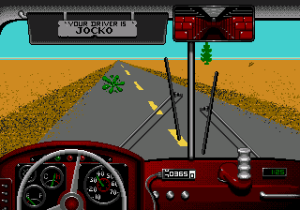
Virtual Bart is a 1994 action platformer for the Sega Genesis, developed by Sculptured Software and published by Acclaim Entertainment. Based on The Simpsons, the game traps Bart inside a virtual reality machine — set up by a classmate at the school science fair — and sends him through a series of themed VR worlds, each with its own visual style and platforming hazards. It is among the more demanding licensed titles of its era, built around deliberate route-learning and precise jump arcs rather than fast reflexes.

How to Play

Work through each themed world using the keyboard controls mapped from the Genesis gamepad:

  • Arrow keys — move and crouch
  • X — jump (Genesis B)
  • Z — action (Genesis C)
  • S — secondary action (Genesis A)
  • Enter — Start / pause

Slow down at unfamiliar sections — many hazards sit just past a jump you have not yet learned.

Tips

  • Jump arcs are fixed; commit to a direction before leaving the ground because mid-air correction is limited.
  • Each VR world has its own obstacles and pace — tactics that work in one will not carry to the next.
  • Study where hazards are placed before retrying a section that keeps stopping you; this game rewards observation over reaction.
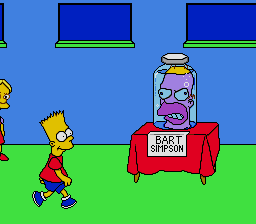
Screenshots:
Virtual Bart Screenshot
Player Comments & Discussion: 0 Comments

Leave a Comment / Review:

No comments yet. Be the first gamer to sign the guestbook!