🎮 Play Warrior of Rome II (USA) Online (Sega Genesis)

🎲 NEXT RANDOM GAME
Warrior of Rome II (USA) cover art
SAVE SLOTS:

đŸ•šī¸ GAME CONTROLS

Action / ButtonKeyboard Key
D-Pad (Up / Down / Left / Right)Arrow Keys
Button AZ or J
Button BX or K
Button X / Turbo AA or U
Button Y / Turbo BS or I
SelectShift
StartEnter

💡 Tip: You can also connect any USB / Bluetooth Gamepad controller!

Game Rating & Player Reviews: ⭐ Not rated yet
–
☆☆☆☆☆
Be the first to rate
Rate this game (Click 1 to 5 stars):
★ ★ ★ ★ ★

✏️ Suggest an edit to Warrior of Rome II (USA)

🚩 Report Issue with Warrior of Rome II (USA):

🎮 VISUAL CONTROLLER MAPPING & GAMEPAD DIAGRAM Auto-Detect: Active
L1 / LB R1 / RB SELECT START Y X A B RETRO ARCADE
Gamepad InputRetro FunctionKeyboard Key
D-Pad / AnalogCharacter Movement / Steering▲ â–ŧ ◄ â–ē
Button A (East)Primary Action / Attack / FireZ / K
Button B (South)Secondary / Jump / CancelX / J
Button X / YSpecial / Turbo / Extra FireA / S
SelectInsert Coin / Select OptionRight Shift
StartGame Start / Pause GameEnter
Game info: đŸ‘ī¸ 107 plays
Warrior of Rome II (USA)
box cover
Game title:Warrior of Rome II (USA)
Platform:Sega Genesis
Author (released): Unknown (1992)
Emulator Core:SEGAMD
Game Manual: 📖 Official Manual (Built-in)
Share Game:
License:Freeware / Abandonware
Available online emulators for Warrior of Rome II (USA):

Different online emulators are available for Warrior of Rome II (USA). Select an emulator core below for optimal performance:

Emulator Core EngineTechnologyMultiplayerGamepadTouchAdsAction / Switch
EmulatorJS (Default WebAssembly) WebAssembly / JSYESYES YESNO â–ļ ACTIVE
Sega Genesis / Mega Drive (Recommended) WebAssembly / LibretroYESYES YESNO PLAY ⚡
PicoDrive WebAssembly / LibretroYESYES YESNO PLAY ⚡
Game description:

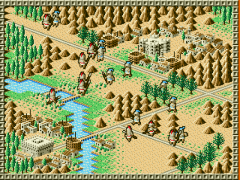
Warrior of Rome II is a 1992 real-time strategy game developed by Micronet for the Sega Genesis. Taking command of Julius Caesar’s armies, you must manage resources, capture villages, and lead your legions through 15 sprawling battlefields across Asia and the Mediterranean to suppress rebellions against the Roman Empire. Played from an isometric three-quarter overhead perspective, it improves on its predecessor’s engine while bringing deep, menu-driven strategy to a home console.

How to play

As an RTS adapted for a gamepad, you’ll need to navigate menus to construct buildings, order troops, and manage your economy in real time. Use the directional pad to pan the camera across the map and move the cursor, press the A or C button to open the command menu or confirm an action, and use the B button to cancel selections or close menus. (If playing in the browser, map these to the arrow keys, Z/C, and X respectively).

Tips

  • Capture villages early: Expanding your control over surrounding villages is critical for building up your forces up to the maximum of 20 units.
  • Adjust the game speed: If the real-time action feels overwhelming while navigating menus with a controller, use the options to lower the movement speed of units until you get comfortable with the interface.

Player Comments & Discussion: 0 Comments

Leave a Comment / Review:

No comments yet. Be the first gamer to sign the guestbook!