🎮 Play Velious II – Fukushuu no Jashin (Japan) Online (Game Boy)

🎲 NEXT RANDOM GAME
Velious II – Fukushuu no Jashin (Japan) cover art
SAVE SLOTS:

đŸ•šī¸ GAME CONTROLS

Action / ButtonKeyboard Key
D-Pad (Up / Down / Left / Right)Arrow Keys
Button AZ or J
Button BX or K
Button X / Turbo AA or U
Button Y / Turbo BS or I
SelectShift
StartEnter

💡 Tip: You can also connect any USB / Bluetooth Gamepad controller!

Game Rating & Player Reviews: ⭐ Not rated yet
–
☆☆☆☆☆
Be the first to rate
Rate this game (Click 1 to 5 stars):
★ ★ ★ ★ ★

✏️ Suggest an edit to Velious II – Fukushuu no Jashin (Japan)

🚩 Report Issue with Velious II – Fukushuu no Jashin (Japan):

🎮 VISUAL CONTROLLER MAPPING & GAMEPAD DIAGRAM Auto-Detect: Active
L1 / LB R1 / RB SELECT START Y X A B RETRO ARCADE
Gamepad InputRetro FunctionKeyboard Key
D-Pad / AnalogCharacter Movement / Steering▲ â–ŧ ◄ â–ē
Button A (East)Primary Action / Attack / FireZ / K
Button B (South)Secondary / Jump / CancelX / J
Button X / YSpecial / Turbo / Extra FireA / S
SelectInsert Coin / Select OptionRight Shift
StartGame Start / Pause GameEnter
Game info: đŸ‘ī¸ 96 plays
Velious II – Fukushuu no Jashin (Japan)
box cover
Game title:Velious II – Fukushuu no Jashin (Japan)
Platform:Game Boy
Author (released): Unknown (1992)
Emulator Core:GB
Game Manual: 📖 Official Manual (Built-in)
Share Game:
License:Freeware / Abandonware
Available online emulators for Velious II – Fukushuu no Jashin (Japan):

Different online emulators are available for Velious II – Fukushuu no Jashin (Japan). Select an emulator core below for optimal performance:

Emulator Core EngineTechnologyMultiplayerGamepadTouchAdsAction / Switch
EmulatorJS (Default WebAssembly) WebAssembly / JSYESYES YESNO â–ļ ACTIVE
Game Boy / Color (Recommended) WebAssembly / LibretroYESYES YESNO PLAY ⚡
Game description:

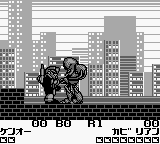
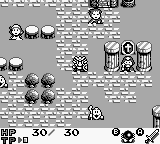
Velious II – Fukushuu no Jashin is a 1992 action RPG developed by NMK for the Game Boy. Released in North America as Rolan’s Curse II, this Japanese classic tasks players with defeating the evil King Barius, who has returned for revenge. Unlike many handheld adventures of its era, it allows you to recruit and freely switch between four distinct party members, each bringing unique magic and abilities to the fight.

How to Play

Your objective is to explore the overworld, delve into dungeons, and defeat enemy forces while levelling up your party. Use the Arrow Keys (D-pad) to move your hero. Press Z (A button) to attack or confirm actions, and X (B button) to use magic or cancel. Use Enter (Start) to pause the game or access your inventory, and Shift (Select) to switch between your active characters or view the auto-map.

Tips

  • Make full use of character switching; some heroes are better suited for ranged magical attacks while others excel in close combat.
  • Don’t forget to check the auto-map frequently when exploring dungeons to avoid getting lost in the labyrinthine corridors.
  • Remember to save your game regularly, especially before attempting challenging boss encounters.

Player Comments & Discussion: 0 Comments

Leave a Comment / Review:

No comments yet. Be the first gamer to sign the guestbook!