๐ŸŽฎ Play Tetris Online (DOS)

๐ŸŽฒ NEXT RANDOM GAME
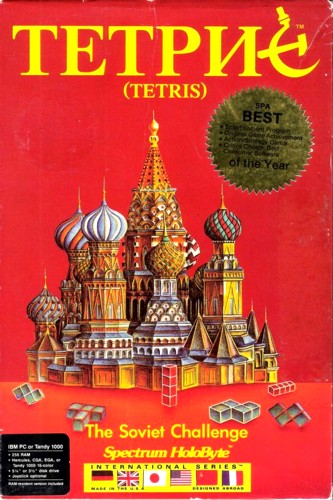
Tetris cover art
SAVE SLOTS:

๐Ÿ•น๏ธ GAME CONTROLS

Action / ButtonKeyboard Key
D-Pad (Up / Down / Left / Right)Arrow Keys
Button AZ or J
Button BX or K
Button X / Turbo AA or U
Button Y / Turbo BS or I
SelectShift
StartEnter

๐Ÿ’ก Tip: You can also connect any USB / Bluetooth Gamepad controller!

Game Rating & Player Reviews: โญ Not rated yet
โ€“
โ˜†โ˜†โ˜†โ˜†โ˜†
Be the first to rate
Rate this game (Click 1 to 5 stars):
โ˜… โ˜… โ˜… โ˜… โ˜…

✏️ Suggest an edit to Tetris

๐Ÿšฉ Report Issue with Tetris:

๐ŸŽฎ VISUAL CONTROLLER MAPPING & GAMEPAD DIAGRAM Auto-Detect: Active
L1 / LB R1 / RB SELECT START Y X A B RETRO ARCADE
Gamepad InputRetro FunctionKeyboard Key
D-Pad / AnalogCharacter Movement / Steeringโ–ฒ โ–ผ โ—„ โ–บ
Button A (East)Primary Action / Attack / FireZ / K
Button B (South)Secondary / Jump / CancelX / J
Button X / YSpecial / Turbo / Extra FireA / S
SelectInsert Coin / Select OptionRight Shift
StartGame Start / Pause GameEnter
Game info: ๐Ÿ‘๏ธ 168 plays
Tetris
box cover
Game title:Tetris
Platform:DOS
Author (released): Spectrum Holobyte (1987)
Genre:Puzzle
Mode:Single-player
Game size:106 kB
Emulator Core:DOS
Game Manual: ๐Ÿ“– Official Manual (Built-in)
Share Game:
License:Freeware / Abandonware
Available online emulators for Tetris:

Different online emulators are available for Tetris. Select an emulator core below for optimal performance:

Emulator Core EngineTechnologyMultiplayerGamepadTouchAdsAction / Switch
EmulatorJS (Default WebAssembly) WebAssembly / JSYESYES YESNO PLAY โšก
MS-DOS (Recommended) WebAssembly / LibretroYESYES YESNO โ–ถ ACTIVE
JS-DOS v3.0 / DOSBox Engine Emscripten C++YESYES NONO PLAY โšก
Game description:

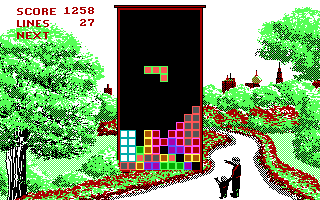
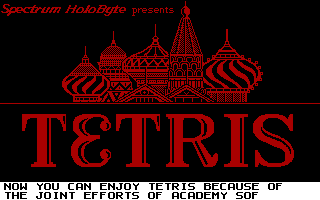
Tetris is a landmark 1987 puzzle game brought to DOS by Spectrum Holobyte, introducing Alexey Pajitnov’s legendary block-stacking concept to western audiences. The core mechanic remains timeless: rotate and drop falling tetrominoes to form solid horizontal lines, clearing them from the board to prevent the stack from reaching the top.

How to Play

Clear lines by organizing the falling shapes into unbroken rows. Use the Left and Right arrow keys to position the pieces, the Up arrow or Spacebar to rotate them, and the Down arrow to drop them faster. The game ends if the stacked pieces reach the top of the play area.

Tips

Focus on keeping your stack as flat as possible, avoiding jagged shapes and deep, single-block gaps. To maximize your score, build the stack while leaving one edge column open, then drop a straight piece down the gap to clear four lines at once.
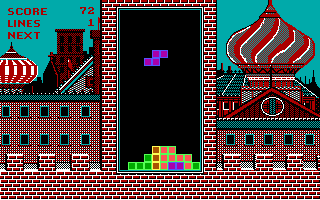
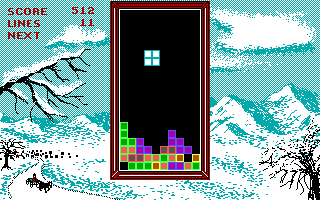
Screenshots:
Tetris Screenshot
Tetris Screenshot
Tetris Screenshot
Tetris Screenshot
Player Comments & Discussion: 0 Comments

Leave a Comment / Review:

No comments yet. Be the first gamer to sign the guestbook!