๐ŸŽฎ Play Robo Pit Online (PlayStation)

๐ŸŽฒ NEXT RANDOM GAME
Robo Pit cover art
SAVE SLOTS:

๐Ÿ•น๏ธ GAME CONTROLS

Action / ButtonKeyboard Key
D-Pad (Up / Down / Left / Right)Arrow Keys
Button AZ or J
Button BX or K
Button X / Turbo AA or U
Button Y / Turbo BS or I
SelectShift
StartEnter

๐Ÿ’ก Tip: You can also connect any USB / Bluetooth Gamepad controller!

Game Rating & Player Reviews: โญ Not rated yet
โ€“
โ˜†โ˜†โ˜†โ˜†โ˜†
Be the first to rate
Rate this game (Click 1 to 5 stars):
โ˜… โ˜… โ˜… โ˜… โ˜…

✏️ Suggest an edit to Robo Pit

๐Ÿšฉ Report Issue with Robo Pit:

๐ŸŽฎ VISUAL CONTROLLER MAPPING & GAMEPAD DIAGRAM Auto-Detect: Active
L1 / LB R1 / RB SELECT START Y X A B RETRO ARCADE
Gamepad InputRetro FunctionKeyboard Key
D-Pad / AnalogCharacter Movement / Steeringโ–ฒ โ–ผ โ—„ โ–บ
Button A (East)Primary Action / Attack / FireZ / K
Button B (South)Secondary / Jump / CancelX / J
Button X / YSpecial / Turbo / Extra FireA / S
SelectInsert Coin / Select OptionRight Shift
StartGame Start / Pause GameEnter
Game info: ๐Ÿ‘๏ธ 96 plays
Robo Pit
box cover
Game title:Robo Pit
Platform:PlayStation
Emulator Core:PSX
Game Manual: ๐Ÿ“– Official Manual (Built-in)
Share Game:
License:Freeware / Abandonware
Available online emulators for Robo Pit:

Different online emulators are available for Robo Pit. Select an emulator core below for optimal performance:

Emulator Core EngineTechnologyMultiplayerGamepadTouchAdsAction / Switch
EmulatorJS (Default WebAssembly) WebAssembly / JSYESYES YESNO โ–ถ ACTIVE
PlayStation (Recommended) WebAssembly / LibretroYESYES YESNO PLAY โšก
Beetle PSX HW WebAssembly / LibretroYESYES YESNO PLAY โšก
Game description:

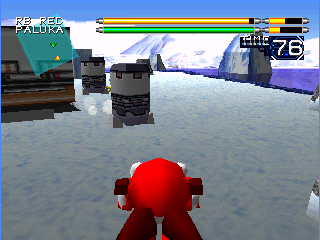
Robo Pit is a 3D robot fighting game developed by Altron and released for the PlayStation in 1996. Instead of choosing from a pre-set roster of fighters, you are tasked with building your own custom gladiator from the ground up, selecting from a variety of body types, legs, and weaponized arms to suit your preferred playstyle.

How to Play

The objective is to climb the ranks of the arena by winning one-on-one battles against increasingly difficult opponents, ultimately challenging the reigning champion. Before fighting, you can equip your robot with different arm weapons such as swords, axes, and laser blasters. The game uses standard PlayStation controls: the D-pad for movement, face buttons (Cross, Circle, Square, Triangle) for attacks and jumping, and the shoulder buttons (L1/R1, L2/R2) for guarding and strafing. In the browser, these are mapped to your keyboardโ€”typically the arrow keys for movement, with Z, X, A, S, and Enter/Shift handling your actions.

Tips

  • Mix and match your arm weapons. Equipping a ranged weapon on one arm and a melee weapon on the other ensures you can handle opponents at any distance.
  • Pay attention to your robot’s weight. Heavier parts provide more defense and powerful strikes, but they will significantly reduce your mobility.
  • Use the shoulder buttons to strafe around your opponent, allowing you to dodge incoming projectiles and quickly counter-strike their vulnerable side.

Player Comments & Discussion: 0 Comments

Leave a Comment / Review:

No comments yet. Be the first gamer to sign the guestbook!

