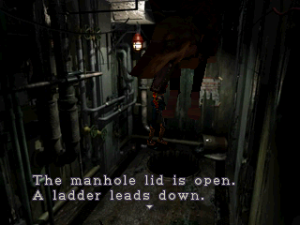
🎮 Play Resident Evil 2 – Dual Shock Ver. (Disc 2) (Claire) Online (PlayStation)

🎲 NEXT RANDOM GAME
Resident Evil 2 – Dual Shock Ver. (Disc 2) (Claire) cover art
SAVE SLOTS:

đŸ•šī¸ GAME CONTROLS

Action / ButtonKeyboard Key
D-Pad (Up / Down / Left / Right)Arrow Keys
Button AZ or J
Button BX or K
Button X / Turbo AA or U
Button Y / Turbo BS or I
SelectShift
StartEnter

💡 Tip: You can also connect any USB / Bluetooth Gamepad controller!

Game Rating & Player Reviews: ⭐ Not rated yet
–
☆☆☆☆☆
Be the first to rate
Rate this game (Click 1 to 5 stars):
★ ★ ★ ★ ★

✏️ Suggest an edit to Resident Evil 2 – Dual Shock Ver. (Disc 2) (Claire)

🚩 Report Issue with Resident Evil 2 – Dual Shock Ver. (Disc 2) (Claire):

🎮 VISUAL CONTROLLER MAPPING & GAMEPAD DIAGRAM Auto-Detect: Active
L1 / LB R1 / RB SELECT START Y X A B RETRO ARCADE
Gamepad InputRetro FunctionKeyboard Key
D-Pad / AnalogCharacter Movement / Steering▲ â–ŧ ◄ â–ē
Button A (East)Primary Action / Attack / FireZ / K
Button B (South)Secondary / Jump / CancelX / J
Button X / YSpecial / Turbo / Extra FireA / S
SelectInsert Coin / Select OptionRight Shift
StartGame Start / Pause GameEnter
Game info: đŸ‘ī¸ 110 plays
Resident Evil 2 – Dual Shock Ver. (Disc 2) (Claire)
box cover
Game title:Resident Evil 2 – Dual Shock Ver. (Disc 2) (Claire)
Platform:PlayStation
Emulator Core:PSX
Game Manual: 📖 Official Manual (Built-in)
Share Game:
License:Freeware / Abandonware
Available online emulators for Resident Evil 2 – Dual Shock Ver. (Disc 2) (Claire):

Different online emulators are available for Resident Evil 2 – Dual Shock Ver. (Disc 2) (Claire). Select an emulator core below for optimal performance:

Emulator Core EngineTechnologyMultiplayerGamepadTouchAdsAction / Switch
EmulatorJS (Default WebAssembly) WebAssembly / JSYESYES YESNO PLAY ⚡
PlayStation (Recommended) WebAssembly / LibretroYESYES YESNO PLAY ⚡
Beetle PSX HW WebAssembly / LibretroYESYES YESNO â–ļ ACTIVE
Game description:

Play Resident Evil 2 – Dual Shock Ver. (Disc 2) (Claire), the legendary 1998 survival horror masterpiece developed by Capcom for the PlayStation. In this scenario, you guide Claire Redfield through the zombie-infested Raccoon City Police Department as she searches for her missing brother, Chris. This Dual Shock edition introduced analog control support and a new Rookie mode for an alternative experience.

How to Play

Your primary objective is to survive the undead outbreak, solve intricate puzzles to unlock new areas of the police station, and carefully manage extremely limited resources. PlayStation controls in the browser are mapped to your keyboard: use the arrow keys to move (utilizing the classic “tank controls” system), Z for Cross (action/fire), X for Square (run), A for Circle, S for Triangle (inventory), and Enter/Shift for Start/Select. Remember to hold R1 (typically mapped to D or C) to aim before firing your weapon.

Tips

  • Ammunition and health items are incredibly scarce. Avoid combat when possible by baiting zombies into lunging, then safely running past them while they recover.
  • Examine every item you find in your inventory, as some objects must be rotated or interacted with to reveal keys, clues, or other secrets.
  • Save your game using Ink Ribbons at typewriters strategically. It is best to save only when you have made significant progress or before a known boss encounter.

Player Comments & Discussion: 0 Comments

Leave a Comment / Review:

No comments yet. Be the first gamer to sign the guestbook!

