
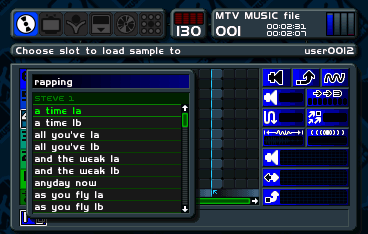
Developed by Jester Interactive and published by Codemasters in 1999, MTV Music Generator transforms the PlayStation into a surprisingly powerful music production studio. Rather than a traditional game, this is a comprehensive digital audio workstation that lets you construct original tracks by layering thousands of pre-loaded riffs, beats, and vocals on a multi-track sequencer. Covering genres from techno and trance to rock and hip-hop, the software also features a built-in video creator to visualize your custom tracks.
How to Play
Your objective is to create your own music by dragging and dropping audio samples onto a timeline grid, or by composing unique melodies using the piano roll. Navigate the sequencer menus using the Arrow keys for the D-pad. In the browser, the PlayStation face buttons (Cross, Circle, Square, Triangle) are typically mapped to Z, X, A, and S, which you will use to select menus, place audio blocks, and delete samples. Use Enter for Start and Shift for Select to access the main options.
Tips
- Use the shoulder buttons (often mapped to Q, W, E, R) to quickly zoom in and out of your track timeline, making it easier to arrange large compositions.
- To keep your songs from sounding muddy, avoid stacking too many heavy bass or drum riffs on the same beat; use the volume panning options to spread instruments across the stereo channels.
- If you want more control over a sample, you can open it in the riff editor to tweak individual notes, pitch, and tempo instead of relying entirely on the pre-made loops.




Leave a Comment / Review: