🎮 Play Jumping Pop Set 2 Online (Arcade)

🎲 NEXT RANDOM GAME
Jumping Pop Set 2 cover art
SAVE SLOTS:

đŸ•šī¸ GAME CONTROLS

Action / ButtonKeyboard Key
D-Pad (Up / Down / Left / Right)Arrow Keys
Button AZ or J
Button BX or K
Button X / Turbo AA or U
Button Y / Turbo BS or I
SelectShift
StartEnter

💡 Tip: You can also connect any USB / Bluetooth Gamepad controller!

Game Rating & Player Reviews: ⭐ Not rated yet
–
☆☆☆☆☆
Be the first to rate
Rate this game (Click 1 to 5 stars):
★ ★ ★ ★ ★

✏️ Suggest an edit to Jumping Pop Set 2

🚩 Report Issue with Jumping Pop Set 2:

🎮 VISUAL CONTROLLER MAPPING & GAMEPAD DIAGRAM Auto-Detect: Active
L1 / LB R1 / RB SELECT START Y X A B RETRO ARCADE
Gamepad InputRetro FunctionKeyboard Key
D-Pad / AnalogCharacter Movement / Steering▲ â–ŧ ◄ â–ē
Button A (East)Primary Action / Attack / FireZ / K
Button B (South)Secondary / Jump / CancelX / J
Button X / YSpecial / Turbo / Extra FireA / S
SelectInsert Coin / Select OptionRight Shift
StartGame Start / Pause GameEnter
Game info: đŸ‘ī¸ 107 plays
Jumping Pop Set 2
box cover
Game title:Jumping Pop Set 2
Platform:Arcade
Emulator Core:ARCADE
Game Manual: 📖 Official Manual (Built-in)
Share Game:
License:Freeware / Abandonware
Available online emulators for Jumping Pop Set 2:

Different online emulators are available for Jumping Pop Set 2. Select an emulator core below for optimal performance:

Emulator Core EngineTechnologyMultiplayerGamepadTouchAdsAction / Switch
EmulatorJS (Default WebAssembly) WebAssembly / JSYESYES YESNO â–ļ ACTIVE
Arcade (Recommended) WebAssembly / LibretroYESYES YESNO PLAY ⚡
MAME 2003 Plus WebAssembly / LibretroYESYES YESNO PLAY ⚡
FB Alpha 2012 (CPS-1) WebAssembly / LibretroYESYES YESNO PLAY ⚡
FB Alpha 2012 (CPS-2) WebAssembly / LibretroYESYES YESNO PLAY ⚡
Game description:

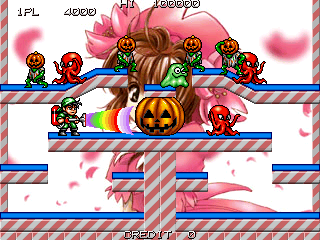
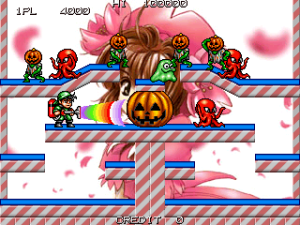
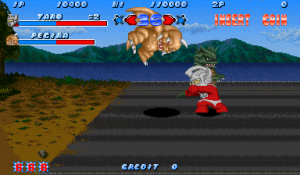
Jumping Pop Set 2 is an alternate version of the 2D arcade platformer released by ESD in 2001. In this vibrant action game, players control a monster hunter equipped with a powerful vacuum cleaner, taking on levels filled with mummies, skeletons, and other creatures. You must clear the screen of enemies by sucking them up and using them as projectiles against each other, eventually facing off against bosses at the end of each world.

How to Play

To start playing this arcade classic in your browser, press Shift (or 5) to insert a coin, then press Enter (or 1) to begin. Use the Arrow keys to navigate your character across the platform tiers, and the Z, X, or C keys to jump and operate your vacuum cleaner. You must carefully time your attacks, as enemies sucked into your vacuum can be fired back out to create combos and clear the stage.

Tips for Success

  • Chain your projectiles: When you fire an enemy from your vacuum, it will take out other monsters in its path. Try to line them up to maximize your score and quickly clear the screen.
  • Mind your surroundings: Like many single-screen platformers, enemies can drop from above or wrap around the screen edges. Keep moving to avoid getting cornered.
Player Comments & Discussion: 0 Comments

Leave a Comment / Review:

No comments yet. Be the first gamer to sign the guestbook!