
🎮 Play Jimmy Connors Pro Tennis Tour Online (SNES)

🎲 NEXT RANDOM GAME
Jimmy Connors Pro Tennis Tour cover art
SAVE SLOTS:

đŸ•šī¸ GAME CONTROLS

Action / ButtonKeyboard Key
D-Pad (Up / Down / Left / Right)Arrow Keys
Button AZ or J
Button BX or K
Button X / Turbo AA or U
Button Y / Turbo BS or I
SelectShift
StartEnter

💡 Tip: You can also connect any USB / Bluetooth Gamepad controller!

Game Rating & Player Reviews: ⭐ Not rated yet
–
☆☆☆☆☆
Be the first to rate
Rate this game (Click 1 to 5 stars):
★ ★ ★ ★ ★

✏️ Suggest an edit to Jimmy Connors Pro Tennis Tour

🚩 Report Issue with Jimmy Connors Pro Tennis Tour:

🎮 VISUAL CONTROLLER MAPPING & GAMEPAD DIAGRAM Auto-Detect: Active
L1 / LB R1 / RB SELECT START Y X A B RETRO ARCADE
Gamepad InputRetro FunctionKeyboard Key
D-Pad / AnalogCharacter Movement / Steering▲ â–ŧ ◄ â–ē
Button A (East)Primary Action / Attack / FireZ / K
Button B (South)Secondary / Jump / CancelX / J
Button X / YSpecial / Turbo / Extra FireA / S
SelectInsert Coin / Select OptionRight Shift
StartGame Start / Pause GameEnter
Game info: đŸ‘ī¸ 121 plays
Jimmy Connors Pro Tennis Tour
box cover
Game title:Jimmy Connors Pro Tennis Tour
Platform:SNES
Author (released): Blue Byte Software (1989)
Genre:Sport
Mode:Multiplayer
Game size:325 kB
Emulator Core:SNES
Game Manual: 📖 Official Manual (Built-in)
Share Game:
License:Freeware / Abandonware
Available online emulators for Jimmy Connors Pro Tennis Tour:

Different online emulators are available for Jimmy Connors Pro Tennis Tour. Select an emulator core below for optimal performance:

Emulator Core EngineTechnologyMultiplayerGamepadTouchAdsAction / Switch
EmulatorJS (Default WebAssembly) WebAssembly / JSYESYES YESNO â–ļ ACTIVE
SNES / Super Famicom (Recommended) WebAssembly / LibretroYESYES YESNO PLAY ⚡
Game description:

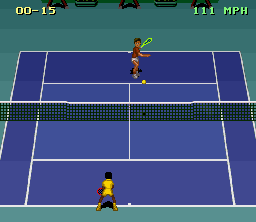
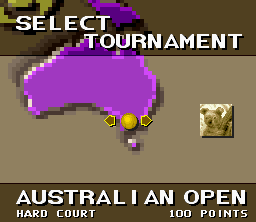
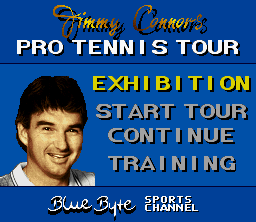
Jimmy Connors Pro Tennis Tour is a 1989 sports simulation developed by Blue Byte Software for the SNES. Originally known as Great Courts on home computers, it brings a demanding, realistic approach to tennis rather than simple arcade action. The game focuses on precise positioning and shot timing, letting players practice against a ball machine, play exhibition matches, or enter a full tournament circuit to climb the world rankings.

How to play

The core mechanic requires you to move into position early and hold your swing. Use the directional buttons to move and to aim your return, and the action buttons for different shot types (topspin, slice, lob, or dropshot).

  • Move/Aim: Arrow keys
  • A button: Z
  • B button: X
  • X, Y buttons: A, S
  • L, R buttons: Q, E
  • Start: Enter
  • Select: Shift

Tips

  • Run to where the ball will bounce and hold down your chosen shot button early. Releasing it exactly as the ball arrives produces the most power.
  • Use the Training mode before jumping into a tournament. The ball machine is the ideal way to practice aiming your returns to the far corners of the opponent’s court.
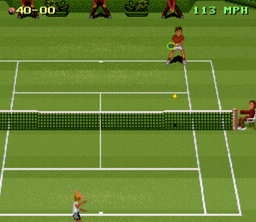
Screenshots:
Jimmy Connors Pro Tennis Tour Screenshot
Player Comments & Discussion: 0 Comments

Leave a Comment / Review:

No comments yet. Be the first gamer to sign the guestbook!