๐ŸŽฎ Play Gubble Online (PlayStation)

๐ŸŽฒ NEXT RANDOM GAME
Gubble cover art
SAVE SLOTS:

๐Ÿ•น๏ธ GAME CONTROLS

Action / ButtonKeyboard Key
D-Pad (Up / Down / Left / Right)Arrow Keys
Button AZ or J
Button BX or K
Button X / Turbo AA or U
Button Y / Turbo BS or I
SelectShift
StartEnter

๐Ÿ’ก Tip: You can also connect any USB / Bluetooth Gamepad controller!

Game Rating & Player Reviews: โญ Not rated yet
โ€“
โ˜†โ˜†โ˜†โ˜†โ˜†
Be the first to rate
Rate this game (Click 1 to 5 stars):
โ˜… โ˜… โ˜… โ˜… โ˜…

✏️ Suggest an edit to Gubble

๐Ÿšฉ Report Issue with Gubble:

๐ŸŽฎ VISUAL CONTROLLER MAPPING & GAMEPAD DIAGRAM Auto-Detect: Active
L1 / LB R1 / RB SELECT START Y X A B RETRO ARCADE
Gamepad InputRetro FunctionKeyboard Key
D-Pad / AnalogCharacter Movement / Steeringโ–ฒ โ–ผ โ—„ โ–บ
Button A (East)Primary Action / Attack / FireZ / K
Button B (South)Secondary / Jump / CancelX / J
Button X / YSpecial / Turbo / Extra FireA / S
SelectInsert Coin / Select OptionRight Shift
StartGame Start / Pause GameEnter
Game info: ๐Ÿ‘๏ธ 99 plays
Gubble
box cover
Game title:Gubble
Platform:PlayStation
Emulator Core:PSX
Game Manual: ๐Ÿ“– Official Manual (Built-in)
Share Game:
License:Freeware / Abandonware
Available online emulators for Gubble:

Different online emulators are available for Gubble. Select an emulator core below for optimal performance:

Emulator Core EngineTechnologyMultiplayerGamepadTouchAdsAction / Switch
EmulatorJS (Default WebAssembly) WebAssembly / JSYESYES YESNO โ–ถ ACTIVE
PlayStation (Recommended) WebAssembly / LibretroYESYES YESNO PLAY โšก
Beetle PSX HW WebAssembly / LibretroYESYES YESNO PLAY โšก
Game description:

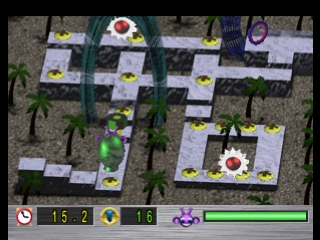
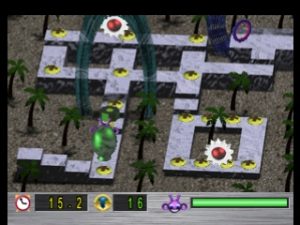
Gubble is a whimsical maze and puzzle game released for the PlayStation in 2002 by Actual Entertainment. You control an alien tasked with navigating colorful, hazard-filled levels to remove “zymbots”โ€”screws, nails, and tacksโ€”planted by space pirates on the planet Rennigar.

Your objective is to clear all the zymbots in each stage using various tools scattered around the map while avoiding enemies. In the browser emulator, use the Arrow Keys to move, and Z or X (acting as the PlayStation’s primary action buttons) to equip and use tools. Press Enter or Shift for Start and Select.

When solving the stages, make sure to grab the right tool for the jobโ€”like a screwdriver for screwsโ€”before approaching a zymbot. Study the patrol patterns of enemies carefully, as timing your movements is crucial to clearing tight corridors without taking hits.


Player Comments & Discussion: 0 Comments

Leave a Comment / Review:

No comments yet. Be the first gamer to sign the guestbook!
