🎮 Play Fighter Maker Online (PlayStation)

🎲 NEXT RANDOM GAME
Fighter Maker cover art
SAVE SLOTS:

đŸ•šī¸ GAME CONTROLS

Action / ButtonKeyboard Key
D-Pad (Up / Down / Left / Right)Arrow Keys
Button AZ or J
Button BX or K
Button X / Turbo AA or U
Button Y / Turbo BS or I
SelectShift
StartEnter

💡 Tip: You can also connect any USB / Bluetooth Gamepad controller!

Game Rating & Player Reviews: ⭐ Not rated yet
–
☆☆☆☆☆
Be the first to rate
Rate this game (Click 1 to 5 stars):
★ ★ ★ ★ ★

✏️ Suggest an edit to Fighter Maker

🚩 Report Issue with Fighter Maker:

🎮 VISUAL CONTROLLER MAPPING & GAMEPAD DIAGRAM Auto-Detect: Active
L1 / LB R1 / RB SELECT START Y X A B RETRO ARCADE
Gamepad InputRetro FunctionKeyboard Key
D-Pad / AnalogCharacter Movement / Steering▲ â–ŧ ◄ â–ē
Button A (East)Primary Action / Attack / FireZ / K
Button B (South)Secondary / Jump / CancelX / J
Button X / YSpecial / Turbo / Extra FireA / S
SelectInsert Coin / Select OptionRight Shift
StartGame Start / Pause GameEnter
Game info: đŸ‘ī¸ 115 plays
Fighter Maker
box cover
Game title:Fighter Maker
Platform:PlayStation
Emulator Core:PSX
Game Manual: 📖 Official Manual (Built-in)
Share Game:
License:Freeware / Abandonware
Available online emulators for Fighter Maker:

Different online emulators are available for Fighter Maker. Select an emulator core below for optimal performance:

Emulator Core EngineTechnologyMultiplayerGamepadTouchAdsAction / Switch
EmulatorJS (Default WebAssembly) WebAssembly / JSYESYES YESNO â–ļ ACTIVE
PlayStation (Recommended) WebAssembly / LibretroYESYES YESNO PLAY ⚡
Beetle PSX HW WebAssembly / LibretroYESYES YESNO PLAY ⚡
Game description:

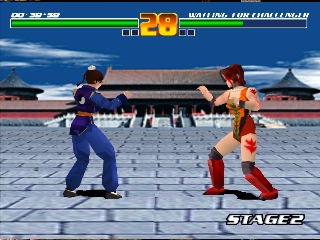
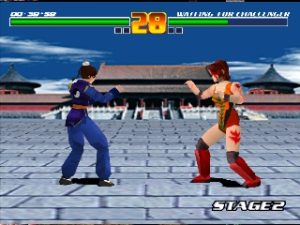
Developed by ASCII Entertainment and released in 1999, Fighter Maker for the PlayStation is a unique hybrid that blends a 3D fighting game with a robust animation suite. Rather than just playing through a standard arcade ladder, you are given the tools to construct your own custom characters, edit their fighting styles, and animate their moves frame by frame. It provides a surprisingly deep level of control over hitboxes, recovery times, and motion captures, allowing you to design entirely bespoke martial arts styles before taking your creations into the arena.

How to Play

The main objective is to either test your custom fighters in combat or play standard matches using the pre-built characters. In the editor, you will navigate menus to adjust limb positions and animation timelines. During combat, standard PlayStation controls apply: use the D-pad to move, and the Cross, Circle, Square, and Triangle buttons to execute your configured attacks, mapped to your keyboard (typically arrow keys and Z/X/A/S in the browser). The shoulder buttons (L1/R1/L2/R2, often mapped to Q/W/E/R) are used for side-stepping and complex move combinations.

Tips

  • Start with modifications: Creating an animation from scratch can be daunting. Begin by taking an existing character’s move and tweaking its startup frames or hit properties to understand how the timeline works.
  • Mind your recovery: When designing attacks, make sure to add enough recovery frames. If a move ends too abruptly without a natural follow-through, your character will be left vulnerable to counterattacks.

Player Comments & Discussion: 0 Comments

Leave a Comment / Review:

No comments yet. Be the first gamer to sign the guestbook!

