🎮 Play Duck Tales 2 (Japan) Online (Game Boy)

🎲 NEXT RANDOM GAME
Duck Tales 2 (Japan) cover art
SAVE SLOTS:

đŸ•šī¸ GAME CONTROLS

Action / ButtonKeyboard Key
D-Pad (Up / Down / Left / Right)Arrow Keys
Button AZ or J
Button BX or K
Button X / Turbo AA or U
Button Y / Turbo BS or I
SelectShift
StartEnter

💡 Tip: You can also connect any USB / Bluetooth Gamepad controller!

Game Rating & Player Reviews: ⭐ Not rated yet
–
☆☆☆☆☆
Be the first to rate
Rate this game (Click 1 to 5 stars):
★ ★ ★ ★ ★

✏️ Suggest an edit to Duck Tales 2 (Japan)

🚩 Report Issue with Duck Tales 2 (Japan):

🎮 VISUAL CONTROLLER MAPPING & GAMEPAD DIAGRAM Auto-Detect: Active
L1 / LB R1 / RB SELECT START Y X A B RETRO ARCADE
Gamepad InputRetro FunctionKeyboard Key
D-Pad / AnalogCharacter Movement / Steering▲ â–ŧ ◄ â–ē
Button A (East)Primary Action / Attack / FireZ / K
Button B (South)Secondary / Jump / CancelX / J
Button X / YSpecial / Turbo / Extra FireA / S
SelectInsert Coin / Select OptionRight Shift
StartGame Start / Pause GameEnter
Game info: đŸ‘ī¸ 102 plays
Duck Tales 2 (Japan)
box cover
Game title:Duck Tales 2 (Japan)
Platform:Game Boy
Emulator Core:GB
Game Manual: 📖 Official Manual (Built-in)
Share Game:
License:Freeware / Abandonware
Available online emulators for Duck Tales 2 (Japan):

Different online emulators are available for Duck Tales 2 (Japan). Select an emulator core below for optimal performance:

Emulator Core EngineTechnologyMultiplayerGamepadTouchAdsAction / Switch
EmulatorJS (Default WebAssembly) WebAssembly / JSYESYES YESNO â–ļ ACTIVE
Game Boy / Color (Recommended) WebAssembly / LibretroYESYES YESNO PLAY ⚡
Game description:

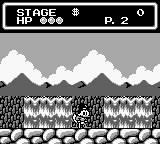
Originally released by Capcom in 1993, this classic action-platformer for the Game Boy sends Scrooge McDuck on a globetrotting adventure to recover the lost pieces of his family’s legendary treasure. Building on the beloved mechanics of its predecessor, the game allows players to explore five distinct levels in any order, uncovering hidden secrets and battling bosses along the way.

How to Play

Your primary goal is to reach the end of each level, defeat the boss, and collect as much treasure as possible to piece together the legendary map. The default Game Boy controls are mapped to your keyboard: use the Arrow Keys to move, Z to jump (A button), and X to swing your cane (B button). To perform Scrooge’s iconic pogo jump, press Z to jump, then hold Down and press X in mid-air. Use Enter for Start and Shift for Select.

Tips

  • Master the Pogo Jump: The pogo jump is essential for crossing hazardous terrain like spikes and bouncing off enemies to reach higher platforms.
  • Revisit Levels: As you progress, Gyro Gearloose will upgrade your cane. You can replay previously completed levels to access new areas and hidden treasures using these new abilities.
  • Check for False Walls: Many valuable gems and secret map pieces are hidden behind walls that can be walked through. If a path seems to lead nowhere, try walking against the edges.
Player Comments & Discussion: 0 Comments

Leave a Comment / Review:

No comments yet. Be the first gamer to sign the guestbook!