๐ŸŽฎ Play Dream Master (Japan) Online (NES)

๐ŸŽฒ NEXT RANDOM GAME
Dream Master (Japan) cover art
SAVE SLOTS:

๐Ÿ•น๏ธ GAME CONTROLS

Action / ButtonKeyboard Key
D-Pad (Up / Down / Left / Right)Arrow Keys
Button AZ or J
Button BX or K
Button X / Turbo AA or U
Button Y / Turbo BS or I
SelectShift
StartEnter

๐Ÿ’ก Tip: You can also connect any USB / Bluetooth Gamepad controller!

Game Rating & Player Reviews: โญ Not rated yet
โ€“
โ˜†โ˜†โ˜†โ˜†โ˜†
Be the first to rate
Rate this game (Click 1 to 5 stars):
โ˜… โ˜… โ˜… โ˜… โ˜…

✏️ Suggest an edit to Dream Master (Japan)

๐Ÿšฉ Report Issue with Dream Master (Japan):

๐ŸŽฎ VISUAL CONTROLLER MAPPING & GAMEPAD DIAGRAM Auto-Detect: Active
L1 / LB R1 / RB SELECT START Y X A B RETRO ARCADE
Gamepad InputRetro FunctionKeyboard Key
D-Pad / AnalogCharacter Movement / Steeringโ–ฒ โ–ผ โ—„ โ–บ
Button A (East)Primary Action / Attack / FireZ / K
Button B (South)Secondary / Jump / CancelX / J
Button X / YSpecial / Turbo / Extra FireA / S
SelectInsert Coin / Select OptionRight Shift
StartGame Start / Pause GameEnter
Game info: ๐Ÿ‘๏ธ 286 plays
Dream Master (Japan)
box cover
Game title:Dream Master (Japan)
Platform:NES
Emulator Core:NES
Game Manual: ๐Ÿ“– Official Manual (Built-in)
Share Game:
License:Freeware / Abandonware
Available online emulators for Dream Master (Japan):

Different online emulators are available for Dream Master (Japan). Select an emulator core below for optimal performance:

Emulator Core EngineTechnologyMultiplayerGamepadTouchAdsAction / Switch
EmulatorJS (Default WebAssembly) WebAssembly / JSYESYES YESNO โ–ถ ACTIVE
NES / Famicom (Recommended) WebAssembly / LibretroYESYES YESNO PLAY โšก
Nestopia UE (Accurate) WebAssembly / LibretroYESYES YESNO PLAY โšก
Game description:

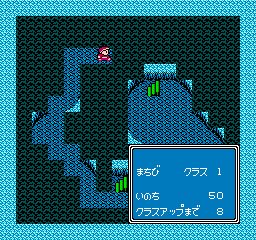
Dream Master is a unique turn-based role-playing game developed by Birthday and published by Namco exclusively for the Japanese Famicom in 1992. Playing as an apprentice to a Sage of Dreams, your objective is to venture into seven distinct dream worlds to rescue a princess trapped in the Black Dream.

How to Play

Unlike typical RPGs of its era, enemies are visible on the map, allowing you to choose or avoid encounters. Use the D-pad to navigate the world and menus, A to confirm actions, and B to cancel. In the browser emulator, the D-pad is mapped to the arrow keys, A to the Z key, B to the X key, and Start to Enter.

Tips

  • Enemies do not respawn once defeated, effectively acting as a level-cap system for each area. Focus on managing your resources carefully rather than trying to grind for experience.
  • Since you can see enemies on the map before engaging them, plan your route to avoid unnecessary battles when your health is low.
Player Comments & Discussion: 0 Comments

Leave a Comment / Review:

No comments yet. Be the first gamer to sign the guestbook!