🎮 Play Dodge ’Em Online (Atari 2600)

🎲 NEXT RANDOM GAME
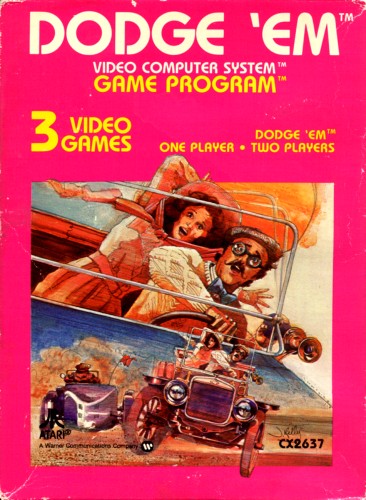
Dodge ’Em cover art
SAVE SLOTS:

🕹️ GAME CONTROLS

Action / ButtonKeyboard Key
D-Pad (Up / Down / Left / Right)Arrow Keys
Button AZ or J
Button BX or K
Button X / Turbo AA or U
Button Y / Turbo BS or I
SelectShift
StartEnter

💡 Tip: You can also connect any USB / Bluetooth Gamepad controller!

Game Rating & Player Reviews: ⭐ Not rated yet
☆☆☆☆☆
Be the first to rate
Rate this game (Click 1 to 5 stars):

✏️ Suggest an edit to Dodge ’Em

🚩 Report Issue with Dodge ’Em:

🎮 VISUAL CONTROLLER MAPPING & GAMEPAD DIAGRAM Auto-Detect: Active
L1 / LB R1 / RB SELECT START Y X A B RETRO ARCADE
Gamepad InputRetro FunctionKeyboard Key
D-Pad / AnalogCharacter Movement / Steering
Button A (East)Primary Action / Attack / FireZ / K
Button B (South)Secondary / Jump / CancelX / J
Button X / YSpecial / Turbo / Extra FireA / S
SelectInsert Coin / Select OptionRight Shift
StartGame Start / Pause GameEnter
Game info: 👁️ 136 plays
Dodge ’Em
box cover
Game title:Dodge ’Em
Platform:Atari 2600
Author (released): Atari, Inc. (1980)
Genre:Action, Racing
Mode:Multiplayer
Game size:4 kB
Emulator Core:ATARI2600
Game Manual: 📖 Official Manual (Built-in)
Share Game:
License:Freeware / Abandonware
Available online emulators for Dodge ’Em:

Different online emulators are available for Dodge ’Em. Select an emulator core below for optimal performance:

Emulator Core EngineTechnologyMultiplayerGamepadTouchAdsAction / Switch
EmulatorJS (Default WebAssembly) WebAssembly / JSYESYES YESNO ▶ ACTIVE
Atari 2600 (Recommended) WebAssembly / LibretroYESYES YESNO PLAY ⚡
Javatari / Stella JS Engine WebAssembly / LibretroYESYES YESNO PLAY ⚡
Game description:

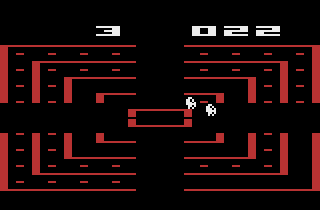
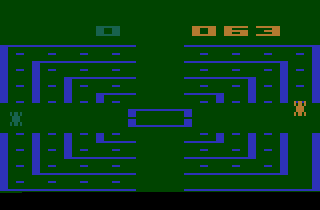
Dodge ‘Em is an action game published by Atari, Inc. in 1980 for the Atari 2600. You drive a car around an oval track collecting pellets while a faster computer-controlled car hunts you from behind. Your only defence is to switch lanes at the intersections — clear every pellet from the track to advance to the next wave.

How to Play

Both cars travel the same direction around the track, but the enemy is quicker. Steer with the arrow keys and use the intersections to jump lanes when the enemy closes in. Collect every pellet to clear the wave; getting caught resets it. Game Select (F11) cycles through variations, including a two-player mode where the second player controls the enemy car.

Player 1Player 2
Joystick↑↓←→T G F H
TriggerSpacebarA
TurboDel.
ResetF12
SelectF11
PauseAlt+P

Tips

  • You can only switch lanes at the intersections — commit to a move early, before the enemy is right on your tail.
  • After a lane change the enemy will follow, so be ready to switch again at the next junction if it stays close.
  • Sweep up pellets in long runs around the oval rather than switching lanes repeatedly; fewer changes give the enemy fewer chances to catch you.
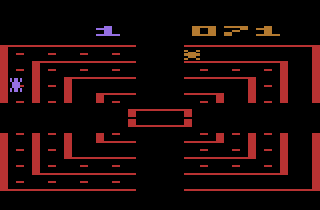
Screenshots:
Dodge ’Em Screenshot
Player Comments & Discussion: 0 Comments

Leave a Comment / Review:

No comments yet. Be the first gamer to sign the guestbook!