๐ŸŽฎ Play All Star Racing 2 Online (PlayStation)

๐ŸŽฒ NEXT RANDOM GAME
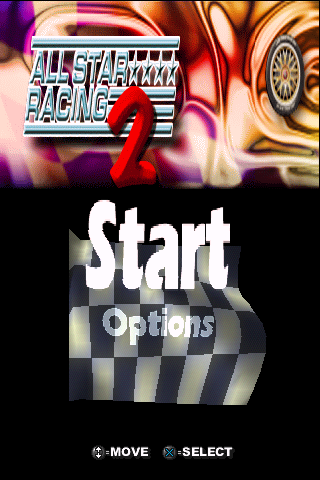
All Star Racing 2 cover art
SAVE SLOTS:

๐Ÿ•น๏ธ GAME CONTROLS

Action / ButtonKeyboard Key
D-Pad (Up / Down / Left / Right)Arrow Keys
Button AZ or J
Button BX or K
Button X / Turbo AA or U
Button Y / Turbo BS or I
SelectShift
StartEnter

๐Ÿ’ก Tip: You can also connect any USB / Bluetooth Gamepad controller!

Game Rating & Player Reviews: โญ Not rated yet
โ€“
โ˜†โ˜†โ˜†โ˜†โ˜†
Be the first to rate
Rate this game (Click 1 to 5 stars):
โ˜… โ˜… โ˜… โ˜… โ˜…

✏️ Suggest an edit to All Star Racing 2

๐Ÿšฉ Report Issue with All Star Racing 2:

๐ŸŽฎ VISUAL CONTROLLER MAPPING & GAMEPAD DIAGRAM Auto-Detect: Active
L1 / LB R1 / RB SELECT START Y X A B RETRO ARCADE
Gamepad InputRetro FunctionKeyboard Key
D-Pad / AnalogCharacter Movement / Steeringโ–ฒ โ–ผ โ—„ โ–บ
Button A (East)Primary Action / Attack / FireZ / K
Button B (South)Secondary / Jump / CancelX / J
Button X / YSpecial / Turbo / Extra FireA / S
SelectInsert Coin / Select OptionRight Shift
StartGame Start / Pause GameEnter
Game info: ๐Ÿ‘๏ธ 101 plays
All Star Racing 2
box cover
Game title:All Star Racing 2
Platform:PlayStation
Emulator Core:PSX
Game Manual: ๐Ÿ“– Official Manual (Built-in)
Share Game:
License:Freeware / Abandonware
Available online emulators for All Star Racing 2:

Different online emulators are available for All Star Racing 2. Select an emulator core below for optimal performance:

Emulator Core EngineTechnologyMultiplayerGamepadTouchAdsAction / Switch
EmulatorJS (Default WebAssembly) WebAssembly / JSYESYES YESNO PLAY โšก
PlayStation (Recommended) WebAssembly / LibretroYESYES YESNO โ–ถ ACTIVE
Beetle PSX HW WebAssembly / LibretroYESYES YESNO PLAY โšก
Game description:

Released by Kung Fu Games in 2003, All Star Racing 2 is a budget PlayStation arcade racer that offers an ambitious mix of driving styles. Rather than focusing on one discipline, players can compete in four entirely different vehicle classesโ€”karts, motorcycles, Formula One cars, and semi-trucksโ€”each providing unique handling and five dedicated tracks to master.

How to Play

Choose your preferred vehicle class and race for first place against AI opponents. Each vehicle type handles differently, meaning a heavy semi-truck will require much wider turns than a nimble go-kart. By default, use the arrow keys to steer your vehicle, X to accelerate, and Z to brake or reverse.

Tips

  • Adapt to your vehicle: The handling physics vary heavily between classes. Start with the karts to get a feel for the tracks before trying to wrestle the semi-trucks around tight corners.
  • Avoid collisions: Bumping into other racers or walls can quickly spin you out of control. Focus on finding clean racing lines rather than playing aggressively.

Player Comments & Discussion: 0 Comments

Leave a Comment / Review:

No comments yet. Be the first gamer to sign the guestbook!

