🎮 Play Alien Resurrection Online (PlayStation)

🎲 NEXT RANDOM GAME
Alien Resurrection cover art
SAVE SLOTS:

đŸ•šī¸ GAME CONTROLS

Action / ButtonKeyboard Key
D-Pad (Up / Down / Left / Right)Arrow Keys
Button AZ or J
Button BX or K
Button X / Turbo AA or U
Button Y / Turbo BS or I
SelectShift
StartEnter

💡 Tip: You can also connect any USB / Bluetooth Gamepad controller!

Game Rating & Player Reviews: ⭐ Not rated yet
–
☆☆☆☆☆
Be the first to rate
Rate this game (Click 1 to 5 stars):
★ ★ ★ ★ ★

✏️ Suggest an edit to Alien Resurrection

🚩 Report Issue with Alien Resurrection:

🎮 VISUAL CONTROLLER MAPPING & GAMEPAD DIAGRAM Auto-Detect: Active
L1 / LB R1 / RB SELECT START Y X A B RETRO ARCADE
Gamepad InputRetro FunctionKeyboard Key
D-Pad / AnalogCharacter Movement / Steering▲ â–ŧ ◄ â–ē
Button A (East)Primary Action / Attack / FireZ / K
Button B (South)Secondary / Jump / CancelX / J
Button X / YSpecial / Turbo / Extra FireA / S
SelectInsert Coin / Select OptionRight Shift
StartGame Start / Pause GameEnter
Game info: đŸ‘ī¸ 123 plays
Alien Resurrection
box cover
Game title:Alien Resurrection
Platform:PlayStation
Emulator Core:PSX
Game Manual: 📖 Official Manual (Built-in)
Share Game:
License:Freeware / Abandonware
Available online emulators for Alien Resurrection:

Different online emulators are available for Alien Resurrection. Select an emulator core below for optimal performance:

Emulator Core EngineTechnologyMultiplayerGamepadTouchAdsAction / Switch
EmulatorJS (Default WebAssembly) WebAssembly / JSYESYES YESNO â–ļ ACTIVE
PlayStation (Recommended) WebAssembly / LibretroYESYES YESNO PLAY ⚡
Beetle PSX HW WebAssembly / LibretroYESYES YESNO PLAY ⚡
Game description:

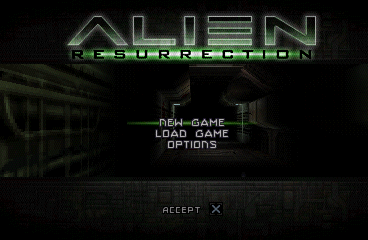
Developed by Argonaut Games and released in 2000, Alien Resurrection for the PlayStation is a tense first-person survival horror shooter based on the 1997 film. Instead of a fast-paced action game, it leans heavily into atmosphere, scarce resources, and overwhelming odds as you navigate the infested USM Auriga.

How to Play

Your objective is to survive the xenomorph outbreak and escape the ship by completing mission-based objectives. The game is famous for pioneering the modern twin-stick shooter control scheme. By default, the left analog stick handles movement and strafing, while the right stick controls your aim and camera. The shoulder buttons are used to fire your weapon and interact with the environment. If playing in a browser, these are typically mapped to WASD for movement and the mouse or arrow keys for aiming.

Tips

  • Conserve ammunition: Ammo is extremely limited. Rely on your flashlight and motion tracker to spot enemies early, and do not be afraid to run if you are overwhelmed.
  • Use the pulse rifle wisely: The iconic pulse rifle is powerful but chews through ammo. Save it for larger groups of aliens or tougher enemy types, and stick to the pistol for single threats.
  • Check corners: Xenomorphs and facehuggers often drop from ceilings or hide in dark corners. Always sweep the room with your flashlight before sprinting ahead.

Player Comments & Discussion: 0 Comments

Leave a Comment / Review:

No comments yet. Be the first gamer to sign the guestbook!

