๐ŸŽฎ Play Robopon – Sun Version (USA) Online (Game Boy Color)

๐ŸŽฒ NEXT RANDOM GAME
Robopon – Sun Version (USA) cover art
SAVE SLOTS:

๐Ÿ•น๏ธ GAME CONTROLS

Action / ButtonKeyboard Key
D-Pad (Up / Down / Left / Right)Arrow Keys
Button AZ or J
Button BX or K
Button X / Turbo AA or U
Button Y / Turbo BS or I
SelectShift
StartEnter

๐Ÿ’ก Tip: You can also connect any USB / Bluetooth Gamepad controller!

Game Rating & Player Reviews: โญ Not rated yet
โ€“
โ˜†โ˜†โ˜†โ˜†โ˜†
Be the first to rate
Rate this game (Click 1 to 5 stars):
โ˜… โ˜… โ˜… โ˜… โ˜…

✏️ Suggest an edit to Robopon – Sun Version (USA)

๐Ÿšฉ Report Issue with Robopon – Sun Version (USA):

๐ŸŽฎ VISUAL CONTROLLER MAPPING & GAMEPAD DIAGRAM Auto-Detect: Active
L1 / LB R1 / RB SELECT START Y X A B RETRO ARCADE
Gamepad InputRetro FunctionKeyboard Key
D-Pad / AnalogCharacter Movement / Steeringโ–ฒ โ–ผ โ—„ โ–บ
Button A (East)Primary Action / Attack / FireZ / K
Button B (South)Secondary / Jump / CancelX / J
Button X / YSpecial / Turbo / Extra FireA / S
SelectInsert Coin / Select OptionRight Shift
StartGame Start / Pause GameEnter
Game info: ๐Ÿ‘๏ธ 134 plays
Robopon – Sun Version (USA)
box cover
Game title:Robopon – Sun Version (USA)
Platform:Game Boy Color
Author (released): Unknown (2000)
Emulator Core:GBC
Game Manual: ๐Ÿ“– Official Manual (Built-in)
Share Game:
License:Freeware / Abandonware
Available online emulators for Robopon – Sun Version (USA):

Different online emulators are available for Robopon – Sun Version (USA). Select an emulator core below for optimal performance:

Emulator Core EngineTechnologyMultiplayerGamepadTouchAdsAction / Switch
EmulatorJS (Default WebAssembly) WebAssembly / JSYESYES YESNO โ–ถ ACTIVE
Game Boy / Color (Recommended) WebAssembly / LibretroYESYES YESNO PLAY โšก
Game description:

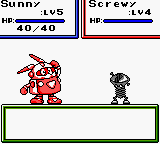
Robopon: Sun Version is a monster-taming role-playing game developed by Hudson Soft and released for the Game Boy Color in 2000. Closely mirroring the structure of Pokรฉmon, you travel the world capturing and battling mechanical creatures called Robopons. Instead of organic evolution, you strengthen your team by upgrading their parts and installing new software combinations to unlock powerful abilities.

How to Play

Explore the overworld, challenge rival dispatchers, and compete to become the top Robopon master. Use the D-pad (mapped to your arrow keys) to navigate and select commands. Press A (Z key) to confirm actions and interact with the environment, while B (X key) is used to cancel choices. The Start button (Enter) opens your main menu to manage your party and inventory.

Tips

  • Upgrading a Robopon’s CPU or RAM increases its base stats, while equipping different software combinations grants them new specialized attacks and healing spells.
  • Since your Robopons are mechanical, they are immune to traditional status ailments but are vulnerable to the “Rust” condition, which lowers their stats and needs to be repaired.
  • Always keep spare batteries in your inventory, as they are required to revive a defeated Robopon in the middle of a dungeon.
Player Comments & Discussion: 0 Comments

Leave a Comment / Review:

No comments yet. Be the first gamer to sign the guestbook!