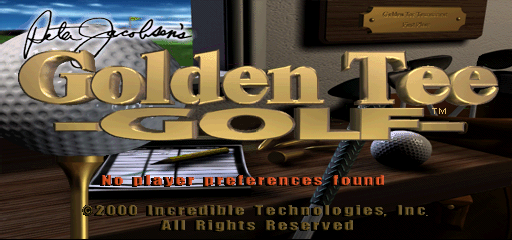

🎮 Play Peter Jacobsen’s Golden Tee Golf Online (PlayStation)

🎲 NEXT RANDOM GAME
Peter Jacobsen’s Golden Tee Golf cover art
SAVE SLOTS:

đŸ•šī¸ GAME CONTROLS

Action / ButtonKeyboard Key
D-Pad (Up / Down / Left / Right)Arrow Keys
Button AZ or J
Button BX or K
Button X / Turbo AA or U
Button Y / Turbo BS or I
SelectShift
StartEnter

💡 Tip: You can also connect any USB / Bluetooth Gamepad controller!

Game Rating & Player Reviews: ⭐ Not rated yet
–
☆☆☆☆☆
Be the first to rate
Rate this game (Click 1 to 5 stars):
★ ★ ★ ★ ★

✏️ Suggest an edit to Peter Jacobsen’s Golden Tee Golf

🚩 Report Issue with Peter Jacobsen’s Golden Tee Golf:

🎮 VISUAL CONTROLLER MAPPING & GAMEPAD DIAGRAM Auto-Detect: Active
L1 / LB R1 / RB SELECT START Y X A B RETRO ARCADE
Gamepad InputRetro FunctionKeyboard Key
D-Pad / AnalogCharacter Movement / Steering▲ â–ŧ ◄ â–ē
Button A (East)Primary Action / Attack / FireZ / K
Button B (South)Secondary / Jump / CancelX / J
Button X / YSpecial / Turbo / Extra FireA / S
SelectInsert Coin / Select OptionRight Shift
StartGame Start / Pause GameEnter
Game info: đŸ‘ī¸ 88 plays
Peter Jacobsen’s Golden Tee Golf
box cover
Game title:Peter Jacobsen’s Golden Tee Golf
Platform:PlayStation
Emulator Core:PSX
Game Manual: 📖 Official Manual (Built-in)
Share Game:
License:Freeware / Abandonware
Available online emulators for Peter Jacobsen’s Golden Tee Golf:

Different online emulators are available for Peter Jacobsen’s Golden Tee Golf. Select an emulator core below for optimal performance:

Emulator Core EngineTechnologyMultiplayerGamepadTouchAdsAction / Switch
EmulatorJS (Default WebAssembly) WebAssembly / JSYESYES YESNO â–ļ ACTIVE
PlayStation (Recommended) WebAssembly / LibretroYESYES YESNO PLAY ⚡
Beetle PSX HW WebAssembly / LibretroYESYES YESNO PLAY ⚡
Game description:

Peter Jacobsen’s Golden Tee Golf brings the massively popular arcade golf experience to the PlayStation. Endorsed by professional golfer Peter Jacobsen, this version adapts the signature gameplay of the Golden Tee arcade series for a standard controller. Instead of spinning a trackball, players use the D-pad and action buttons to line up shots, select clubs, and swing across 18-hole courses.

How to Play

The objective is to complete each course with the lowest possible stroke count. For PlayStation games played in the browser, standard controls are mapped to your keyboard: use the Arrow keys (D-pad) to aim and change clubs, Z and X for your primary action buttons (Cross and Circle), and Enter for Start. The swing mechanics rely on timing your input on the power meter to maintain accuracy and distance.

Tips

  • Pay close attention to the wind indicator before every swing, as strong gusts will push your ball off course.
  • When hitting onto the green, try an underpowered swing with a higher-lofted club to reduce roll and keep the ball near the pin.

Player Comments & Discussion: 0 Comments

Leave a Comment / Review:

No comments yet. Be the first gamer to sign the guestbook!

