🎮 Play Anticipation (Europe) Online (NES)

🎲 NEXT RANDOM GAME
Anticipation (Europe) cover art
SAVE SLOTS:

đŸ•šī¸ GAME CONTROLS

Action / ButtonKeyboard Key
D-Pad (Up / Down / Left / Right)Arrow Keys
Button AZ or J
Button BX or K
Button X / Turbo AA or U
Button Y / Turbo BS or I
SelectShift
StartEnter

💡 Tip: You can also connect any USB / Bluetooth Gamepad controller!

Game Rating & Player Reviews: ⭐ Not rated yet
–
☆☆☆☆☆
Be the first to rate
Rate this game (Click 1 to 5 stars):
★ ★ ★ ★ ★

✏️ Suggest an edit to Anticipation (Europe)

🚩 Report Issue with Anticipation (Europe):

🎮 VISUAL CONTROLLER MAPPING & GAMEPAD DIAGRAM Auto-Detect: Active
L1 / LB R1 / RB SELECT START Y X A B RETRO ARCADE
Gamepad InputRetro FunctionKeyboard Key
D-Pad / AnalogCharacter Movement / Steering▲ â–ŧ ◄ â–ē
Button A (East)Primary Action / Attack / FireZ / K
Button B (South)Secondary / Jump / CancelX / J
Button X / YSpecial / Turbo / Extra FireA / S
SelectInsert Coin / Select OptionRight Shift
StartGame Start / Pause GameEnter
Game info: đŸ‘ī¸ 93 plays
Anticipation (Europe)
box cover
Game title:Anticipation (Europe)
Platform:NES
Author (released): Unknown (1988)
Emulator Core:NES
Game Manual: 📖 Official Manual (Built-in)
Share Game:
License:Freeware / Abandonware
Available online emulators for Anticipation (Europe):

Different online emulators are available for Anticipation (Europe). Select an emulator core below for optimal performance:

Emulator Core EngineTechnologyMultiplayerGamepadTouchAdsAction / Switch
EmulatorJS (Default WebAssembly) WebAssembly / JSYESYES YESNO â–ļ ACTIVE
NES / Famicom (Recommended) WebAssembly / LibretroYESYES YESNO PLAY ⚡
Nestopia UE (Accurate) WebAssembly / LibretroYESYES YESNO PLAY ⚡
Game description:

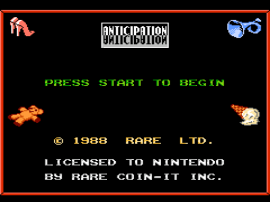
Anticipation is a unique video board game developed by Rare and released for the NES in 1988. Acting as a digital take on Pictionary, up to four players navigate a board by buzzing in to guess objects as they are drawn on-screen by a virtual pencil. With various categories and a rapidly dropping timer, it offers a fast-paced multiplayer puzzle experience.

How to play

The objective is to complete categories by correctly guessing what the computer is drawing. When you recognize the picture, buzz in quickly before your opponents. You then have a limited time to spell out the correct answer. The default NES browser controls use the Arrow Keys to navigate the spelling board, Z to select letters (A button), X to erase or cancel (B button), and Enter to buzz in or pause (Start button).

Tips

  • Watch the outline: The virtual pencil often sketches the general shape or outline of the object first before filling in the details. Buzzing in early based on the shape is key to winning.
  • Use category context: The color of the board square dictates the category of the drawing (such as Math, Office, or Natural). Keep this in mind to narrow down your guesses as the drawing progresses.

Player Comments & Discussion: 0 Comments

Leave a Comment / Review:

No comments yet. Be the first gamer to sign the guestbook!


