🎮 Play Virtual Chess 64 Online (Nintendo 64)

🎲 NEXT RANDOM GAME
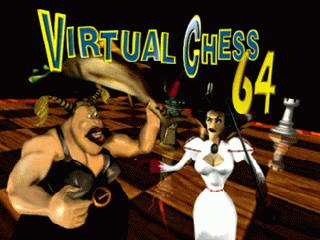
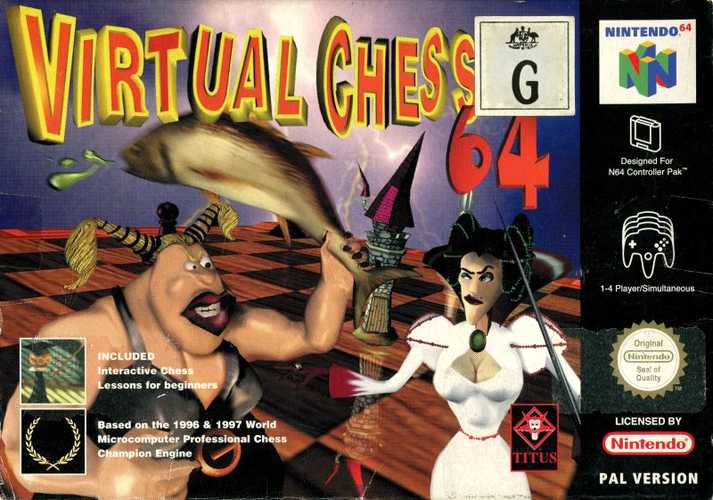
Virtual Chess 64 cover art
SAVE SLOTS:

đŸ•šī¸ GAME CONTROLS

Action / ButtonKeyboard Key
D-Pad (Up / Down / Left / Right)Arrow Keys
Button AZ or J
Button BX or K
Button X / Turbo AA or U
Button Y / Turbo BS or I
SelectShift
StartEnter

💡 Tip: You can also connect any USB / Bluetooth Gamepad controller!

Game Rating & Player Reviews: ⭐ Not rated yet
–
☆☆☆☆☆
Be the first to rate
Rate this game (Click 1 to 5 stars):
★ ★ ★ ★ ★

✏️ Suggest an edit to Virtual Chess 64

🚩 Report Issue with Virtual Chess 64:

🎮 VISUAL CONTROLLER MAPPING & GAMEPAD DIAGRAM Auto-Detect: Active
L1 / LB R1 / RB SELECT START Y X A B RETRO ARCADE
Gamepad InputRetro FunctionKeyboard Key
D-Pad / AnalogCharacter Movement / Steering▲ â–ŧ ◄ â–ē
Button A (East)Primary Action / Attack / FireZ / K
Button B (South)Secondary / Jump / CancelX / J
Button X / YSpecial / Turbo / Extra FireA / S
SelectInsert Coin / Select OptionRight Shift
StartGame Start / Pause GameEnter
Game info: đŸ‘ī¸ 112 plays
Virtual Chess 64
box cover
Game title:Virtual Chess 64
Platform:Nintendo 64
Author (released): Titus (1998)
Genre:Puzzle
Mode:Single-player
Game size:2814 kB
Emulator Core:N64
Game Manual: 📖 Official Manual (Built-in)
Share Game:
License:Freeware / Abandonware
Available online emulators for Virtual Chess 64:

Different online emulators are available for Virtual Chess 64. Select an emulator core below for optimal performance:

Emulator Core EngineTechnologyMultiplayerGamepadTouchAdsAction / Switch
EmulatorJS (Default WebAssembly) WebAssembly / JSYESYES YESNO â–ļ ACTIVE
Nintendo 64 (Recommended) WebAssembly / LibretroYESYES YESNO PLAY ⚡
ParaLLEl N64 WebAssembly / LibretroYESYES YESNO PLAY ⚡
Game description:

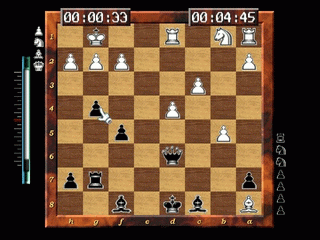
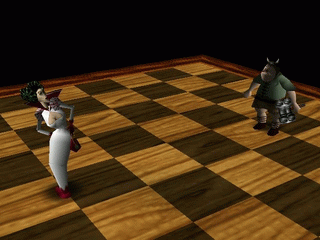
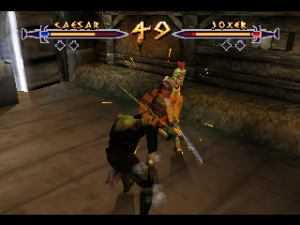
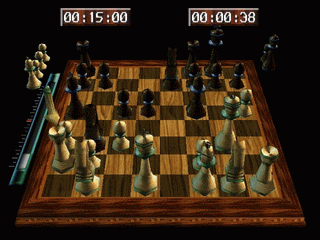
Virtual Chess 64 is a 1998 chess simulation developed by Titus for the Nintendo 64. Instead of a dry tactical interface, the game brings matches to life with animated combat sequences. When pieces are captured, you are treated to full 3D fantasy battles between the characters, adding a layer of spectacle to standard chess. Underneath the animations is a surprisingly robust chess engine with adjustable difficulty levels, a variety of board environments, and an extensive interactive tutorial for beginners.

How to Play

The objective is to checkmate your opponent’s king using standard rules of chess. You can play against the computer or challenge a friend in local multiplayer. Navigate the board using the D-pad or analog stick (mapped to the arrow keys in the browser). Use the A button (X or Z) to select and place pieces, and the B button to cancel. Press Start (Enter) to access the menu.

Tips

  • Toggle 2D Mode: If the 3D models and battle animations become distracting during a complex match, you can switch to a traditional top-down 2D view from the options menu for clearer tactical oversight.
  • Use the Tutorial: If you are new to the game, take advantage of the built-in tutorial. It covers everything from basic piece movement to advanced positional strategy and openings.
Screenshots:
Virtual Chess 64 Screenshot
Player Comments & Discussion: 0 Comments

Leave a Comment / Review:

No comments yet. Be the first gamer to sign the guestbook!