๐ŸŽฎ Play Tetris & Dr. Mario Online (SNES)

๐ŸŽฒ NEXT RANDOM GAME
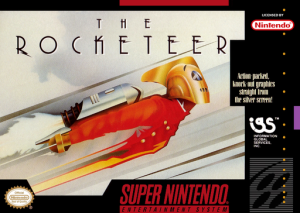
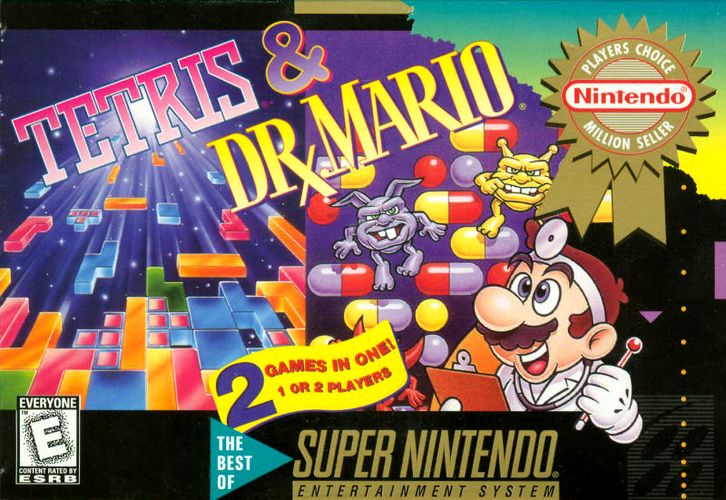
Tetris & Dr. Mario cover art
SAVE SLOTS:

๐Ÿ•น๏ธ GAME CONTROLS

Action / ButtonKeyboard Key
D-Pad (Up / Down / Left / Right)Arrow Keys
Button AZ or J
Button BX or K
Button X / Turbo AA or U
Button Y / Turbo BS or I
SelectShift
StartEnter

๐Ÿ’ก Tip: You can also connect any USB / Bluetooth Gamepad controller!

Game Rating & Player Reviews: โญ Not rated yet
โ€“
โ˜†โ˜†โ˜†โ˜†โ˜†
Be the first to rate
Rate this game (Click 1 to 5 stars):
โ˜… โ˜… โ˜… โ˜… โ˜…

✏️ Suggest an edit to Tetris & Dr. Mario

๐Ÿšฉ Report Issue with Tetris & Dr. Mario:

๐ŸŽฎ VISUAL CONTROLLER MAPPING & GAMEPAD DIAGRAM Auto-Detect: Active
L1 / LB R1 / RB SELECT START Y X A B RETRO ARCADE
Gamepad InputRetro FunctionKeyboard Key
D-Pad / AnalogCharacter Movement / Steeringโ–ฒ โ–ผ โ—„ โ–บ
Button A (East)Primary Action / Attack / FireZ / K
Button B (South)Secondary / Jump / CancelX / J
Button X / YSpecial / Turbo / Extra FireA / S
SelectInsert Coin / Select OptionRight Shift
StartGame Start / Pause GameEnter
Game info: ๐Ÿ‘๏ธ 126 plays
Tetris & Dr. Mario
box cover
Game title:Tetris & Dr. Mario
Platform:SNES
Author (released): Nintendo (1994)
Genre:Puzzle
Mode:Single-player
Game size:225 kB
Emulator Core:SNES
Game Manual: ๐Ÿ“– Official Manual (Built-in)
Share Game:
License:Freeware / Abandonware
Available online emulators for Tetris & Dr. Mario:

Different online emulators are available for Tetris & Dr. Mario. Select an emulator core below for optimal performance:

Emulator Core EngineTechnologyMultiplayerGamepadTouchAdsAction / Switch
EmulatorJS (Default WebAssembly) WebAssembly / JSYESYES YESNO โ–ถ ACTIVE
SNES / Super Famicom (Recommended) WebAssembly / LibretroYESYES YESNO PLAY โšก
Game description:

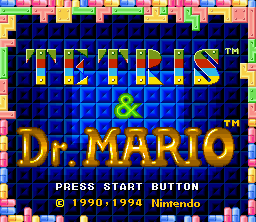
Released by Nintendo in 1994, Tetris & Dr. Mario brings two defining puzzle games together on a single SNES cartridge. Alongside 16-bit graphical and musical updates for both titles, the compilation introduces Mixed Matchโ€”a frantic competitive mode where players race for points while constantly alternating back and forth between playing Tetris and Dr. Mario.

How to play

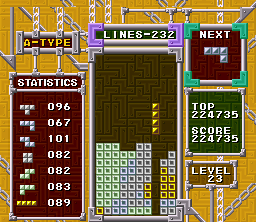
In Tetris, you must arrange falling blocks to form solid horizontal lines, which then disappear and grant you points. In Dr. Mario, you drop two-colored vitamin pills onto matching viruses; aligning four of the same color vertically or horizontally clears them from the bottle.

Gamepad control:

direction buttons

โ†‘โ†“โ†โ†’
action button AZ
action button BX
action buttons X, YA, S
shoulder buttons L, RQ, E
SELECTShift
STARTEnter

Tips

  • In Mixed Match mode, try to set up line clears or combos right before the timer switches you to the other game. The garbage blocks or penalty pieces will drop on your opponent while they are trying to orient themselves.
  • When playing Dr. Mario, prioritizing horizontal clears near the top of the bottle can often set up chain reactions, as unsupported pill halves fall to create new matches below.
  • For Tetris, avoid relying solely on the straight “I” block to score Tetrises. Keeping your stack relatively flat and stable is safer than leaving a deep well if you do not get the piece you need.
Screenshots:
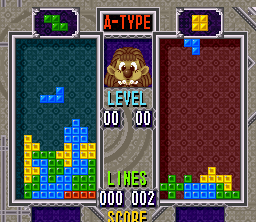
Tetris & Dr. Mario Screenshot
Player Comments & Discussion: 0 Comments

Leave a Comment / Review:

No comments yet. Be the first gamer to sign the guestbook!