🎮 Play Star Wars: The Empire Strikes Back Online (Atari 2600)

🎲 NEXT RANDOM GAME
SAVE SLOTS:

đŸ•šī¸ GAME CONTROLS

Action / ButtonKeyboard Key
D-Pad (Up / Down / Left / Right)Arrow Keys
Button AZ or J
Button BX or K
Button X / Turbo AA or U
Button Y / Turbo BS or I
SelectShift
StartEnter

💡 Tip: You can also connect any USB / Bluetooth Gamepad controller!

Game Rating & Player Reviews: ⭐ Not rated yet
–
☆☆☆☆☆
Be the first to rate
Rate this game (Click 1 to 5 stars):
★ ★ ★ ★ ★

✏️ Suggest an edit to Star Wars: The Empire Strikes Back

🚩 Report Issue with Star Wars: The Empire Strikes Back:

🎮 VISUAL CONTROLLER MAPPING & GAMEPAD DIAGRAM Auto-Detect: Active
L1 / LB R1 / RB SELECT START Y X A B RETRO ARCADE
Gamepad InputRetro FunctionKeyboard Key
D-Pad / AnalogCharacter Movement / Steering▲ â–ŧ ◄ â–ē
Button A (East)Primary Action / Attack / FireZ / K
Button B (South)Secondary / Jump / CancelX / J
Button X / YSpecial / Turbo / Extra FireA / S
SelectInsert Coin / Select OptionRight Shift
StartGame Start / Pause GameEnter
Game info: đŸ‘ī¸ 103 plays
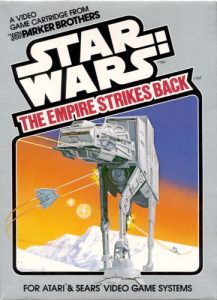
Star Wars: The Empire Strikes Back
box cover
Game title:Star Wars: The Empire Strikes Back
Platform:Atari 2600
Author (released): Parker Brothers (1982)
Genre:Action, Shooter
Mode:Multiplayer
Game size:4 kB
Emulator Core:ATARI2600
Game Manual: 📖 Official Manual (Built-in)
Share Game:
License:Freeware / Abandonware
Available online emulators for Star Wars: The Empire Strikes Back:

Different online emulators are available for Star Wars: The Empire Strikes Back. Select an emulator core below for optimal performance:

Emulator Core EngineTechnologyMultiplayerGamepadTouchAdsAction / Switch
EmulatorJS (Default WebAssembly) WebAssembly / JSYESYES YESNO PLAY ⚡
Atari 2600 (Recommended) WebAssembly / LibretroYESYES YESNO PLAY ⚡
Javatari / Stella JS Engine WebAssembly / LibretroYESYES YESNO â–ļ ACTIVE
Game description:

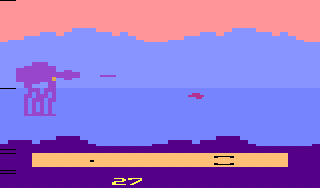
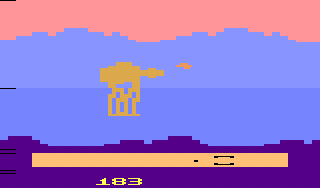
Star Wars: The Empire Strikes Back was released by Parker Brothers in 1982, bringing the Battle of Hoth to the Atari 2600. Piloting a Rebel snowspeeder, your mission is to defend Echo Base from an endless march of Imperial AT-AT walkers. The game translates the film’s iconic set piece into a tense, side-scrolling shooter where the enemy’s slow, relentless advance is your primary threat.

How to Play

You must destroy the walkers before they reach the Rebel base on the right side of the screen. It takes 48 shots to the body to bring down an AT-AT, but a single well-placed shot to its flashing bomb hatch will destroy it instantly. If even one walker reaches the base, the game is over.

  • Move: Arrow Keys
  • Fire: Spacebar
  • Game Select: F11
  • Game Reset: F12
  • Pause: Alt+P

Tips

  • Aim for the Hatch: The flashing pixel on an AT-AT’s body is its weak point. Hitting it instantly destroys the walker, saving you dozens of shots.
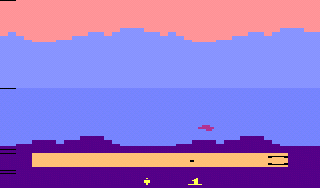
  • Repair Your Speeder: As your snowspeeder takes hits, it will change color and eventually flash. You can repair it by flying low to the ground and landing in the bottom valley area for a few seconds.
  • Use the Force: Periodically, your speeder will become invincible for 15 seconds while the Star Wars theme plays. Use this time to ram directly into the walkers without taking damage.
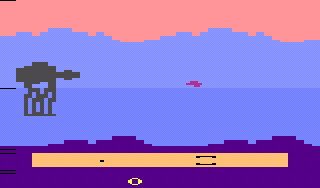
Screenshots:
Star Wars: The Empire Strikes Back Screenshot
Player Comments & Discussion: 0 Comments

Leave a Comment / Review:

No comments yet. Be the first gamer to sign the guestbook!